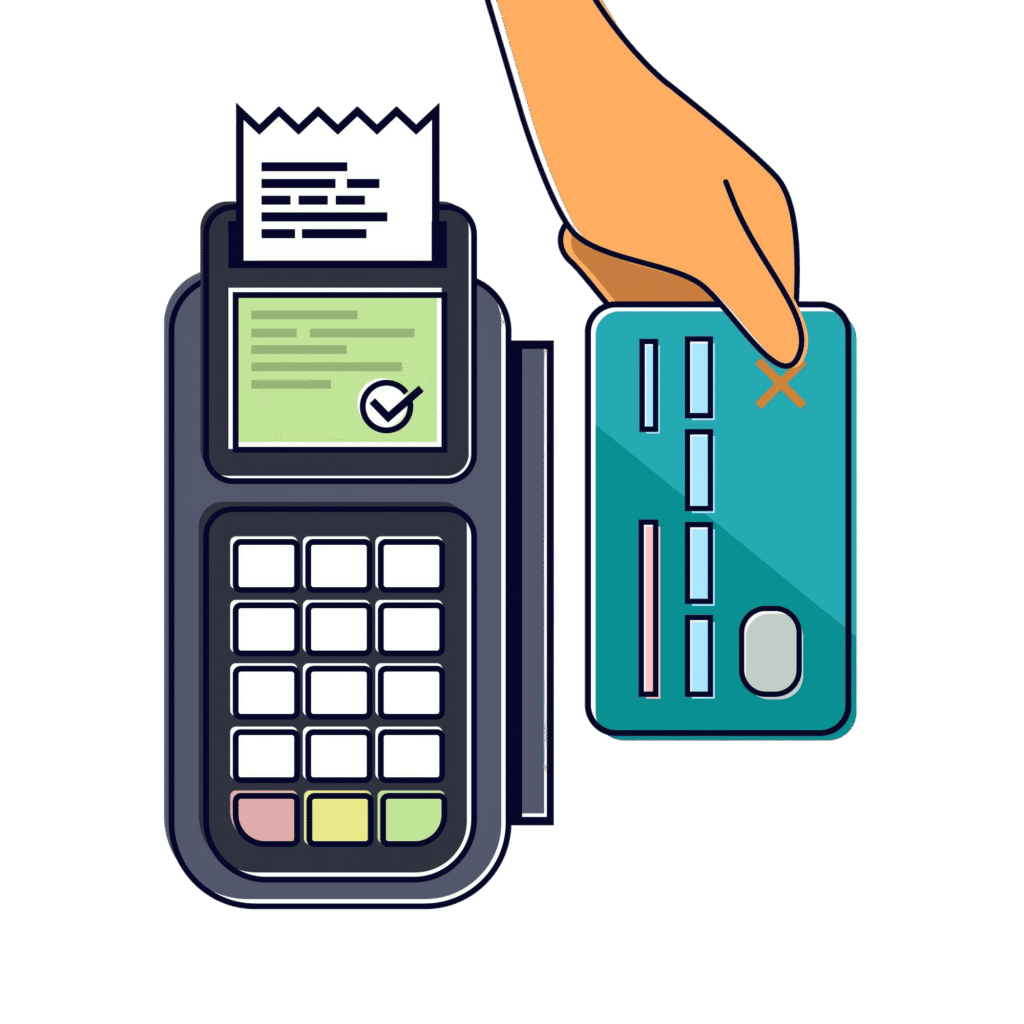

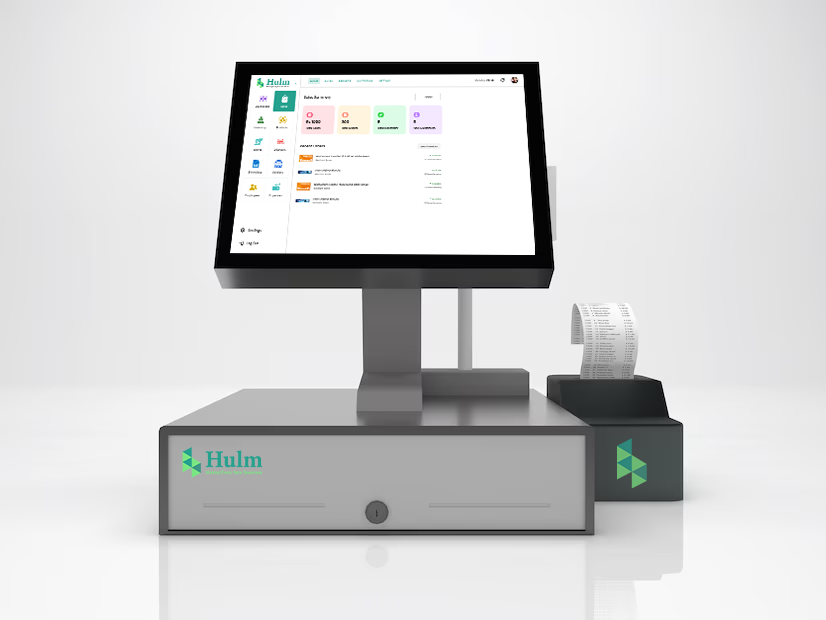
Point of sale Definition:
A POS (Point of Sale) is the place where a customer completes a purchase, using hardware and software that process payments and record sales.
What is POS?
A POS (Point of Sale) is where customers pay for goods or services. It combines hardware like card readers and cash drawers with software that processes sales, issues receipts, and records transactions.
What is POS System?
A Point of Sale (POS) system is the technology businesses use to complete sales and manage day-to-day operations. Beyond processing payments, modern POS platforms include tools for inventory management, order management, vendor management, CRM, purchase orders, and reporting modules, giving business owners one place to control and analyze their entire workflow. This makes POS not just a checkout tool, but a complete business management system.
Modern POS solutions come in many forms, checkout counters, mobile apps, or online systems—making it easy for businesses to sell anywhere. Whether in restaurants, retail stores, pharmacies, clothing shops and jewellery outlets, a POS system helps streamline transactions, improve customer experiences, and keep operations organized.
What Does POS System Stand For?
POS stands for Point of Sale. It’s the place where a customer pays for goods or services, and the system that makes it possible. A POS combines hardware (like card readers and cash drawers) with software that processes payments, records sales, issues receipts, and tracks essential business data.
Key Takeaways of a POS System
- Point of sale in a business is a way to process payments and consummate the purchase in person or via the Internet.
- They usually generate receipts electronically or on paper.
- Point-of-sale software keeps track of inventory management, pricing, and customer information for the marketing analysis side street.
What Does POS Mean?
POS (Point of Sale) is the place and system where a transaction happens between a customer and a business. While it once meant only the checkout counter, today a POS system combines hardware and software to process payments, track inventory, manage customer relationships, and provide sales insights—making it a central tool for running businesses efficiently and improving customer experience.
Key Components of a POS System
Hardware:
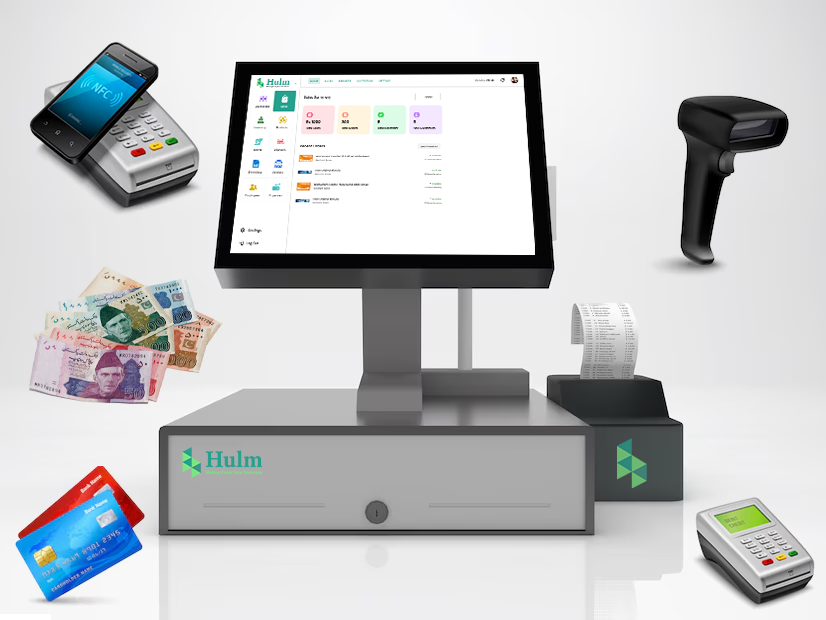
HulmSolutions POS Hardware
- Point-of-sale Terminal: The computer or device where the transactions are processed.
- Card Reader: For accepting credit and debit card payments.
- Barcode Scanner: Speeds up checkout by scanning product codes.
- Receipt Printer: Provides printed proof of purchase.
- Cash Drawer: Safely stores cash payments.
Software:
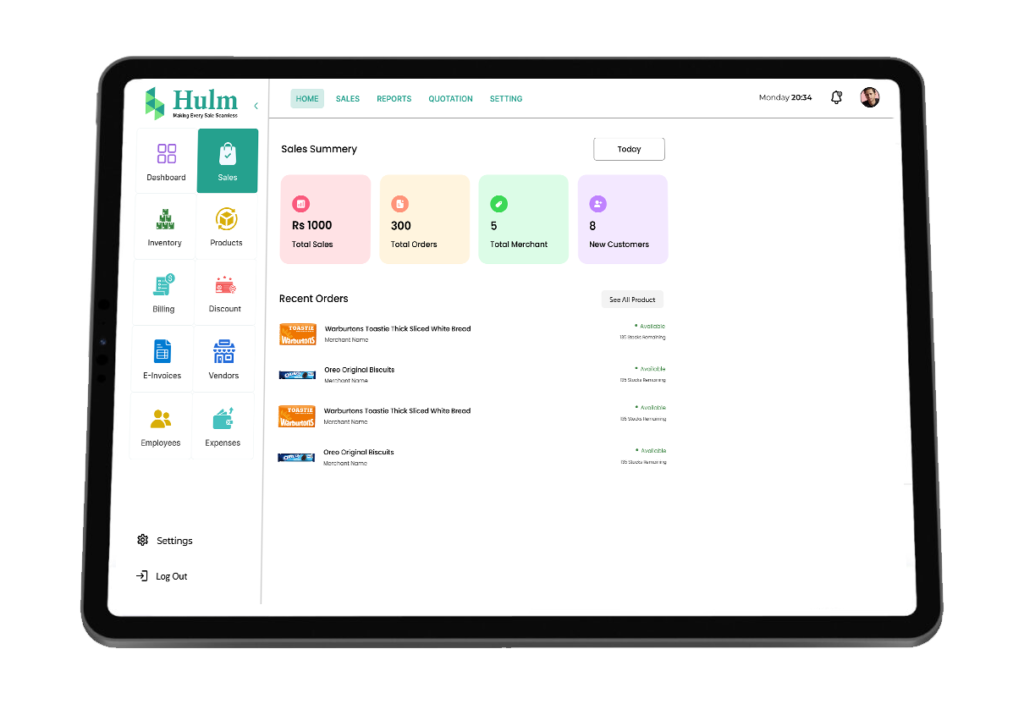
HulmSolutions Point of Sale (Dashboard)
- Handles payments, generates receipts and tracks sales data.
- Monitors stock levels in real time and automates restocking alerts.
- Generates sales reports and customer insights.
- Integrates with other business tools like accounting software.
- Accepts multiple payment methods, including cash, cards and digital wallets.
POS Market Growth & Future Trends
The global POS (Point-of-Sale) market is growing fast, expected to reach $110+ billion by 2032 (Fortune Business Insights). Businesses are choosing POS systems to speed up sales, manage inventory, and accept mobile or contactless payments, helping improve customer service. Studies show POS can boost sales by up to 46% in some industries (HotelTechReport). Top companies like Square and Lightspeed process billions in payments each year (Square, Lightspeed). Governments also support digital payments for better tax tracking (U.S. SBA, Commerce.gov). A modern POS isn’t just helpful—it’s now essential for business growth.
What is POS software used for?
POS software processes sales, updates stock, captures customer details, applies promotions, and generates reports that help owners make faster, data-driven decisions.
Why Is Point of Sale Important?
The point-of-sale system is the core of retail and service-based businesses, managing sales, inventory, customer data, and reporting. It is much more sophisticated than traditional cash registers, using modern technology to operate quickly and accurately, and interact nonstop with customers.
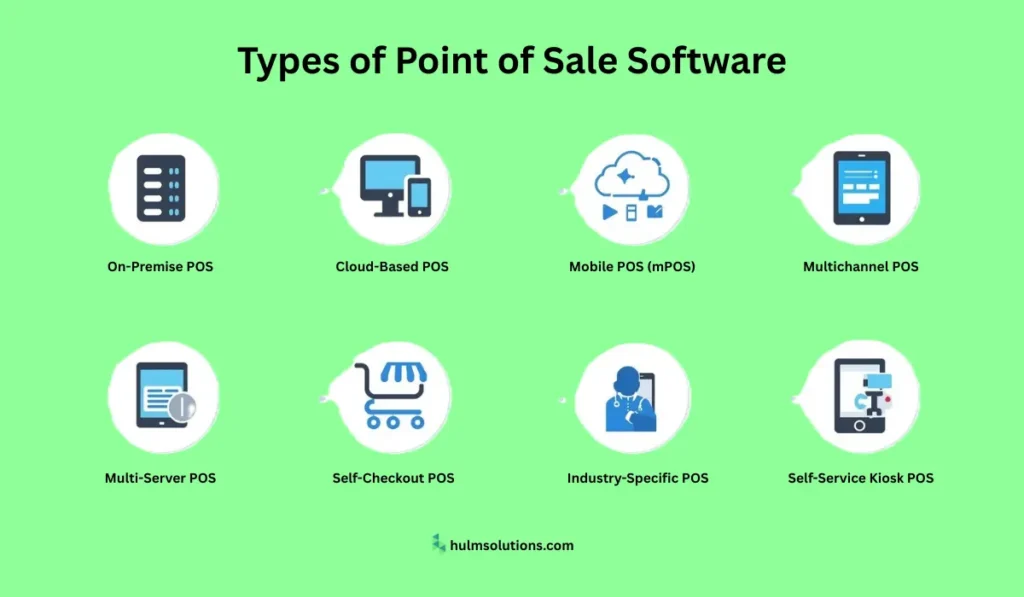
How Many Types of Point of Sale Software?
Not all point-of-sale systems are created equal. Depending on your business needs, you can choose from various Point of Sale software types, each offering unique features.
Traditional POS Systems
Traditional point-of-sale systems essentially describe the type of terminal where individual touchpoints are fixed in-store. These systems are reliable and secure but are not as flexible as modern solutions.
Cloud-Based POS Systems
Cloud based POS systems collect data online, and with an internet connection, you can access it from any of the device. They’re affordable yet scalable and put your best foot forward for multi-site business establishments.
Mobile POS (mPOS)
Portable Systems that run on a smartphone or tablet are ideal for small businesses, food trucks, or events. They allow transactions to be processed at the site.
Self-Service Kiosks
These kinds of systems enable customers to do the transaction themselves and generally are found in many fast-food and retail stores. Reducing wait times along the way enhances the overall level of customer experience.
Industry-Specific POS Systems
Some Point of Sale software is tailored for specific industries:
- Pos system for retail shop
- Pos systems for restaurants
- Pos system for hotels
- Pos systems for food trucks
- Pos systems for liquor stores
- Pos system for cafes
- Pos system for schools
- Pos system for pharmacy and medical store
- Pos system for salon
- Pos system for hospital
- Pos systems for supermarkets
- Pos systems for bars

How Does Point of Sale Work
A POS system streamlines business operations by handling payments, sales, inventory, and reporting. Here’s how it works step by step:
- Set Up Hardware – Connect barcode scanners, card readers, cash drawers, and receipt printers with a stable internet connection.
- Configure Software – Add products with prices, taxes, and stock details. Set up payment methods and employee access.
- Process Transactions – Scan items, apply discounts, accept payments (cash, card, or mobile wallet), and issue receipts.
- Track & Report – Use real-time analytics for sales, inventory, and customer behavior to make smarter business decisions.
- Train Staff – Ensure employees know how to operate the POS efficiently for smooth operations.
Modern POS systems go beyond checkout—they help restaurants, retail stores, pharmacies, bakeries, jewelry shops, and furniture outlets manage operations and deliver better customer experiences.

How to Use a POS System
A POS (Point of Sale) system makes daily operations faster and more accurate. From checkout to reporting, here’s how to use it step by step:
- Log In & Start Shift – Employees sign in with credentials and, if required, open the cash drawer to begin sales tracking.
- Add Items to the Order – Scan barcodes, search by name, or select services/products directly from the catalog.
- Apply Discounts & Promotions – Add coupons or special offers to maintain pricing consistency.
- Choose Payment Method – Accept cash, cards, mobile wallets, or split payments through contactless options.
- Issue Receipt – Print, email, or SMS the receipt; digital receipts help reduce paper use and grow customer databases.
- Auto-Update Inventory – Stock adjusts in real time after every sale, preventing overselling and easing reorders.
- Capture Customer Details – Save contact info for loyalty programs, marketing, and personalized offers.
- Review Reports & Analytics – Access real-time dashboards for sales trends, employee performance, and customer insights.
Benefits of a Point of Sale System
- Better Transaction Accuracy: Decrease human error, thus ensuring price and payment correctness.
- Real-Time Inventory: It enables automatic monitoring of inventory levels to prevent stockouts and overstocking.
- Quicker Checkouts: It hastens checkout, which minimizes the hours customers have to spend in queues and, as a result, increases their satisfaction.
- In-depth Reporting and Analysis: Comprehensive reports are generated concerning sales, customers, and performance for informed decisions.
- Better Customer Experience: It leads to personalized services, loyalty programs and faster transactions.
- Multi-Payment Mode: It accepts payment in a variety of means, including credit/debit cards, mobile wallets, or contactless payments.
- Seamless Access to Other Domains of Business Tools: This makes integration with the accounting, e-commerce applications and also CRM systems.
- Employee Management: Improved accountability with an integrated tracking of employee sales, attendance and access rights.
- Security and Data Protection: Secure and encrypted access protocols ensure the protection of customer and transaction data.
- Flexibility: It adapts easily to the growth of a business and can hence be used at many locations with newer integrations.
POS System vs Traditional Cash Register
| Feature | Traditional Cash Register | Modern POS System |
|---|---|---|
| Inventory tracking | Manual | Automated real-time |
| Reporting & Analytics | Very limited | Detailed, custom reports |
| Multi-location management | Hard or no | Multiple, including mobile/local wallets / online |
| Payment methods | Cash / basic card | Easy with a cloud-based system |
| Upfront & maintenance cost | Hardware + minimal software | Multiple including mobile/local wallets / online |
Point of Sale Features
- Inventory Management
- Purchase Orders
- Payment Processing
- Employee Management
- CRM
- Sales Tracking & Reporting
- Vendors Management
- Billing Management
Common Pain Points with POS Systems
- Hardware failure/maintenance issues.
- Hidden fees or high transaction charges.
- Poor internet is leading to downtime or data syncing issues.
- Complicated setup or hard-to-use software.
- Limited local support or customer service.
- Lack of customization for local business practices.
How to Choose the Right POS System for Your Business
- Match the Features to Your Business Type
Retail vs restaurant vs service requires different tools (menus, tables, barcode vs recipe costing, etc.). - Consider Costs (Total Cost of Ownership)
Upfront hardware, monthly fees, transaction fees, maintenance, support. - Support for Local Payments & Regulations
In Pakistan for example: local banks, mobile wallets, import duties, and taxes. - Reliability & Offline Functionality
What happens if internet is down? Does your POS still capture sales and sync later? - Ease of Use & Training
Intuitive interface, clear onboarding, and local language support if needed. - Scalability & Integration
Ability to add more locations, integrate with accounting/e-commerce tools. - Security & Compliance
Data encryption, secure card handling, and compliance with PCI standards.
Future Trends in POS Technology
Continuous evolution in technology keeps on making POS systems more intelligent and versatile. The future of POS, what do you expect?
- AI Insights: Deeper analytics and predictive modeling of customer behavior, inventory optimization.
- Contactless Payments: Proliferate digital wallets and QR code payments.
- IoT integration: Smart shelves and RFID tags for automatically updating inventories.
- Increasing mobile solutions: More micro businesses are adopting mPOS systems.
How to set up a Point of Sale System?
Setting up a POS system involves three key steps:
- Connect the hardware—barcode scanner, card reader, and printer—to the terminal.
- Configure the software by uploading your product catalog, pricing, and tax rules, and enabling payment options like cash, cards, or wallets.
- Test sample transactions and train staff. This ensures accurate sales tracking, faster checkouts, and reliable reporting for long-term business efficiency.
Conclusion
The POS system meaning has grown far beyond a simple cash register. A POS (Point of Sale) is where a sale happens, payments are processed, and receipts are issued. But when people search “what is POS,” “what is a POS system,” or “POS definition”, they’re really asking about today’s advanced tools. Modern POS software combines hardware and digital features to manage sales, inventory, vendor relationships, CRM, purchase orders, and reporting. In short, the POS system is not just about transactions—it’s a central hub that helps businesses across retail, restaurants, pharmacies, bakeries, and boutiques run smoothly, serve customers better, and grow faster.
To learn more about Point of Sale click here!
Frequently Asked Questions
Q1. What Payment Methods Do POS Systems Support?
Ans. Point of Sale systems support cash, credit/debit cards, mobile payments, and contactless payment methods.
Q2. What Types of Businesses Use point-of-sale systems?
Ans. POS systems are used by retail stores, restaurants, hotels, salons, and other businesses that handle transactions.
Q3. How Can Consumers Report Point of Sale Fraud?
Ans. Consumers can report point-of-sale fraud to the Federal Trade Commission (FTC) via its Consumer Sentinel Network.
Q4. What Are the Key Features of a Modern point-of-sale system?
Ans. Modern POS systems include payment processing, inventory tracking, sales reporting, and customer data management.
Q5. Why Are Point of Sale Systems Important for Businesses?
Ans. POS systems streamline operations, reduce errors, track sales, and improve customer service.
Q6. How Do Retailers Prevent POS Fraud?
Ans. Retailers use PIN verification for debit cards, CVV codes for online payments, and secure payment technologies to prevent fraud.
Q7. How Secure Are POS Transactions?
Ans. Point of Sale transactions are secured through encryption, tokenization, EMV chip technology, and regular software updates.
Q8. What Is a Cloud-Based POS System?
Ans. A cloud-based Point of Sale system stores data online, allowing businesses to access it from any device with internet connectivity.
Q9. How Does Point of Sale Systems Improve Inventory?
Ans. Point of Sale systems track real-time inventory levels, reduce stockouts, and help businesses plan restocking efficiently.
Q10. What Was the First Point of Sale System?
Ans. The first Point of Sale system was the cash register, invented in 1879 by James Ritty. It was later sold to National Cash Register (NCR), which popularized its use.
For More Information About Point of Sale Click Here!