
Pharmacy POS Software

Pharmacy POS Software for Faster Billing and Better Stock Control

Manage medicine barcode scanning, stock and daily sales with a POS workflow shaped around your business.

Pharmacy Store POS system by Hulm
Live Inventory & Barcode Ready

Connected Pharmacy Store Workflow

Billing, stock & customer records in one view

0.8s Fast Billing
Operational friction

Everyday Pharmacy Store Problems—and How HulmPOS Helps

Problem 1Pharmacy Store Bottleneck
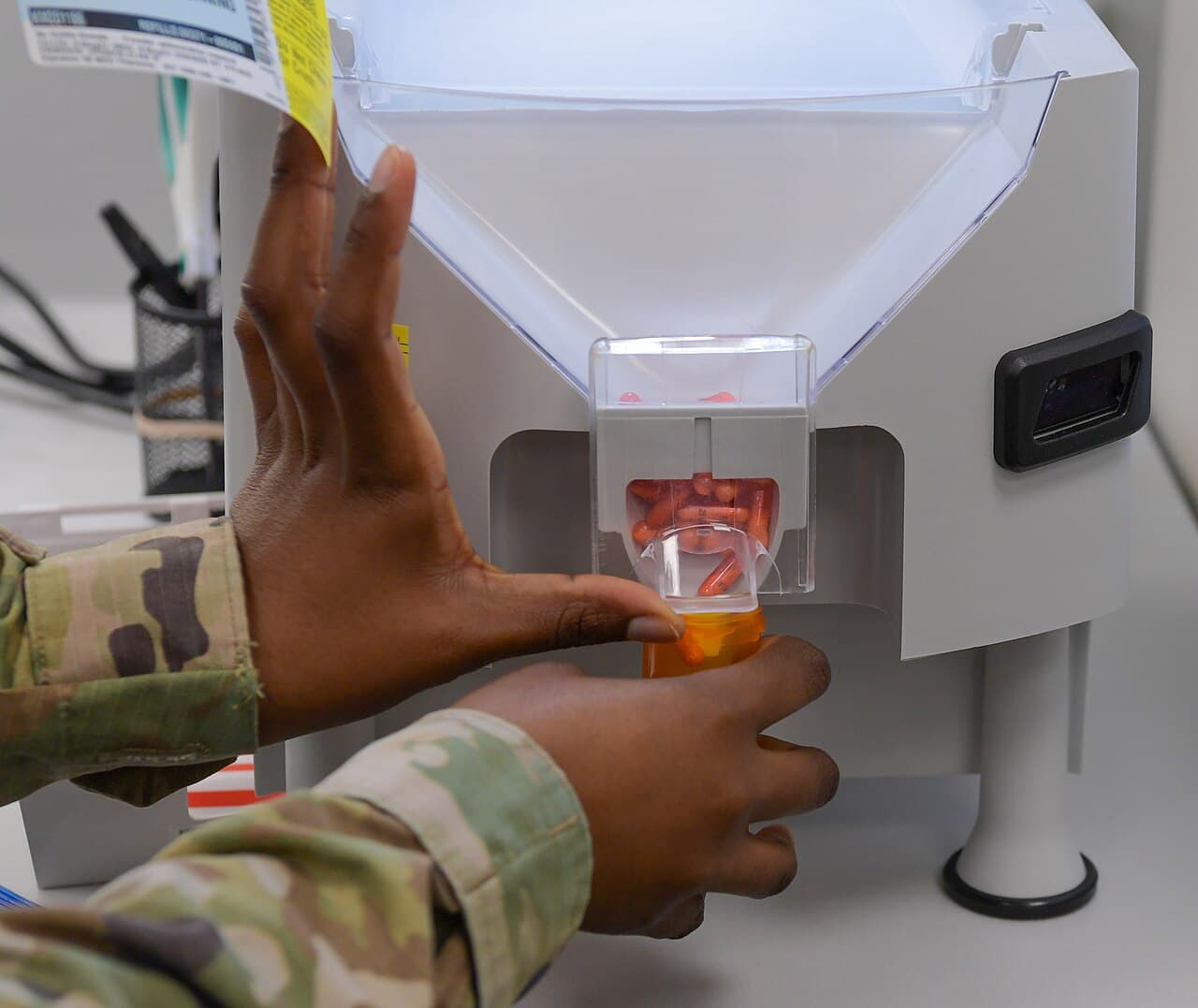
Medicine tablets and blister packs with expiry dates

Expiry dates are hard to monitor

Medicine batches can sit across shelves and deliveries, making expiry checks difficult.

The HulmPOS Solution

Batch & expiry tracking with alerts

If enabled, use batch and expiry tracking with alerts. Demonstrate warning and checkout behaviour.

Problem 2Pharmacy Store Bottleneck
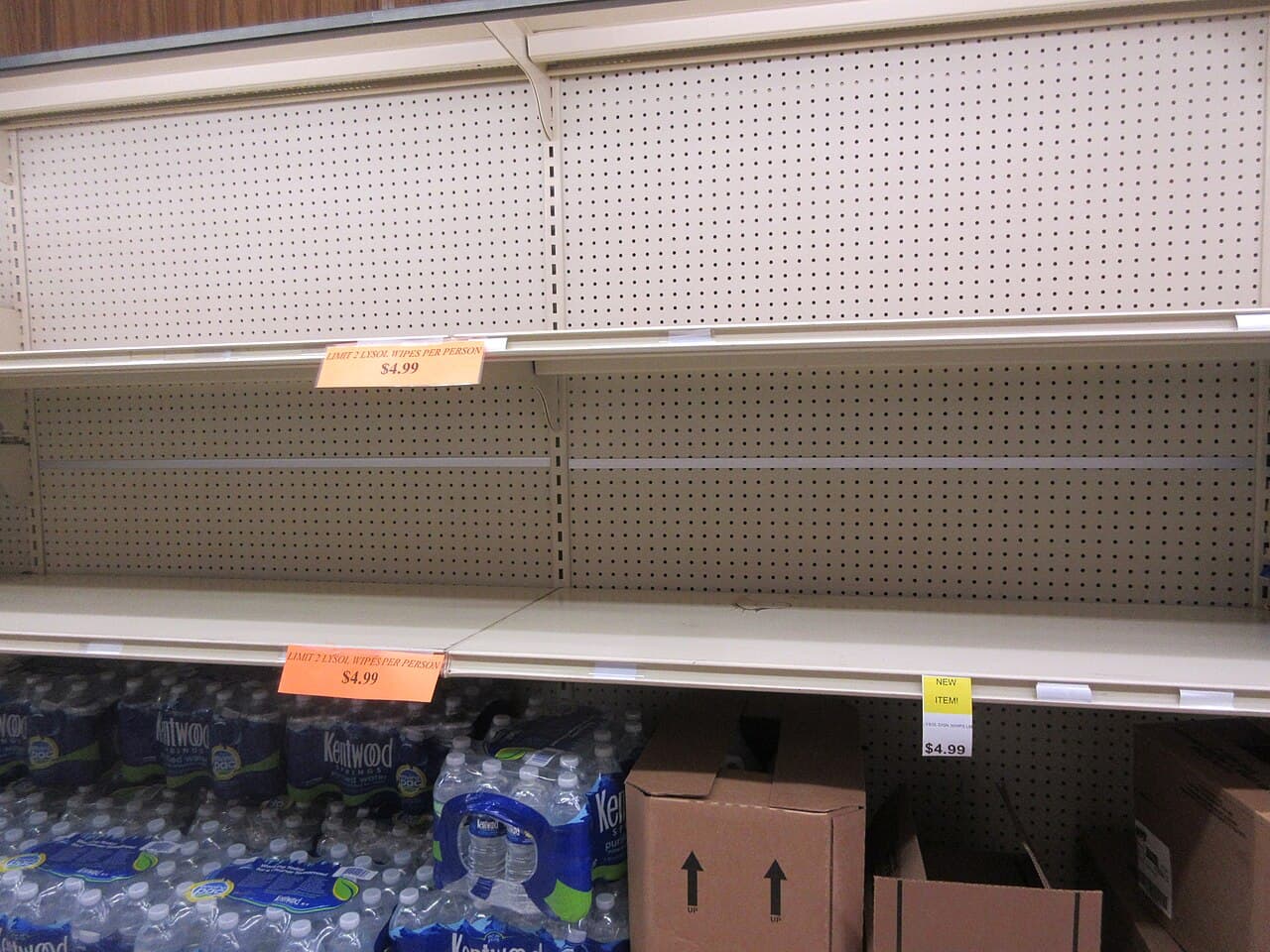
Empty medicine pharmacy shelves showing unexpected stockouts

Critical medicines run out unexpectedly

Staff may discover a shortage only when a customer asks for the medicine.

The HulmPOS Solution

Stock records & low-stock alerts

Use stock records and supported low-stock visibility to plan replenishment.

Problem 3Pharmacy Store Bottleneck
Pharmacy staff reviewing purchase orders and supplier invoices

Supplier ordering takes too much time

Supplier orders and prices in chats or notebooks are hard to review.

The HulmPOS Solution

Vendor records & purchase order workflow

Use vendor and purchase-order workflows to organise supplier records and replenishment.

Problem 4Pharmacy Store Bottleneck
Dispensing counter at pharmacy with staff serving customers

Busy counters slow down

Manual product lookup and handwritten bills create queues.

The HulmPOS Solution

Rapid product search & barcode checkout

Use product search and compatible barcode scanning to speed checkout.

What the pharmacy POS software looks like in Hulm

Real screens from Hulm POS. Your setup is configured around your products, branches and team.

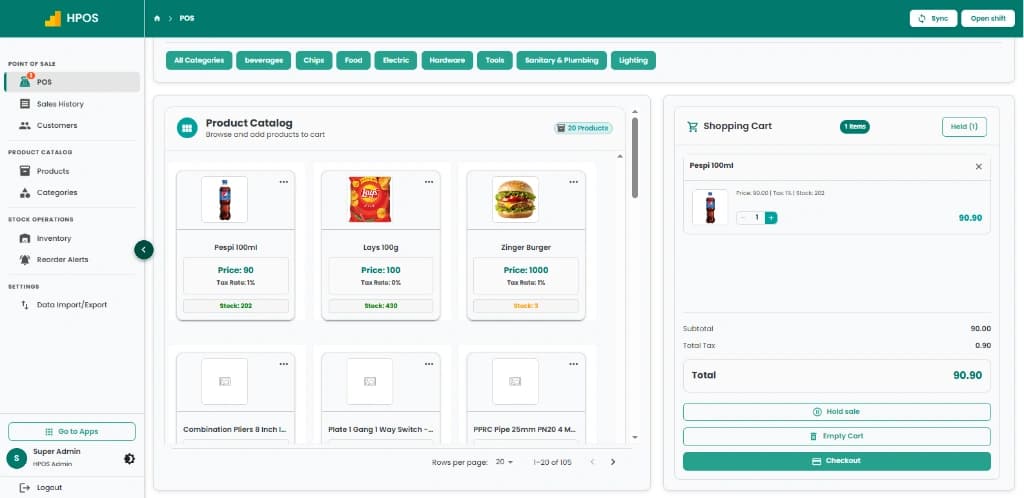
Hulm POS screen: Point of Sale & cashier checkout
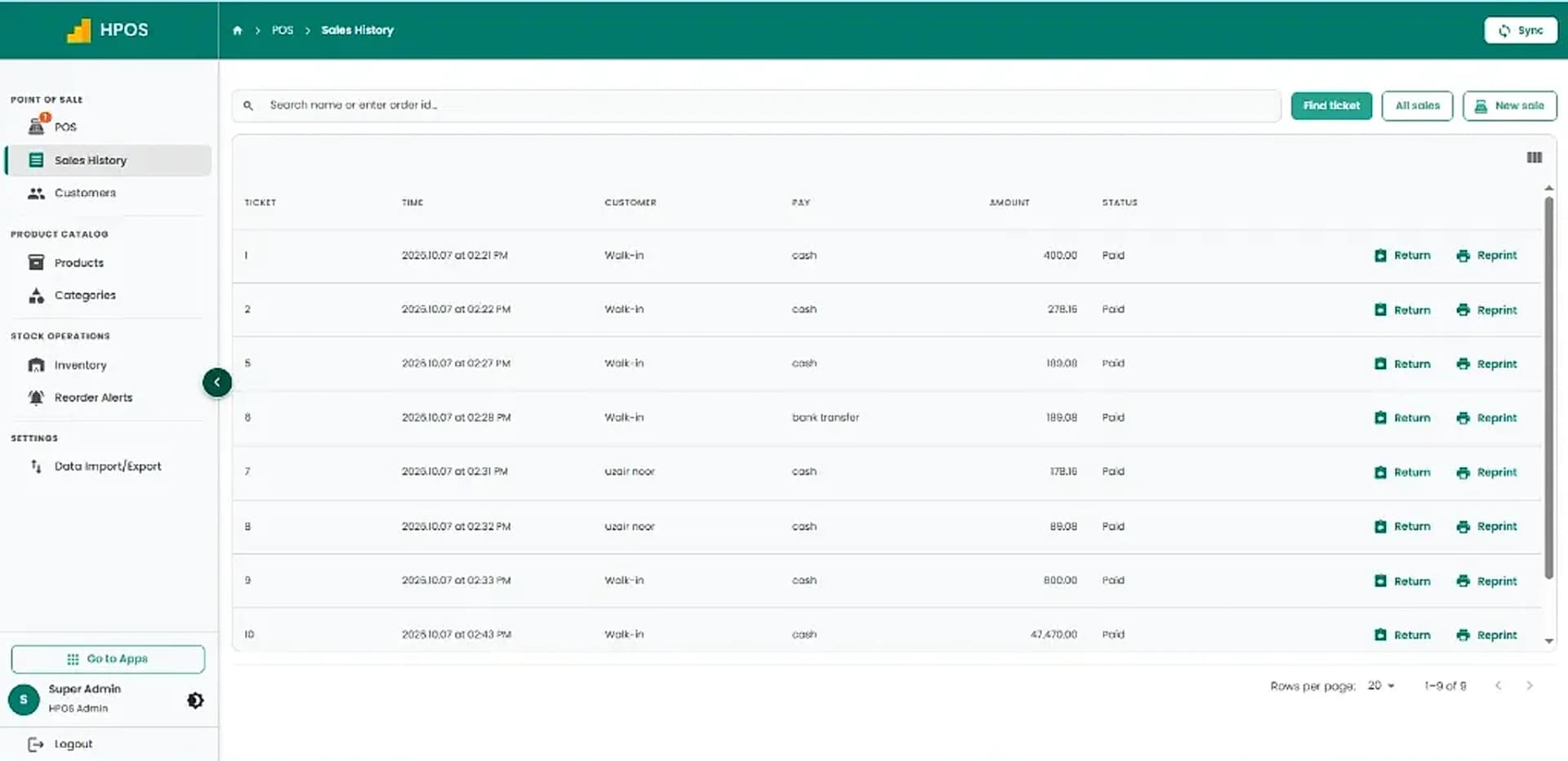
Hulm POS screen: Sales history & transaction records
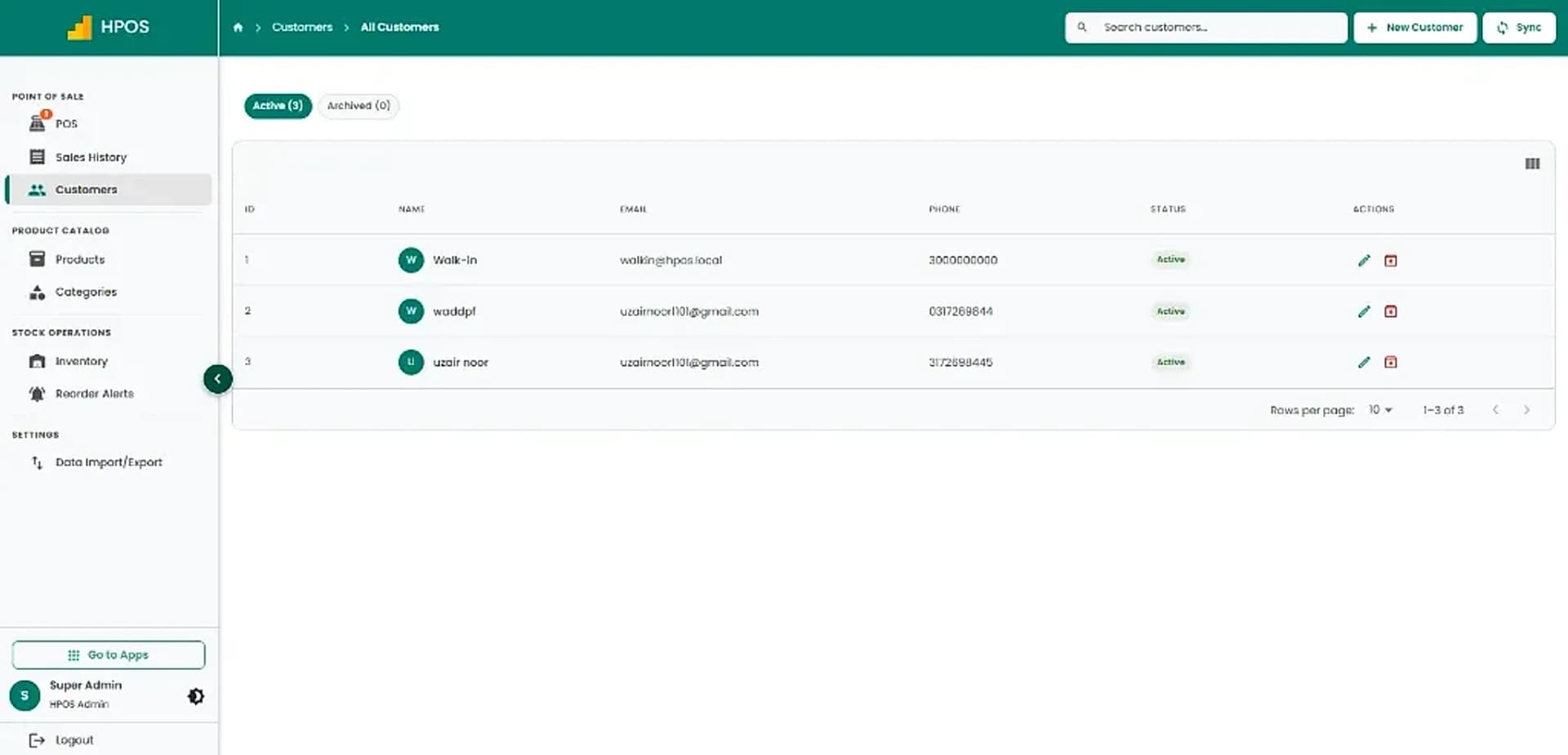
Hulm POS screen: Customer management
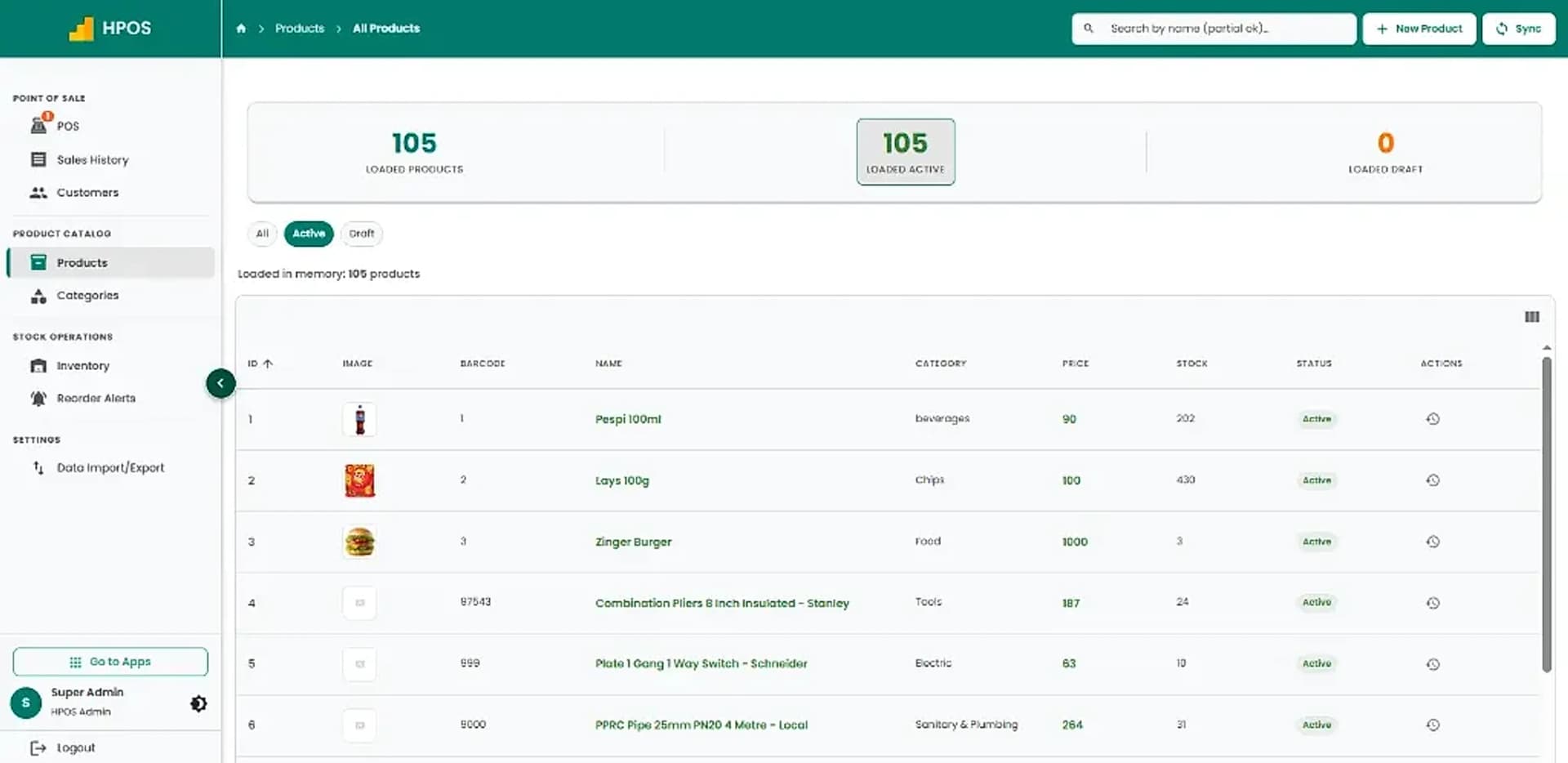
Hulm POS screen: Product catalogue & pricing
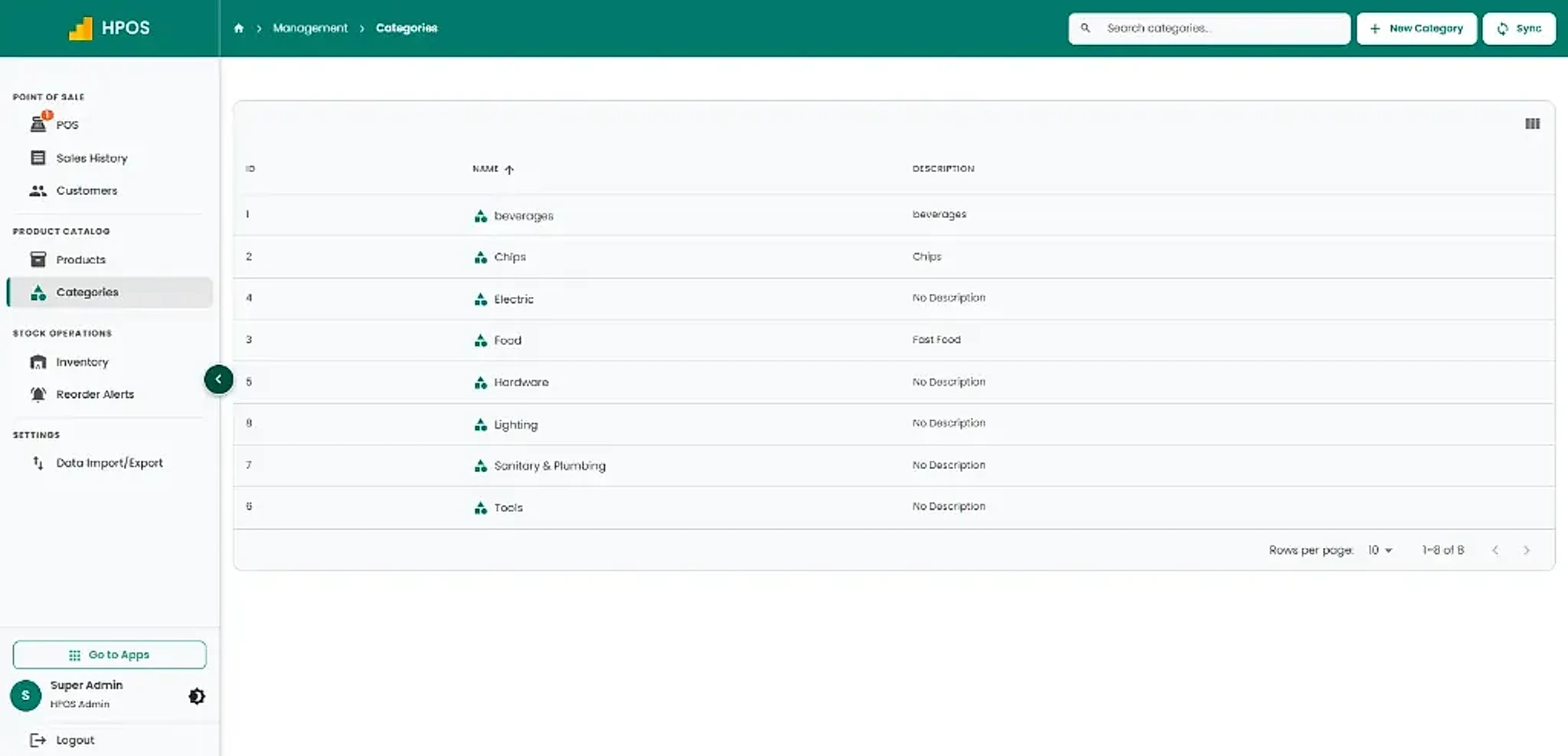
Hulm POS screen: Categories management
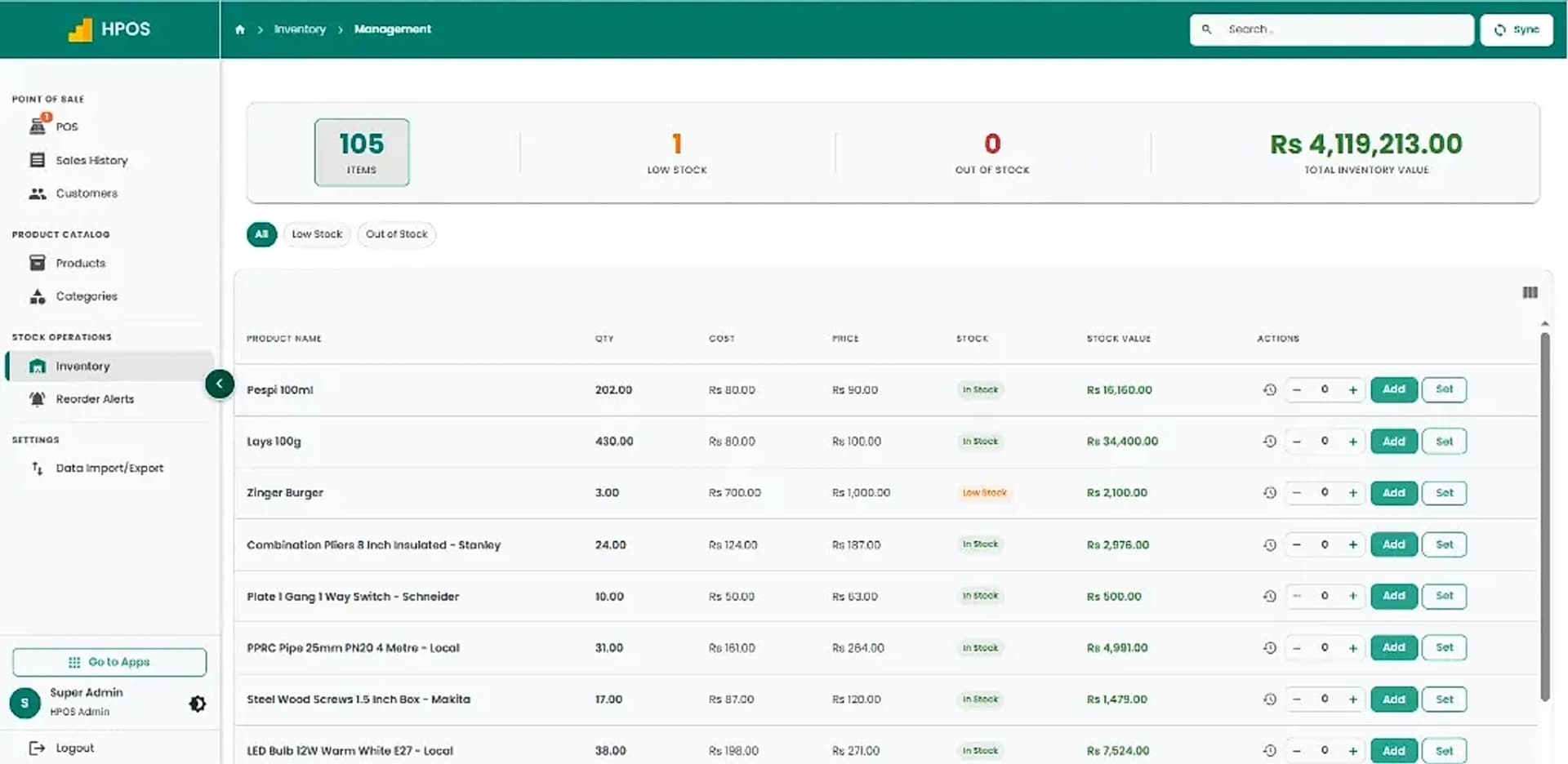
Hulm POS screen: Inventory tracking & valuation
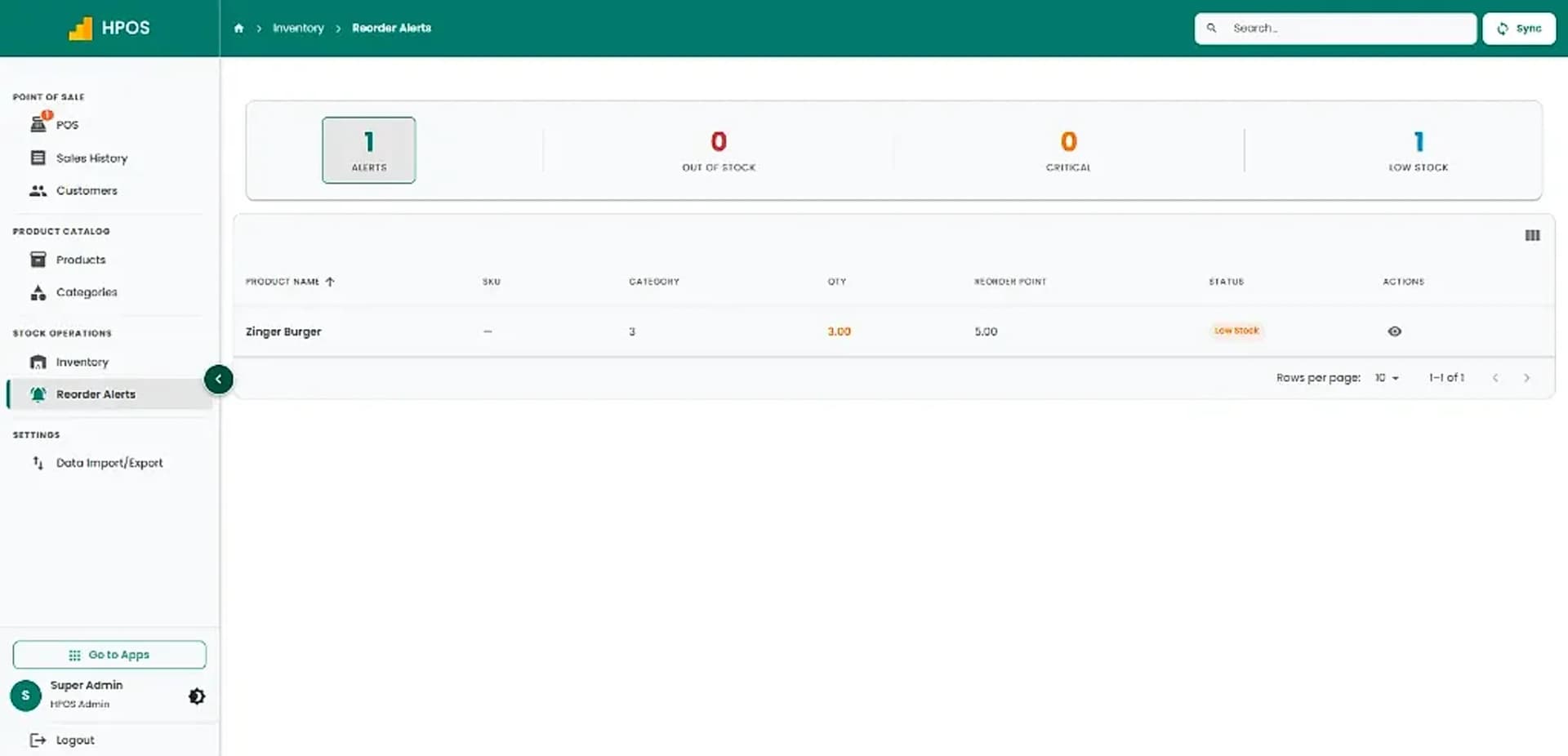
Hulm POS screen: Inventory reorder alerts
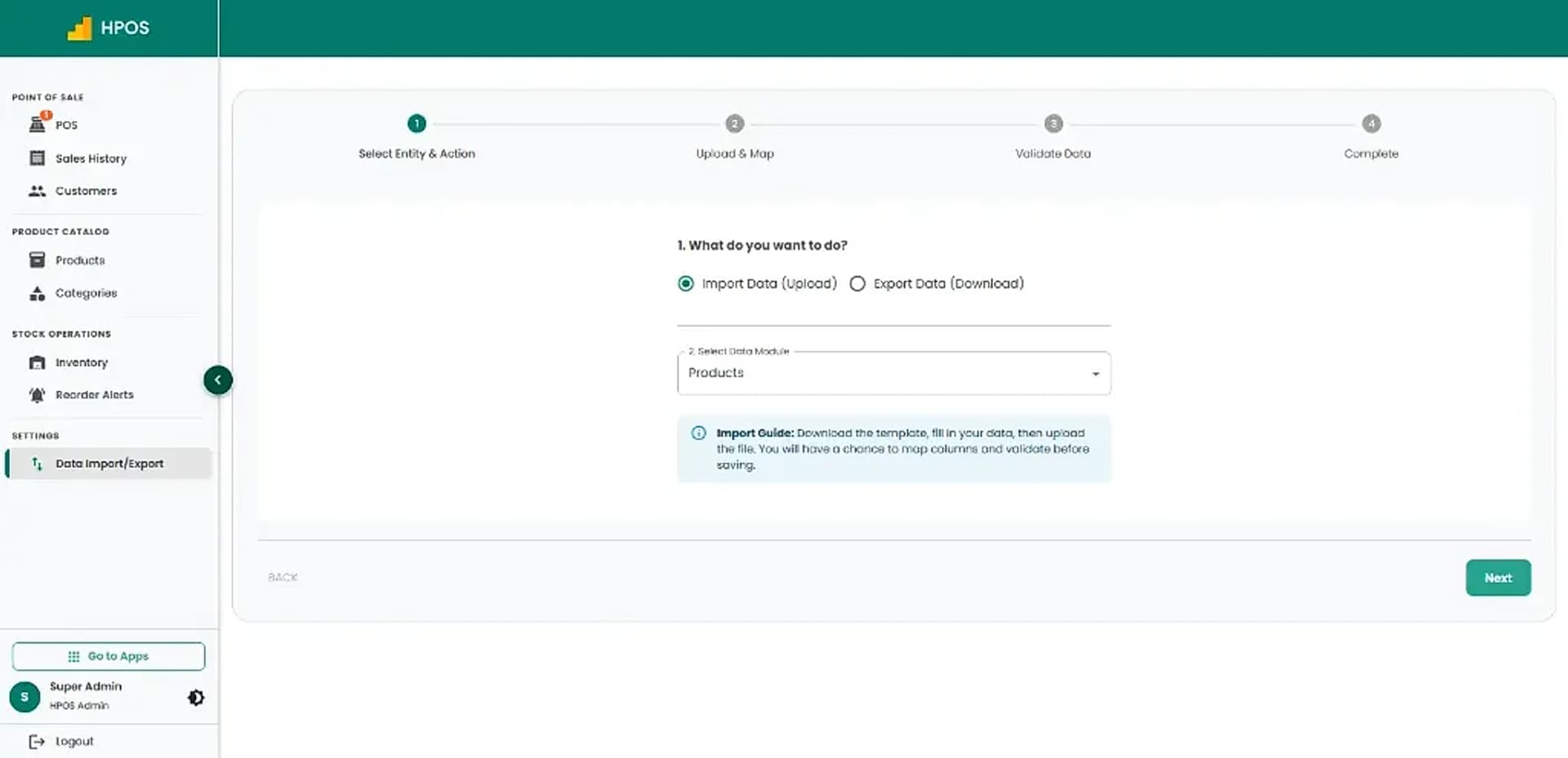
Hulm POS screen: Data import & export
Screen 01

Point of Sale & cashier checkout

Fast product catalogue search, category navigation, multi-item shopping cart, on-hold sales and instant receipt checkout.

01 / 08

Point of Sale & cashier checkout

Fast product catalogue search, category navigation, multi-item shopping cart, on-hold sales and instant receipt checkout.

Sales history & transaction records

Review completed sales tickets, payment methods and amounts, with quick actions to issue returns or reprint receipts.

Customer management

Maintain a clean directory of active customer profiles with contact numbers, email addresses and purchase records.

Product catalogue & pricing

Manage products, barcodes, categories, retail pricing and live inventory counts in a structured catalogue.

Categories management

Organise inventory into clear departments and product categories for fast cashier searching and clean stock reporting.

Inventory tracking & valuation

Monitor item quantities, wholesale costs, retail prices and total inventory valuation with live stock updates.

Inventory reorder alerts

Stay ahead of low stock and critical shortages with automated reorder thresholds for every product.

Data import & export

Easily upload or export products and inventory data in bulk with guided mapping templates.

Core Capabilities

Pharmacy Store POS Features for Daily Operations

From fast counter checkout to stock tracking and shift audits, explore practical tools designed for Pakistani retail shops.

#01

Medicine billing and barcode checkout

Find products by barcode or search and keep sale records together.

#02

Batch and expiry workflows

The live page advertises batch/expiry tracking; confirm availability, warning rules and expired-stock controls.

#03

Stock and low-stock visibility

Review quantities and replenishment needs using available inventory tools.

#04

Supplier and purchase orders

Maintain vendor records and organise purchases in the supported workflow.

#05

Branch stock transfers

Confirm transfer permissions, traceability and reports by plan.

#06

Sales and shift records

Review transactions and available reports for daily closing.

#07

FBR invoicing

FBR integration is described for eligible deployments; do not call Hulm FBR-certified.

#08

Hardware compatibility

Connect compatible barcode scanners, receipt printers and cash drawers.

#09

Staff access & role security

Control cashier and manager permissions for medicine sales, returns and adjustments.

Pharmacy Store Life Cycle

How HulmPOS Fits Your Pharmacy Store Workflow

Set up products, categories and the fields your business needs. Record sales or customer transactions through the supported POS workflow. Keep receipts, customer details and stock movements together where supported.

Continuous operating loop: automated sync from checkout to shift close
STAGE 01

Medicine & Batch Intake

Set up pharmaceutical items, units, batch numbers and expiry dates.

Batch-linked inventory
Flow
STAGE 02

Counter Barcode Checkout

Scan medicine barcodes, verify pack quantities and issue itemised receipts.

Instant stock deduction
Flow
STAGE 04

Supplier Orders & Shift Close

Generate supplier purchase orders, reconcile cash drawers and audit sales.

Shift & PO reconciled
Cycle
STAGE 03

Expiry & Stock Monitoring

Review short-dated medicines, out-of-stock items and reorder requirements.

Replenishment alerts logged
Flow
Common setups

Common pharmacy and medical store POS setups

Start with the operating model closest to yours, then adjust the details during implementation.

Independent medical stores

Fast barcode billing, batch/expiry visibility and essential supplier purchase tracking.

Community pharmacies

Manage prescription medications, OTC drugs and general retail personal-care products.

Hospital & clinic pharmacies

Handle busy dispensing counters, patient receipts and emergency stock monitoring.

Multi-branch pharmacy chains

Centralized product catalogue, inter-branch stock transfers and consolidated sales reports.

FBR integration support

Local Requirements and Integrations

If you need FBR or provincial tax-invoice support, confirm eligibility and exact integration scope with Hulm based on your registration and location. Do not assume one integration covers every federal or provincial requirement.

Review FBR integration

Connected invoice flow

Keep the configured FBR tax-invoice process close to the pharmacy checkout.

Medicine tax exemption setup

Apply the agreed tax rates or exempt classifications for pharmaceutical goods.

Audit-ready transaction records

Maintain digital records for sales audits and tax reconciliation.

Who it can support

Who Is HulmPOS Suitable For?

HulmPOS may be worth evaluating if your business needs clearer billing, product records and day-to-day sales visibility:

  • Independent medical stores
  • Community pharmacies
  • Pharmacy groups considering multiple branches
  • Retail pharmacies needing clearer supplier and stock records
  • Veterinary pharmacy stores
  • Hospital outpatient dispensaries
Customizable catalogue & checkoutAsk about your store type
Key Evaluation Pillars

Why Consider HulmPOS for Your Pharmacy?

When selecting pharmacy POS software, prioritize safety, stock visibility and vendor tracking:

  • Reduce counter delays with fast medicine barcode scanning
  • Identify short-dated medicines before stock goes to waste
  • Prevent unexpected stockouts on essential emergency medications
  • Consolidate supplier invoices and automated purchase orders
  • Audit cashier shifts and cash drawer balances with complete confidence
  • Issue FBR-integrated fiscal receipts for eligible tax registrations
Confirm pricing, hardware specs and specialist features:

Customer story · Medical Equipment & Surgical Supplies

How Elate CC Pvt Ltd runs on Hulm POS

“With thousands of items and batch numbers to track, spreadsheets were always one step behind. Hulm’s system finally caught up to how big we’d actually grown.”Operations Lead, Elate CC Pvt Ltd
Read the Elate CC Pvt Ltd POS case study

100%

Batch & expiry tracking accuracy across catalog

Karachi, Pakistan

Setup questions

Frequently Asked Questions

These answers set expectations before plan selection and implementation.

Does pharmacy POS track expiry dates?

Hulm’s live page advertises batch and expiry tracking. Ask for a demonstration of alerts and checkout rules.

Can HulmPOS help manage suppliers?

Hulm has vendor and purchase-order workflows. Confirm supplier pricing and replenishment functions.

Does HulmPOS support FBR integration?

Support is described for eligible deployments. Hulm says it is not FBR-certified; confirm scope for your registration.

Read: FBR integrated POS

Can I manage multiple pharmacy branches?

Multi-branch options are advertised; confirm limits, transfers and reports.

Plan the right rollout

Ready to Simplify Your Pharmacy Store Operations?

Tell us how your pharmacy store business works today. Hulm can walk you through relevant billing, inventory, reporting and setup options.

WhatsApp