Electrical Store POS

Electrical Store POS Software for Billing and Product Stock Control

Manage electrical supplies inventory, stock and daily sales with a POS workflow shaped around your business.

Electrical Store POS system by Hulm
Live Inventory & Barcode Ready

Connected Electrical Store Workflow

Billing, stock & customer records in one view

0.8s Fast Billing
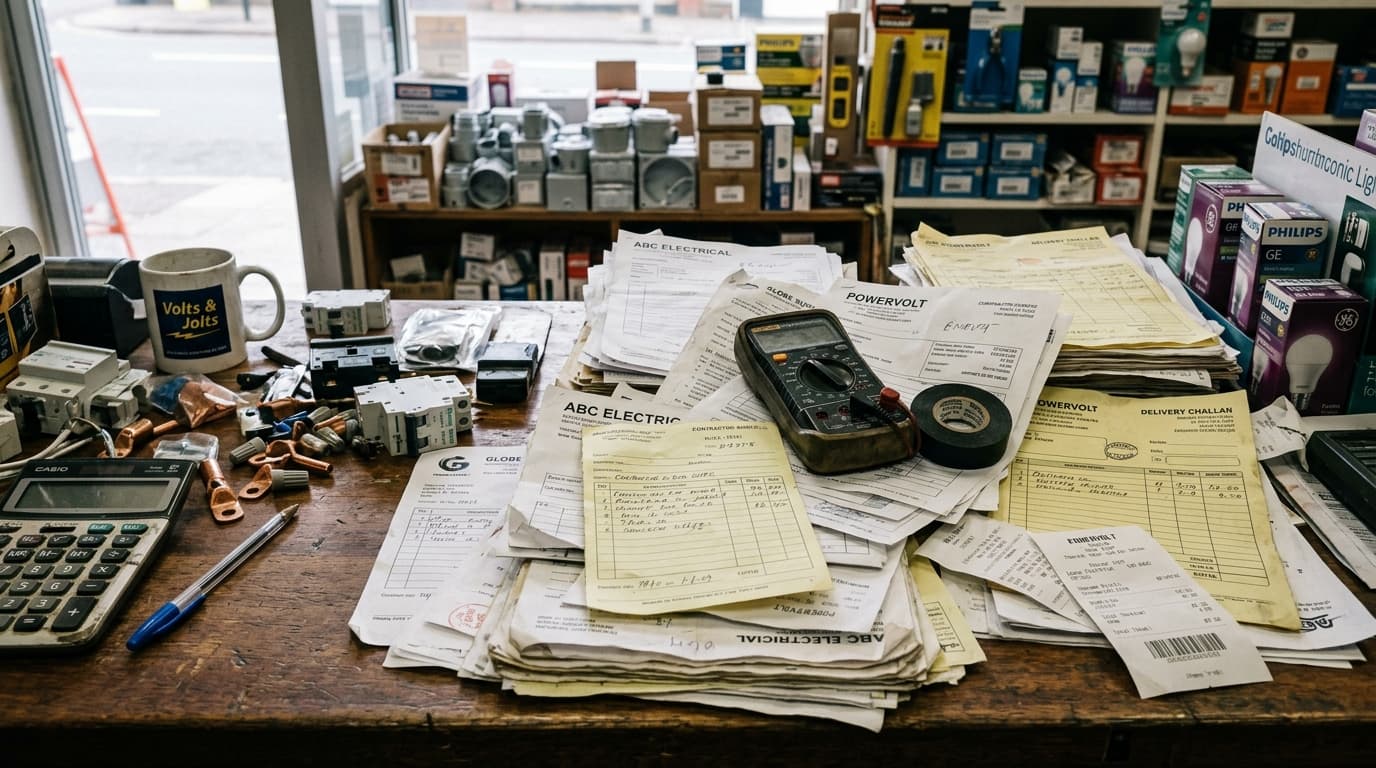
Operational friction

Everyday Electrical Store Problems—and How HulmPOS Helps

Problem 1Electrical Store Bottleneck
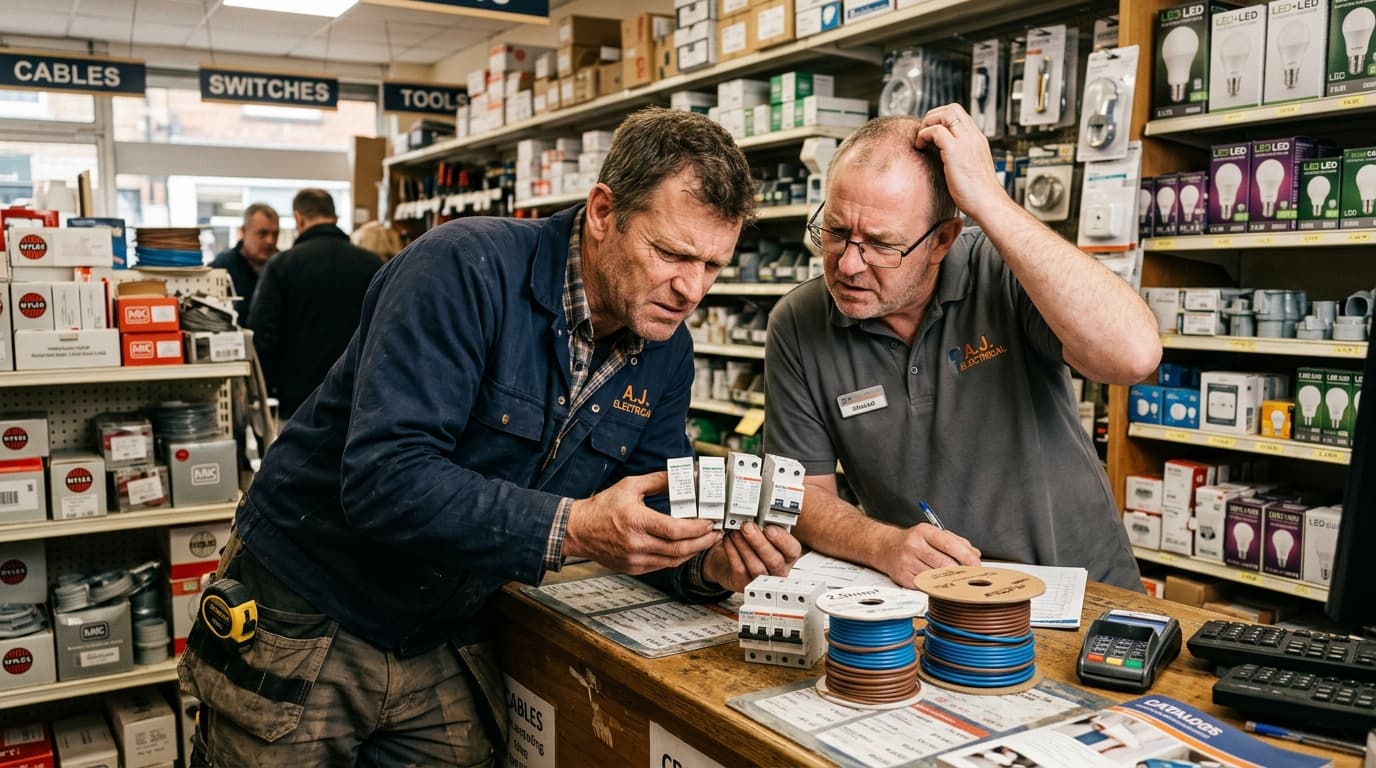
Confusing Product Variants & Ratings

Similar products are hard to distinguish

Products may vary by brand, rating, length or specification.

The HulmPOS Solution

Structured Catalogue & Custom Specs

Keep product names, categories and codes organised; confirm the product fields your shop needs.
Problem 2Electrical Store Bottleneck
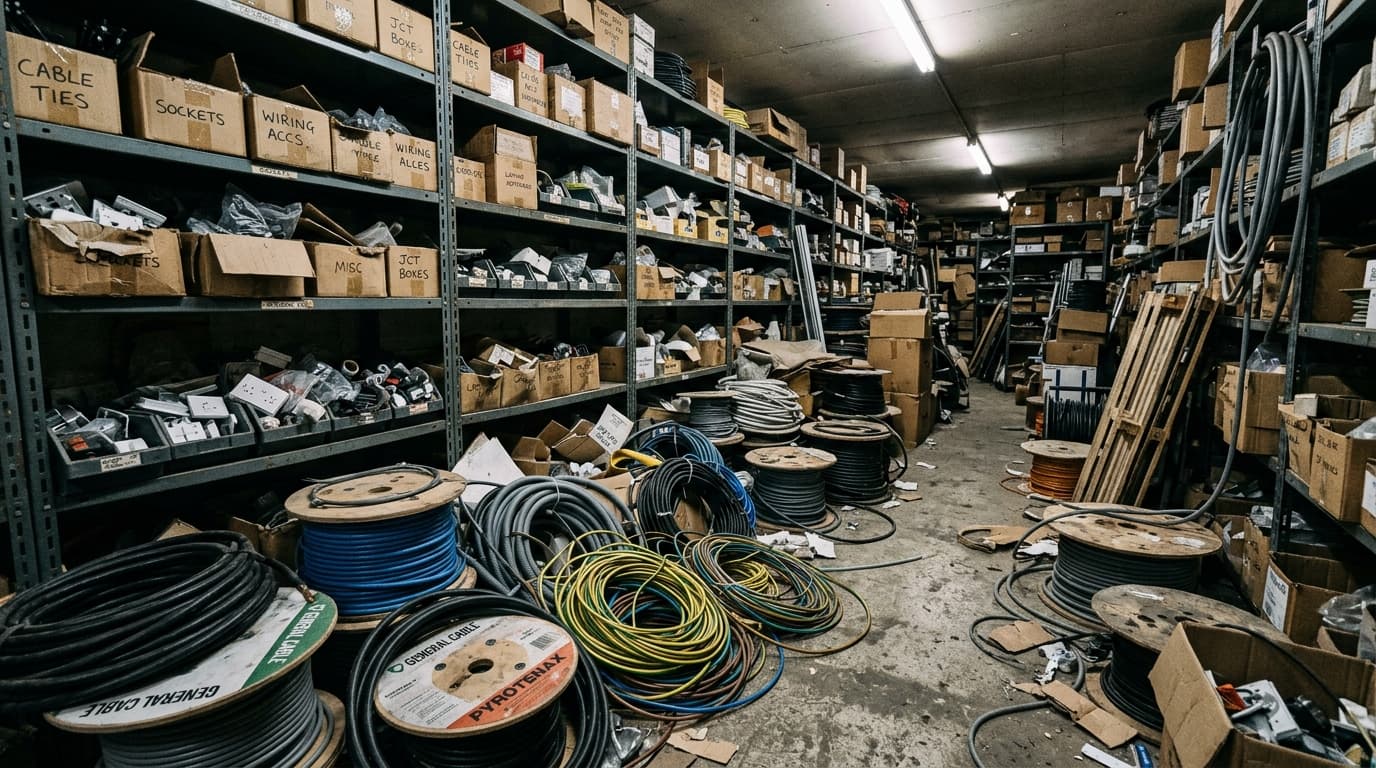
Depleted Electrical Stock & Storeroom Gaps

Stock is spread across shelves and storage

Owners may not know available quantities of fast-moving switches, cables or lights.

The HulmPOS Solution

Inventory Records & Stock Reports

Use inventory records and stock reports to review quantities and purchases across retail shelves and storerooms.

Problem 3Electrical Store Bottleneck
Untraced Supplier Purchase Invoices

Supplier purchases are hard to trace

Manual notes make it difficult to compare supplier prices and reorders.

The HulmPOS Solution

Supplier & Purchase-Order Workflows

Use supplier and purchase-order workflows where included to track vendor invoices, reorder points and purchase history.

Problem 4Electrical Store Bottleneck
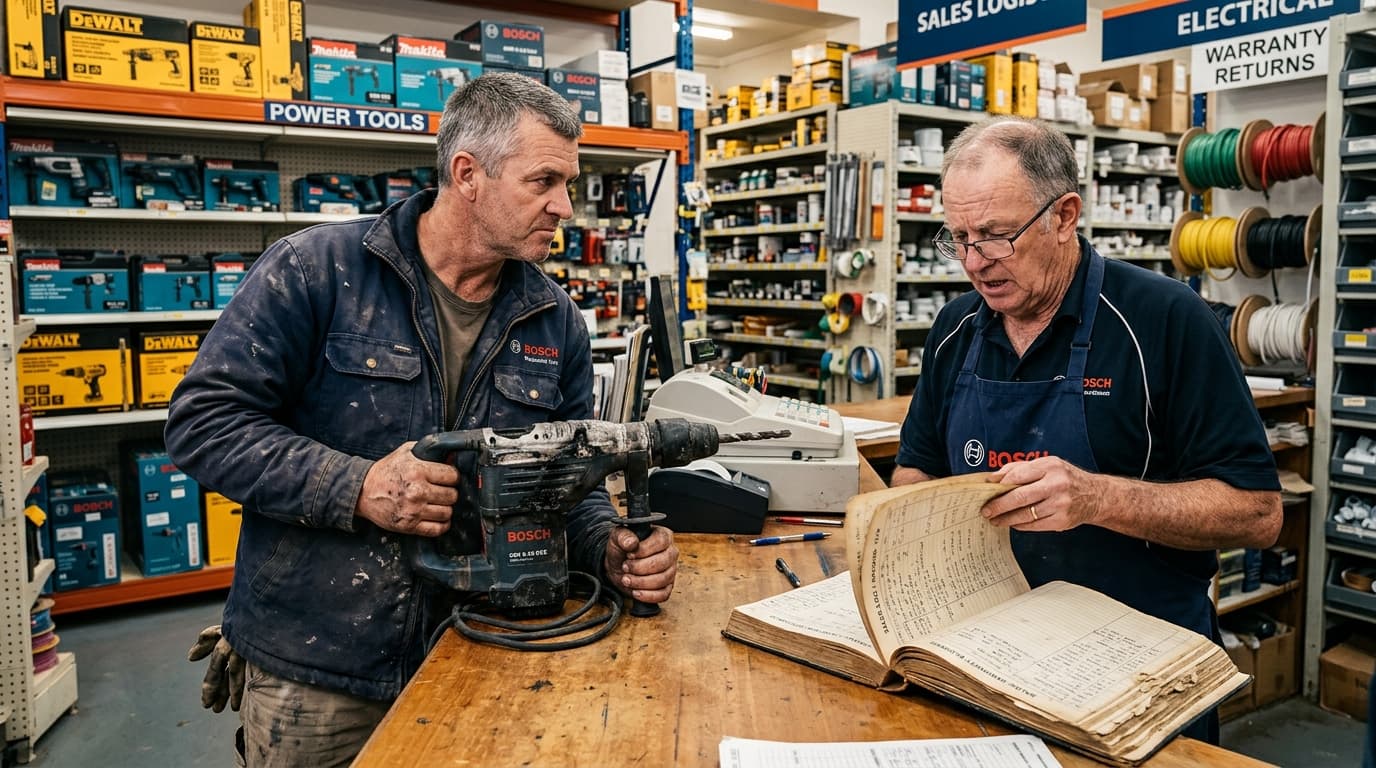
Post-Sale Warranty Inquiries

Warranty questions are difficult after a sale

Staff need to find the original transaction when a product issue arises.

The HulmPOS Solution

Instant Warranty & Receipt Lookup

Locate original sales receipts, purchase dates, warranty terms and serial numbers immediately when a customer returns with a product issue.

What the POS system for electric store looks like in Hulm

Real screens from Hulm POS. Your setup is configured around your products, branches and team.

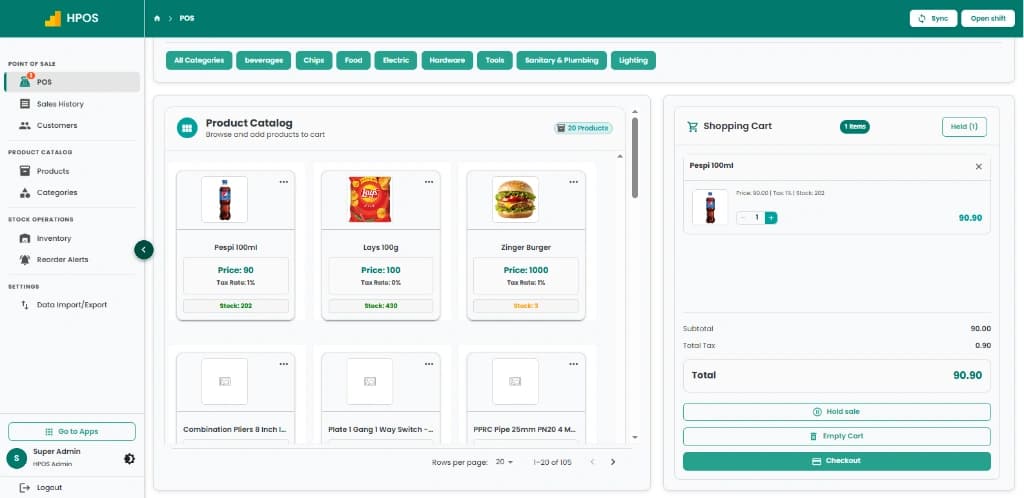
Hulm POS screen: Point of Sale & cashier checkout
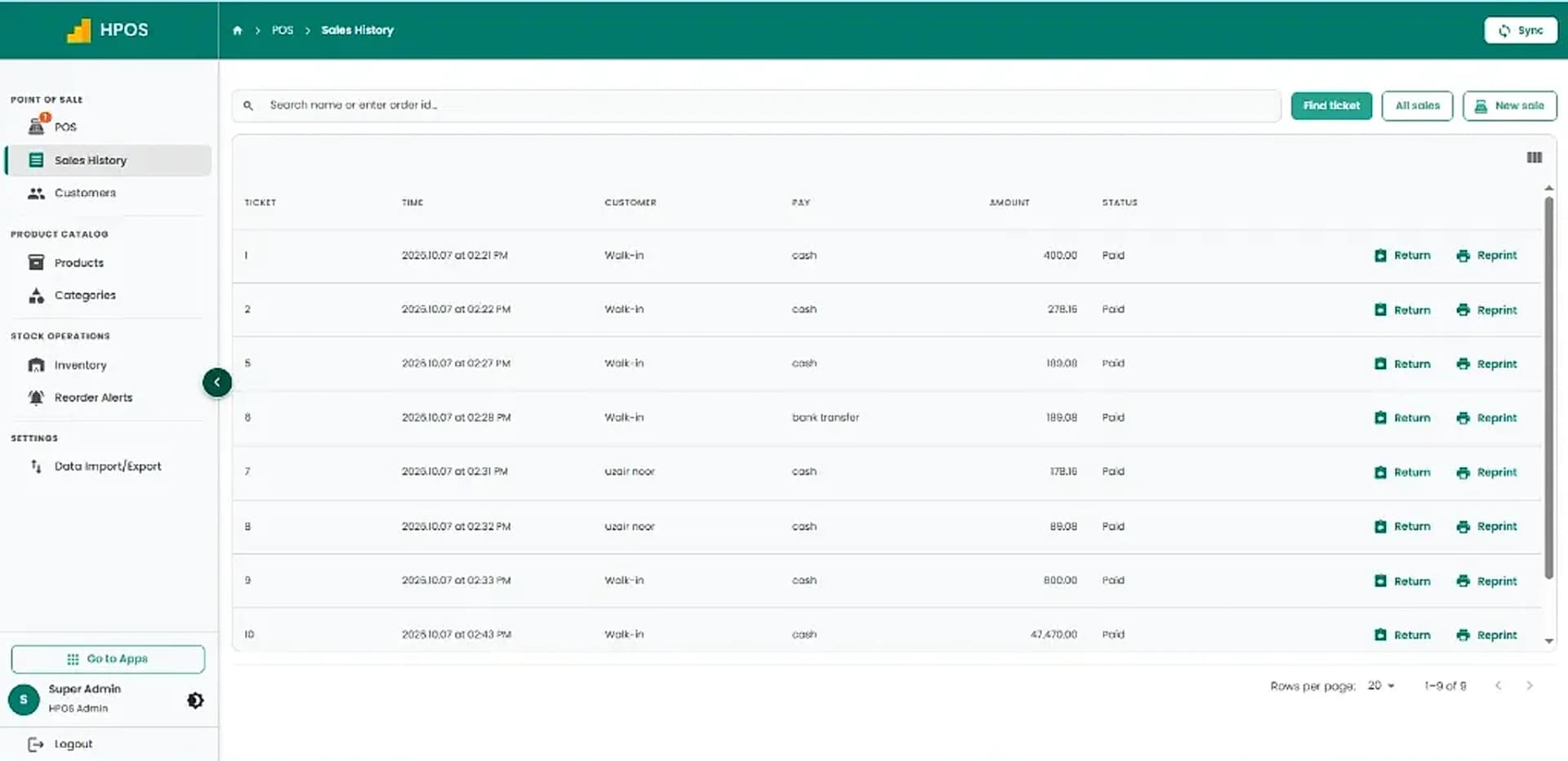
Hulm POS screen: Sales history & transaction records
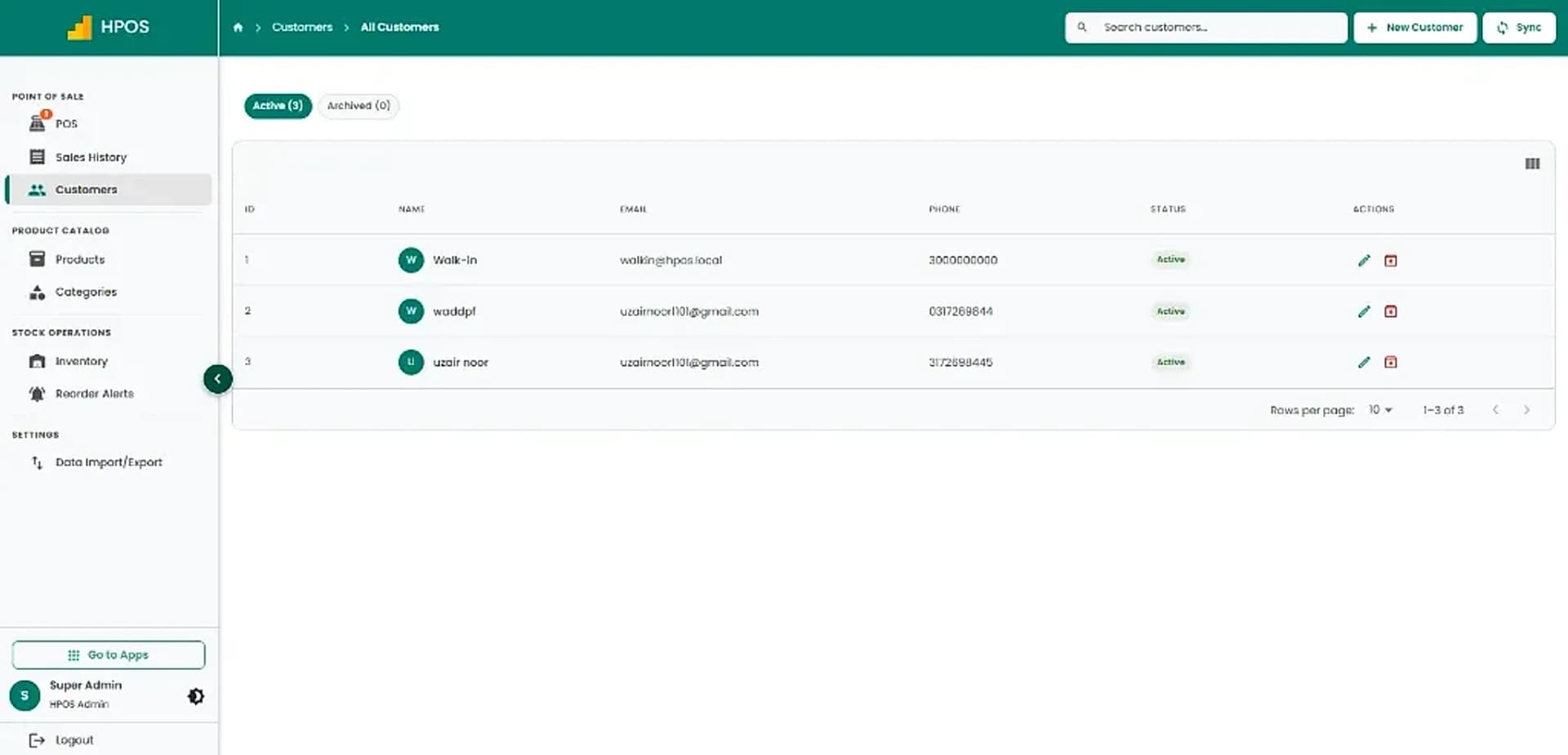
Hulm POS screen: Customer management
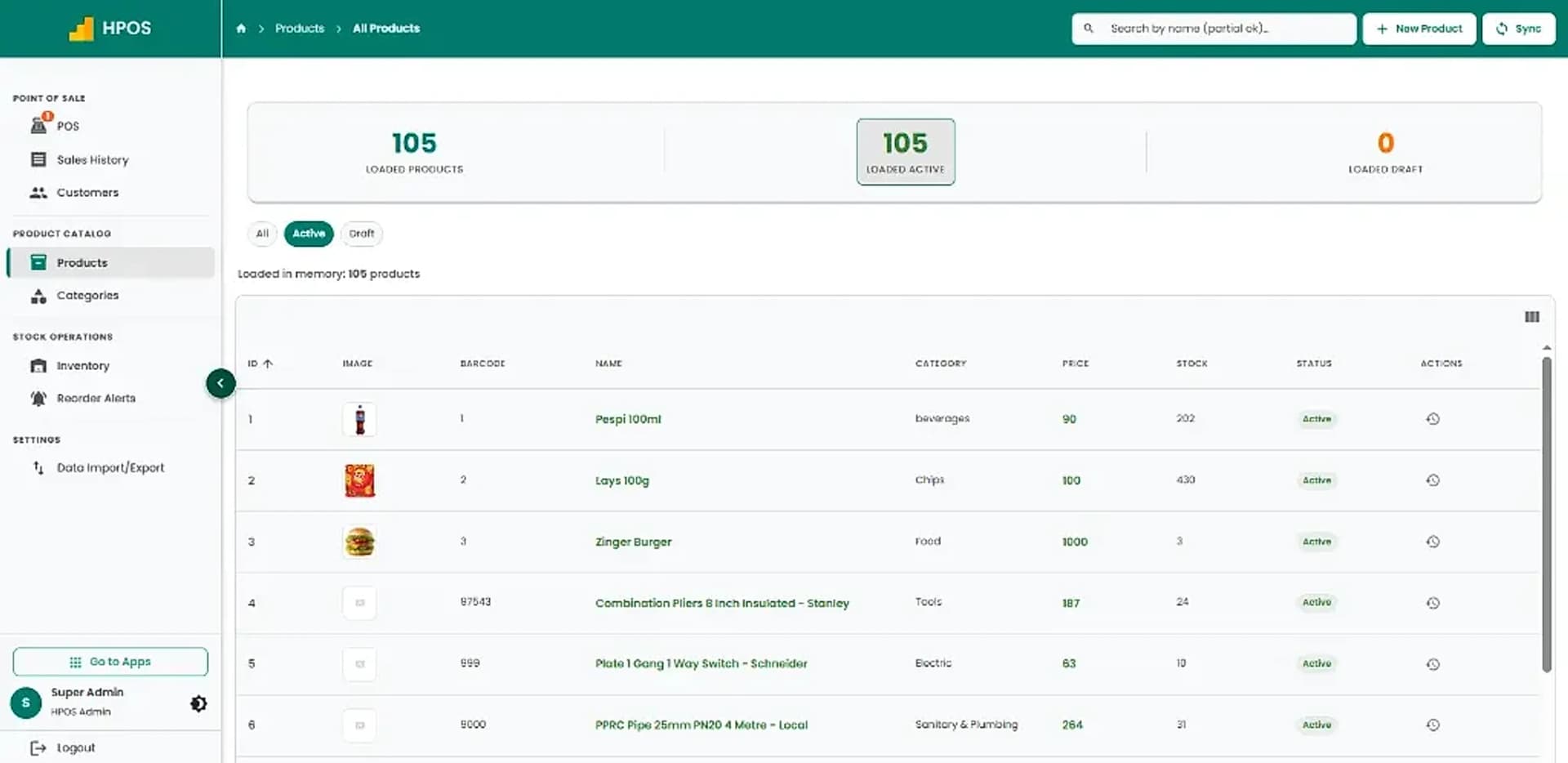
Hulm POS screen: Product catalogue & pricing
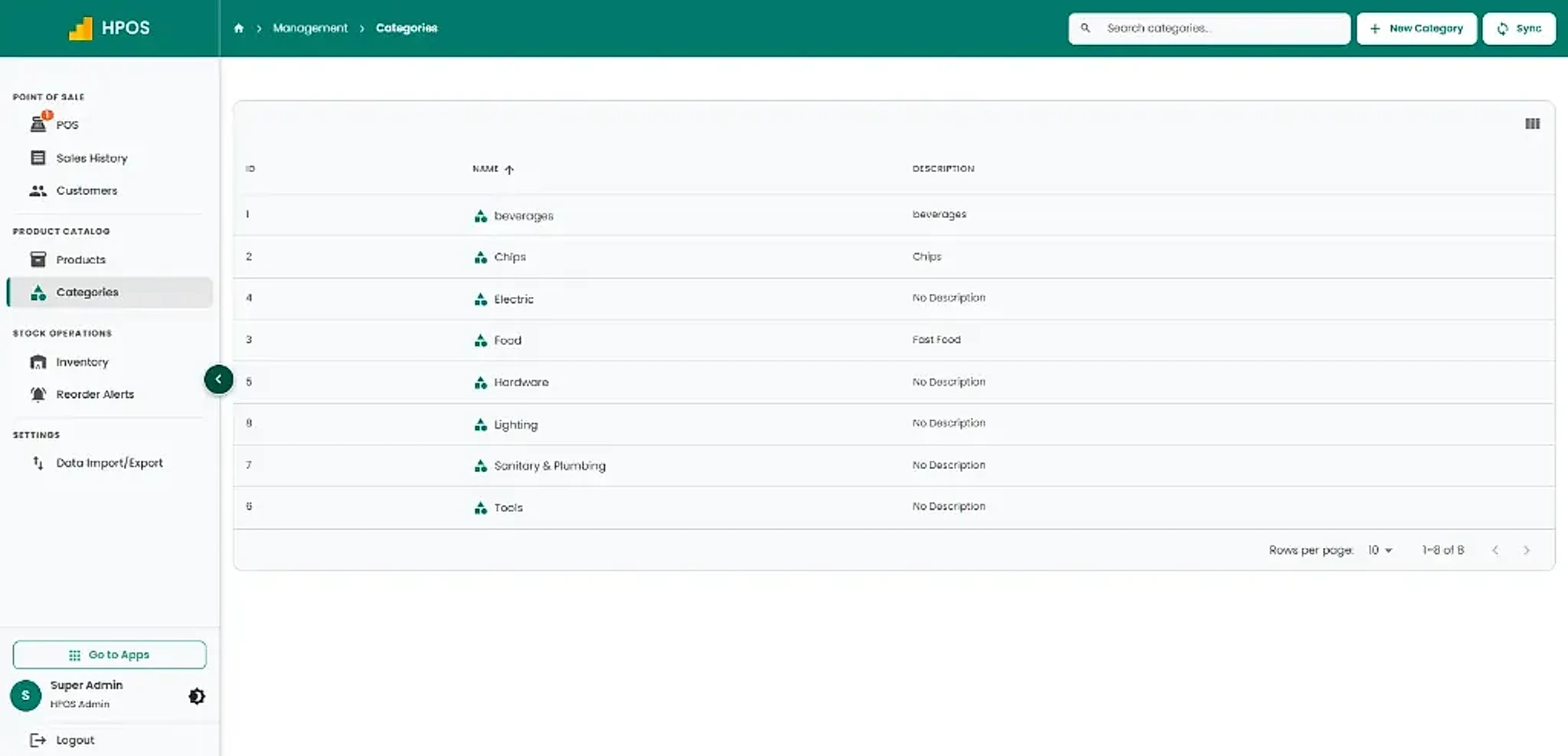
Hulm POS screen: Categories management
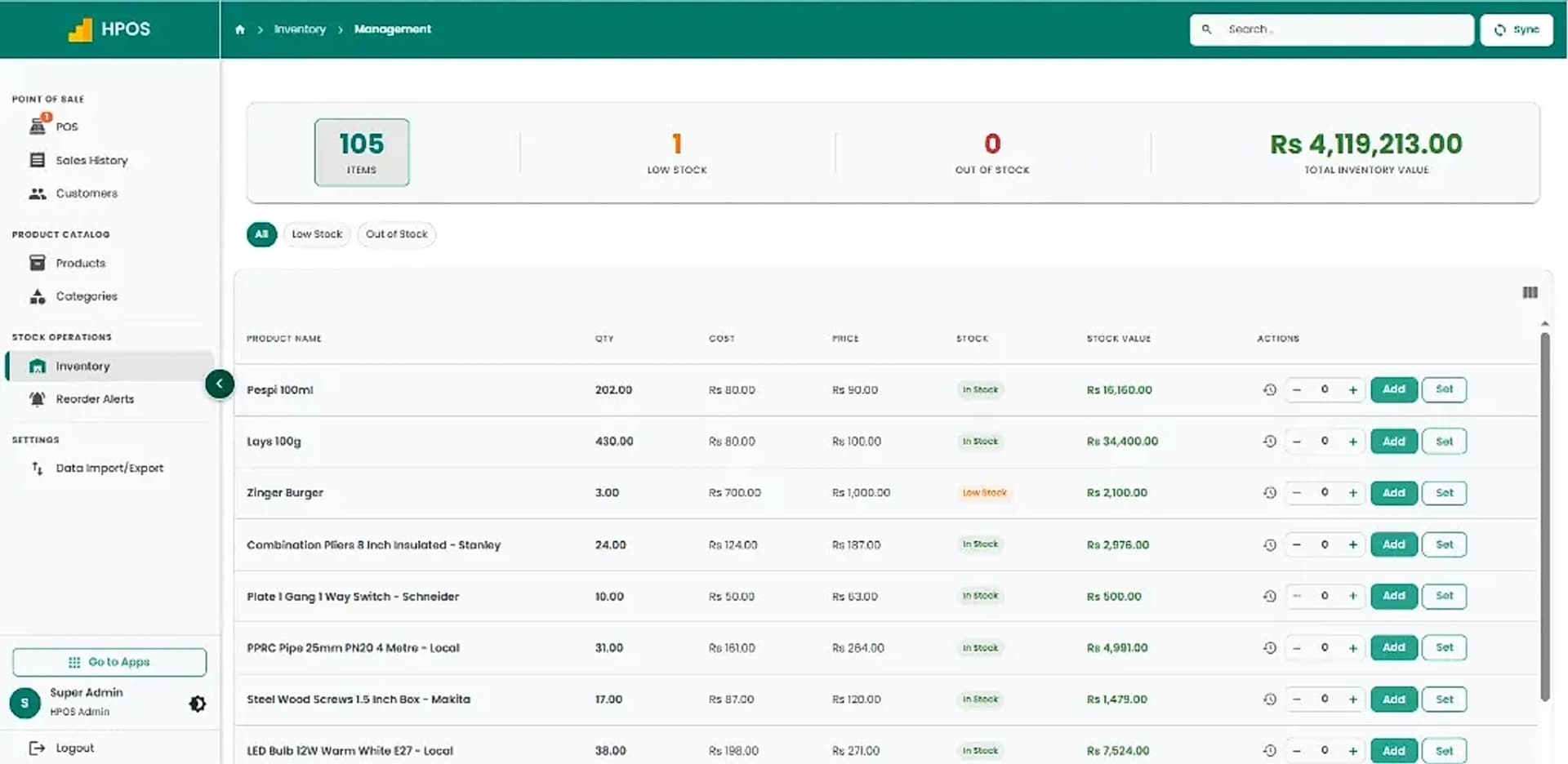
Hulm POS screen: Inventory tracking & valuation
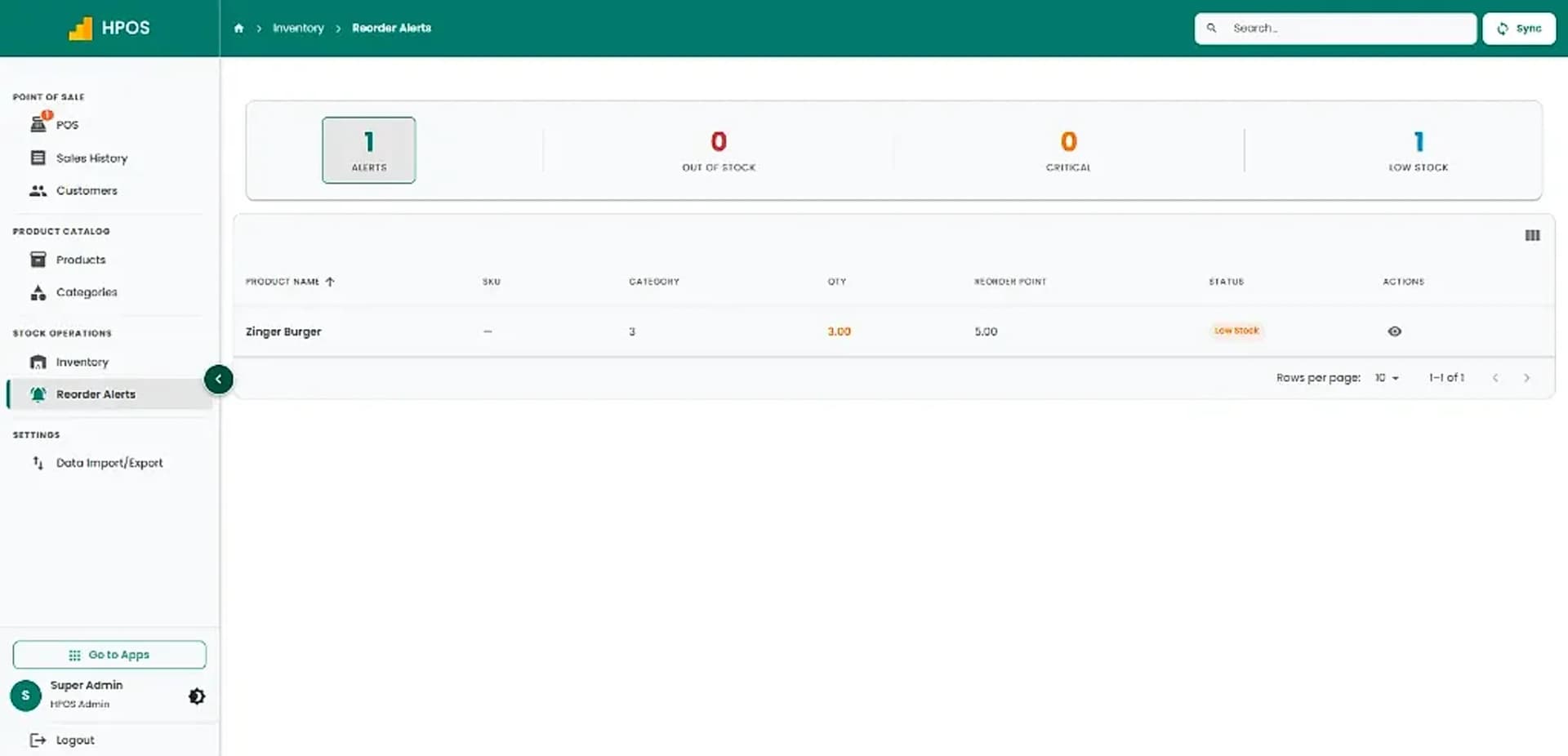
Hulm POS screen: Inventory reorder alerts
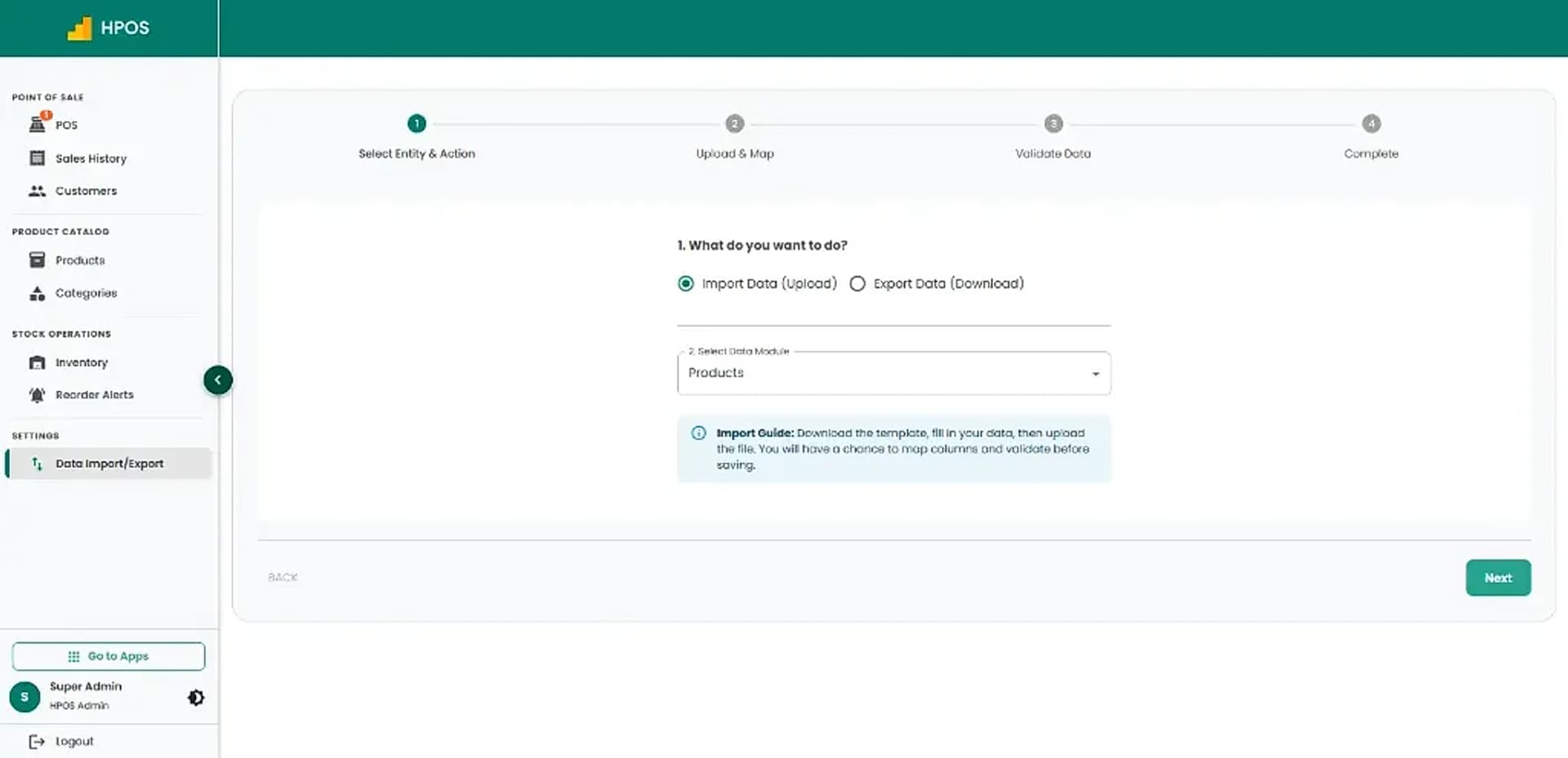
Hulm POS screen: Data import & export
Screen 01

Point of Sale & cashier checkout

Fast product catalogue search, category navigation, multi-item shopping cart, on-hold sales and instant receipt checkout.

01 / 08

Point of Sale & cashier checkout

Fast product catalogue search, category navigation, multi-item shopping cart, on-hold sales and instant receipt checkout.

Sales history & transaction records

Review completed sales tickets, payment methods and amounts, with quick actions to issue returns or reprint receipts.

Customer management

Maintain a clean directory of active customer profiles with contact numbers, email addresses and purchase records.

Product catalogue & pricing

Manage products, barcodes, categories, retail pricing and live inventory counts in a structured catalogue.

Categories management

Organise inventory into clear departments and product categories for fast cashier searching and clean stock reporting.

Inventory tracking & valuation

Monitor item quantities, wholesale costs, retail prices and total inventory valuation with live stock updates.

Inventory reorder alerts

Stay ahead of low stock and critical shortages with automated reorder thresholds for every product.

Data import & export

Easily upload or export products and inventory data in bulk with guided mapping templates.

Core Capabilities

Electrical Store POS Features for Daily Operations

From fast counter checkout to stock tracking and shift audits, explore practical tools designed for Pakistani retail shops.

#01

Electrical product catalogue

Organise items by category, brand, power rating and supported identifiers.

#02

Fast billing and barcode scanning

Use search or scanning with compatible labels and devices to process transactions rapidly.

#03

Stock and purchase records

Review inventory quantities and supported vendor/purchase records in real time.

#04

Warranty or service records

Track serial numbers, warranty terms, purchase dates and customer service records.

#05

Sales and inventory reporting

Use available reports to review top-selling items and replenishment needs.

#06

Customer and receipt records

Maintain supported customer details, contractor accounts and transaction receipts.

#07

Hardware compatibility

Connect supported barcode scanners, receipt printers and cash drawers.

#08

Staff permissions

Assign cashier, manager and administrator access according to store responsibilities.

#09

FBR setup

Confirm eligibility and registration requirements with Hulm for compliant tax invoicing.

Electrical Store Life Cycle

How HulmPOS Fits Your Electrical Store Workflow

Set up products, categories and custom fields, then manage counter billing, warranty lookups and supplier reorders in one continuous loop.

Continuous operating loop: automated sync from checkout to shift close
STAGE 01

Catalogue & Custom Fields

Set up electrical items by category, brand, power ratings, cable units and custom fields.

Specifications organized
Flow
STAGE 02

Counter Billing & Barcode Scanning

Scan supported barcodes or search items rapidly to complete customer and contractor transactions.

Real-time stock deduction
Flow
STAGE 04

Reports & Supplier Reordering

Review daily sales reports, cash drawer reconciliations and vendor purchase histories for reorders.

Loops into next shift
Cycle
STAGE 03

Warranties, Serials & Receipts

Keep transaction receipts, customer records, warranty logs and equipment serial numbers synchronized.

Audit trail recorded
Flow
Common setups

Who Is HulmPOS Suitable For?

Start with the operating model closest to yours, then adjust the details during implementation.

Electrical supply shops

Switches, cables, distribution boards and fast-moving accessories for contractors and walk-in buyers.

Lighting & switchgear retailers

LED lighting, architectural fixtures, chandeliers and commercial switchgear.

Appliance & electronics stores

Serialised home appliances, power tools, fans and consumer electronics with warranty tracking.

Hardware & tool stores

Hardware retailers carrying standard electrical product inventory and tools.

FBR integration support

Connect electrical store invoicing with an FBR-integrated rollout

If you need FBR or provincial tax-invoice support, confirm eligibility and exact integration scope with Hulm based on your registration and location. Do not assume one integration covers every federal or provincial requirement.

Review FBR integration

Connected invoice flow

Keep the configured FBR invoice process close to the electrical counter sale.

Required invoice details

Support the tax, NTN and invoice fields agreed during implementation.

Reviewable records

Retain transaction activity for day-to-day review and tax reconciliation.

Who it can support

Who Is HulmPOS Suitable For?

HulmPOS may be worth evaluating if your business needs clearer billing, product records and day-to-day sales visibility.

  • Electrical supply shops
  • Lighting and switchgear retailers
  • Appliance and electronics stores
  • Hardware and tool stores with standard product inventory
  • Cable and wiring wholesale retailers
  • Multi-branch electrical supply chains
Customizable catalogue & checkoutAsk about your store type
Key Evaluation Pillars

Why Consider HulmPOS for Your Electrical Store?

Before selecting a point of sale system, compare how these core operational workflows streamline your shop:

  • Differentiate similar switchgear, ratings and specifications with clear codes
  • Track inventory quantities across display shelves and backroom storage
  • Maintain supplier purchase records to compare vendor prices over time
  • Retrieve past transaction receipts quickly for warranty and service claims
  • Generate FBR-integrated tax invoices with QR codes for Pakistan compliance
  • Reconcile daily cash register shifts and monitor high-demand inventory
Confirm pricing, hardware specs and specialist features:

Customer story · Computer Retail & Hardware

How Real Tech System runs on Hulm POS

“Before, if someone came back with a broken mouse three weeks later, we had to dig through the register to prove they bought it here. Now it’s one search.”Muhammad Khurram, Owner, Real Tech System
Read the Real Tech System POS case study

< 1 Min

Warranty & exchange claims resolution time

Karachi, Pakistan

Setup questions

Frequently Asked Questions

These answers set expectations before plan selection and implementation.

Can electrical-store POS track warranties?

The live page advertises warranty/service tracking. Demonstrate warranty fields, purchase lookup and service records.

Can it manage serial numbers?

Confirm serial-number capture and lookup before relying on it for high-value equipment.

Can I track cables and cut lengths?

Confirm unit-of-measure support for cable rolls or cut lengths.

Can I manage suppliers and purchases?

Ask the team to demonstrate vendor records and purchase-order functionality.

Plan the right rollout

Ready to Simplify Your Electrical Store Operations?

Tell us how your electrical store business works today. Hulm can walk you through relevant billing, inventory, reporting and setup options.

WhatsApp