Cafe POS System

Cafe POS System for Faster Orders and Better Stock Control

Manage coffee shop billing, stock and daily sales with a POS workflow shaped around your business.

Cafe & Coffee Shop POS system by Hulm
Live Inventory & Barcode Ready

Connected Cafe & Coffee Shop Workflow

Billing, stock & customer records in one view

0.8s Fast Billing
Operational friction

Everyday Cafe & Coffee Shop Problems—and How HulmPOS Helps

Problem 1Cafe & Coffee Shop Bottleneck
Morning Rush Cafe Lines & Queues

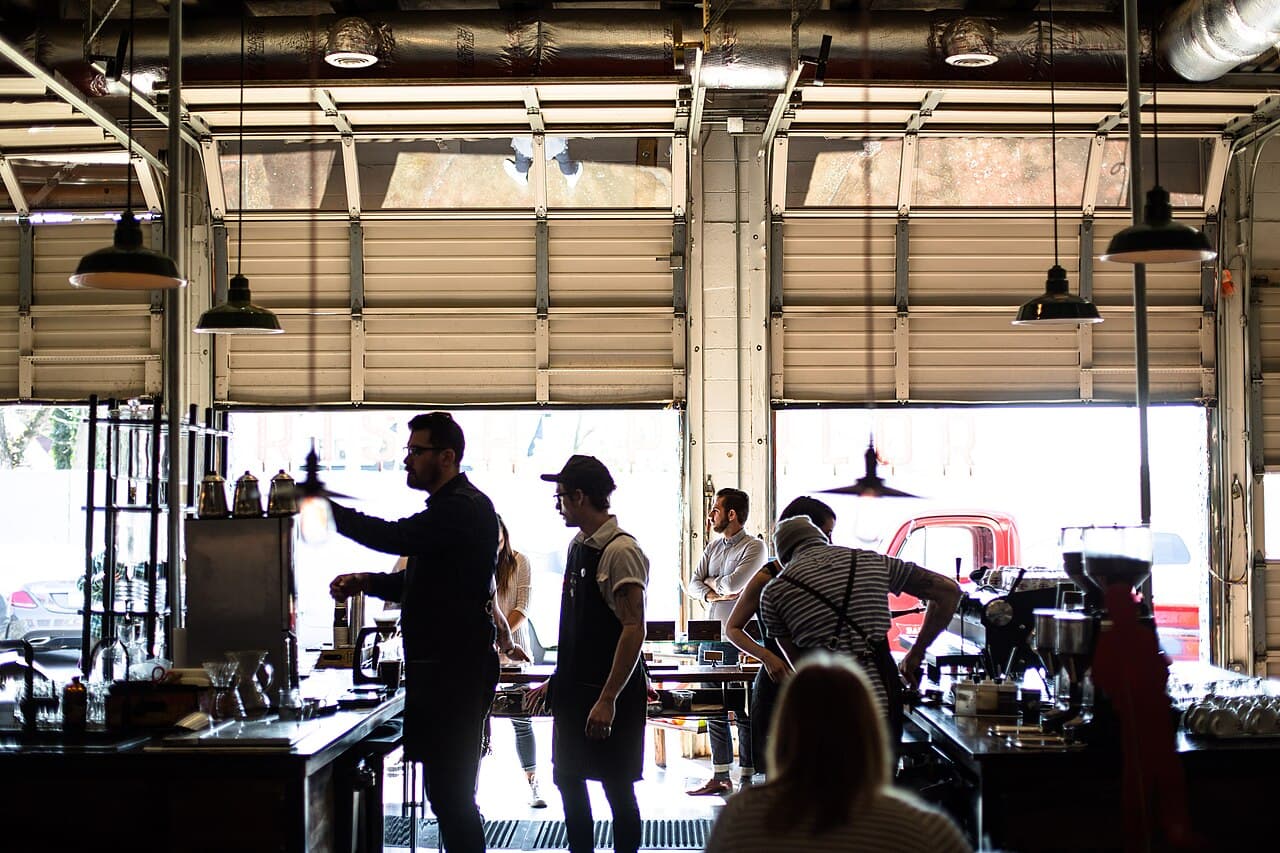
Morning rush creates a queue

Baristas and cashiers need to capture drinks quickly while customers wait.

The HulmPOS Solution

Speed-Optimized Menu & Fast Order Entry

Use a configured menu/order workflow and test modifier speed in a live demo to move customers quickly from ordering to preparation.

Problem 2Cafe & Coffee Shop Bottleneck
Custom Drink Preparation & Modifiers

Custom drinks are easy to enter incorrectly

Cup sizes, milk, syrups and add-ons may be missed on handwritten orders.

The HulmPOS Solution

Clear Drink Options & Modifiers

Set up supported menu options and modifiers for sizes, dairy choices, syrups and instructions to ensure accurate drink preparation.

Problem 3Cafe & Coffee Shop Bottleneck
Untracked Coffee Beans & Milk Cartons

Ingredient usage is difficult to track

Beans, milk, syrups, cups and lids are consumed differently across drinks.

The HulmPOS Solution

Automatic Ingredient Deductions

HulmPOS advertises automatic ingredient deductions per drink; track coffee beans, milk volumes, cups and syrups against each sale.

Problem 4Cafe & Coffee Shop Bottleneck
Unclear Peak-Hour Shift Totals & Audits

Owners cannot see peak times or best sellers

Daily totals may not explain which drinks or hours drive sales.

The HulmPOS Solution

Item & Hourly Sales Reports

Use available item and sales reports to pinpoint peak morning hours, track barista productivity and identify best-selling specialty drinks.

What the cafe POS system looks like in Hulm

Real screens from Hulm POS. Your setup is configured around your products, branches and team.

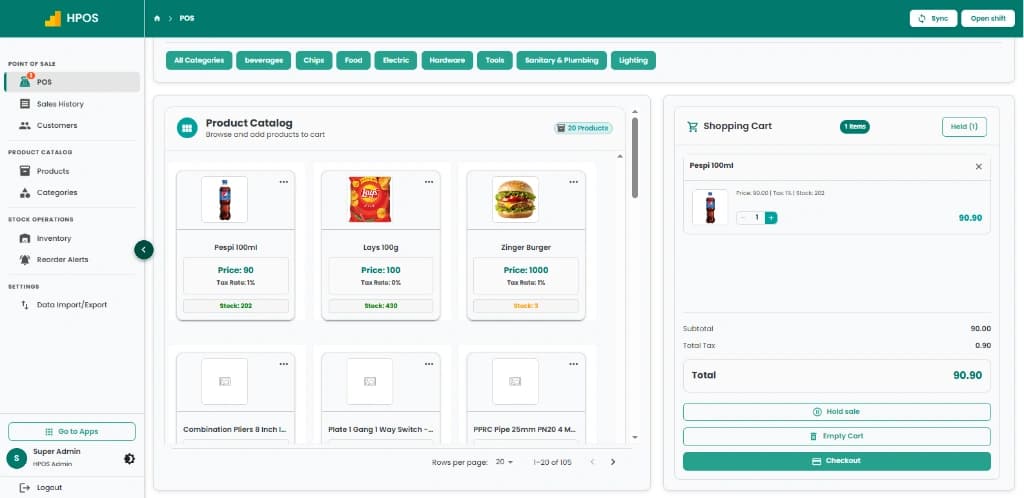
Hulm POS screen: Point of Sale & cashier checkout
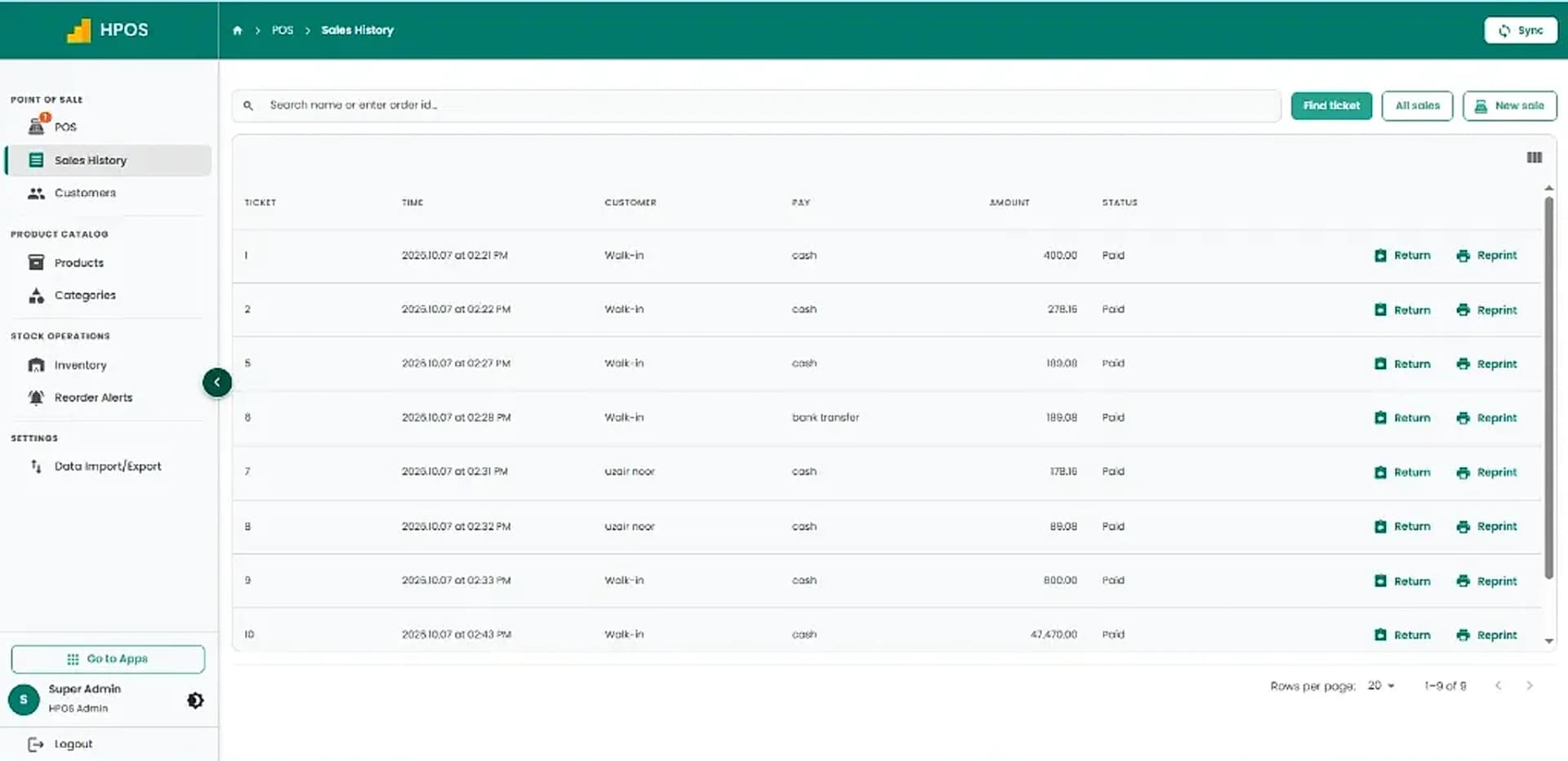
Hulm POS screen: Sales history & transaction records
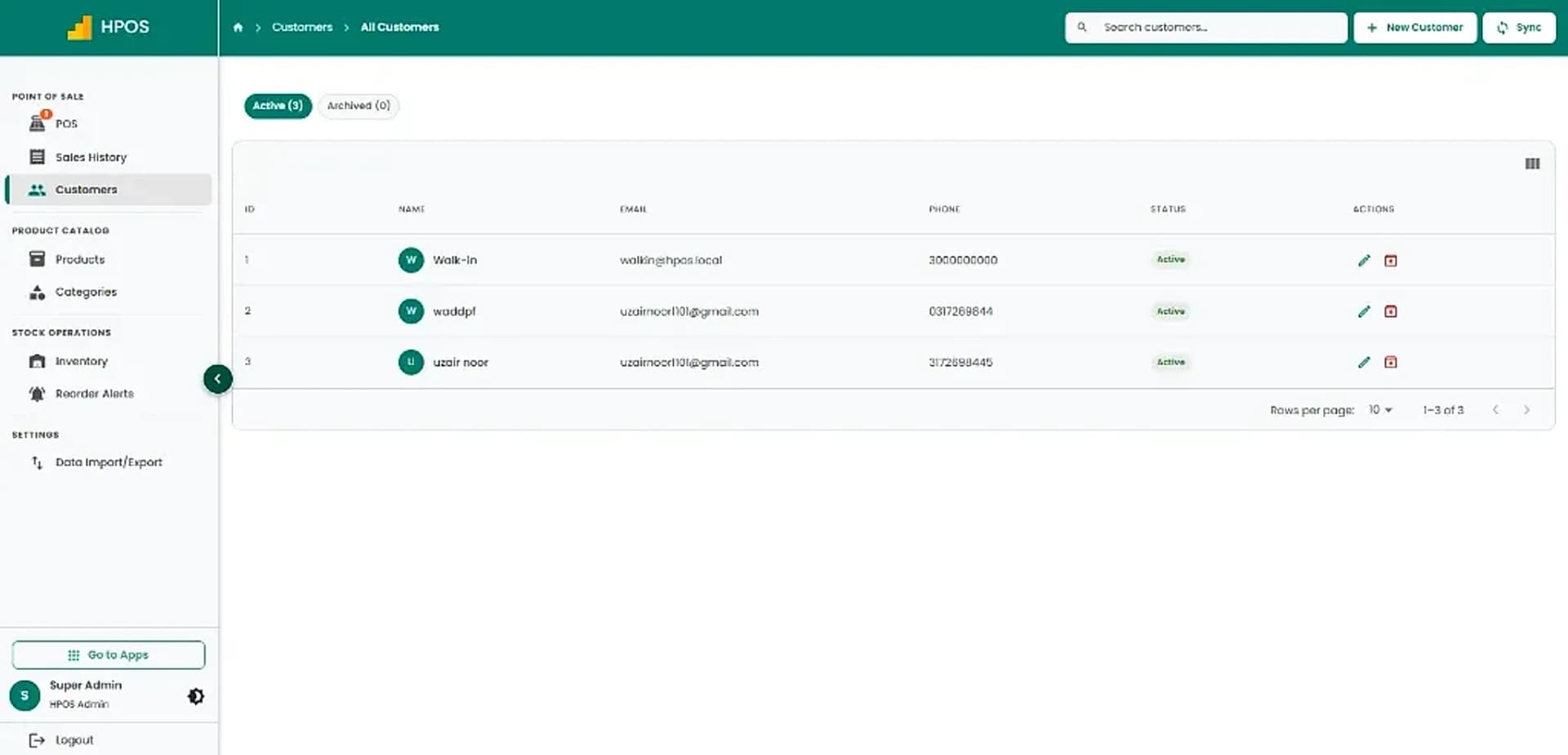
Hulm POS screen: Customer management
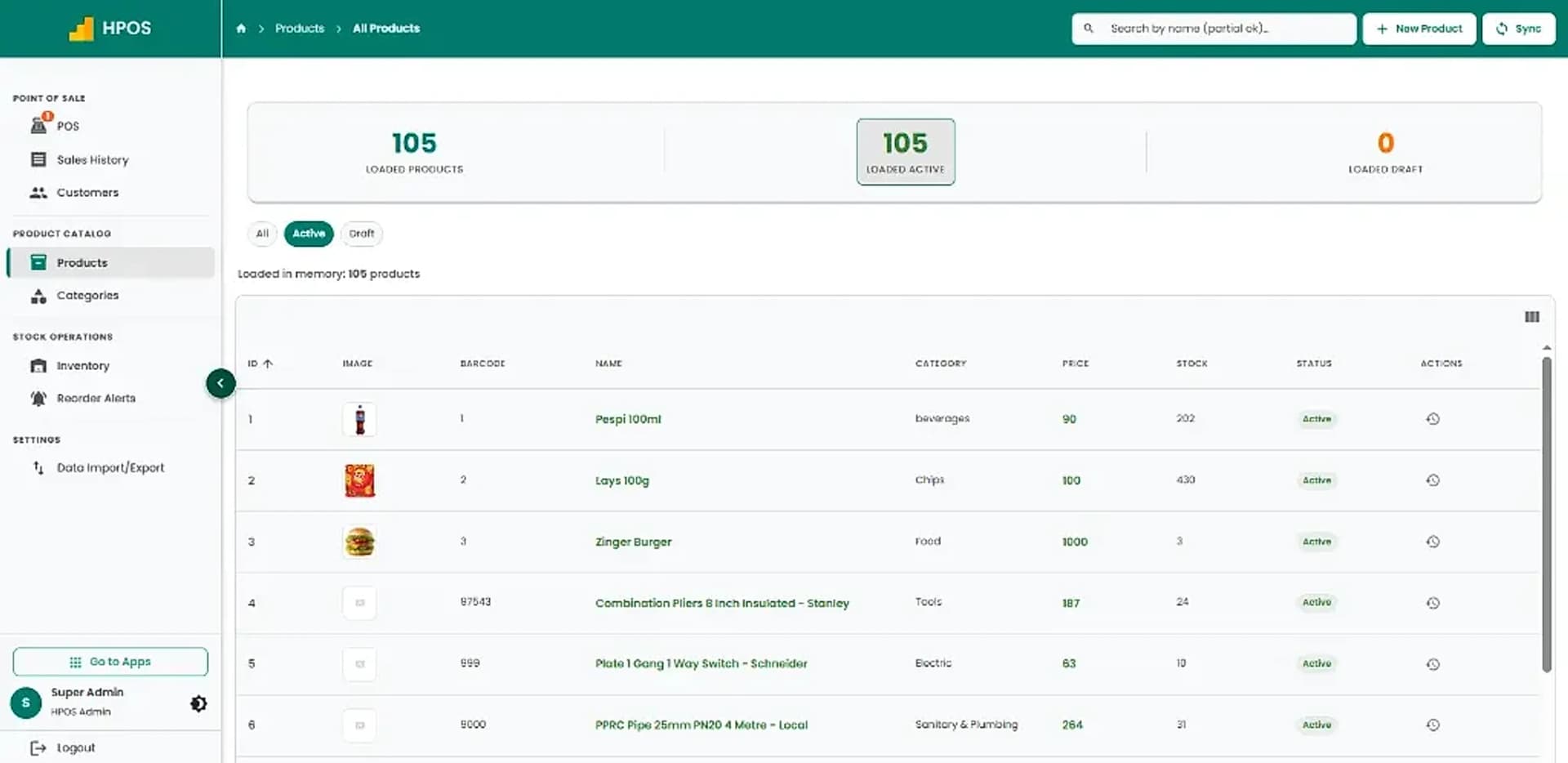
Hulm POS screen: Product catalogue & pricing
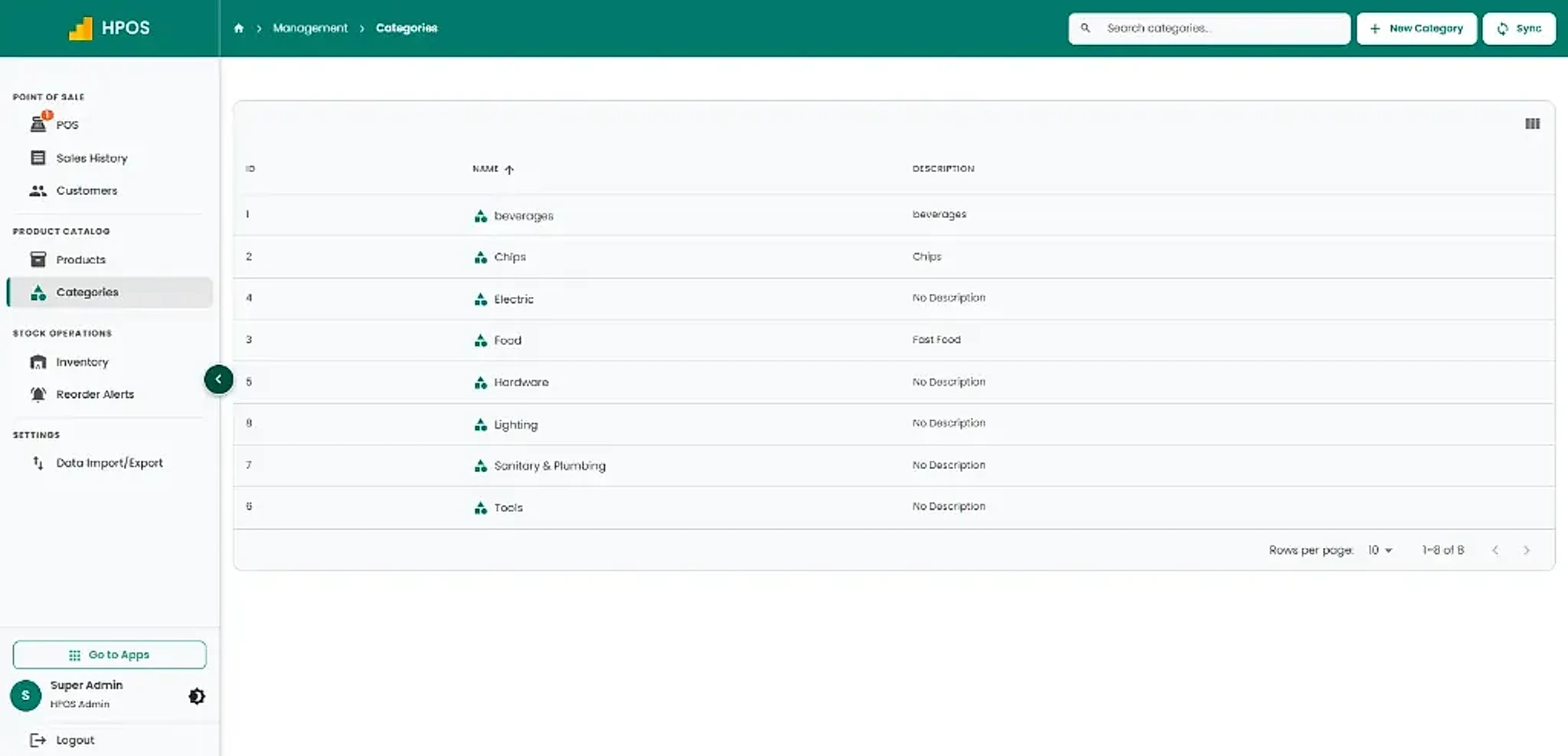
Hulm POS screen: Categories management
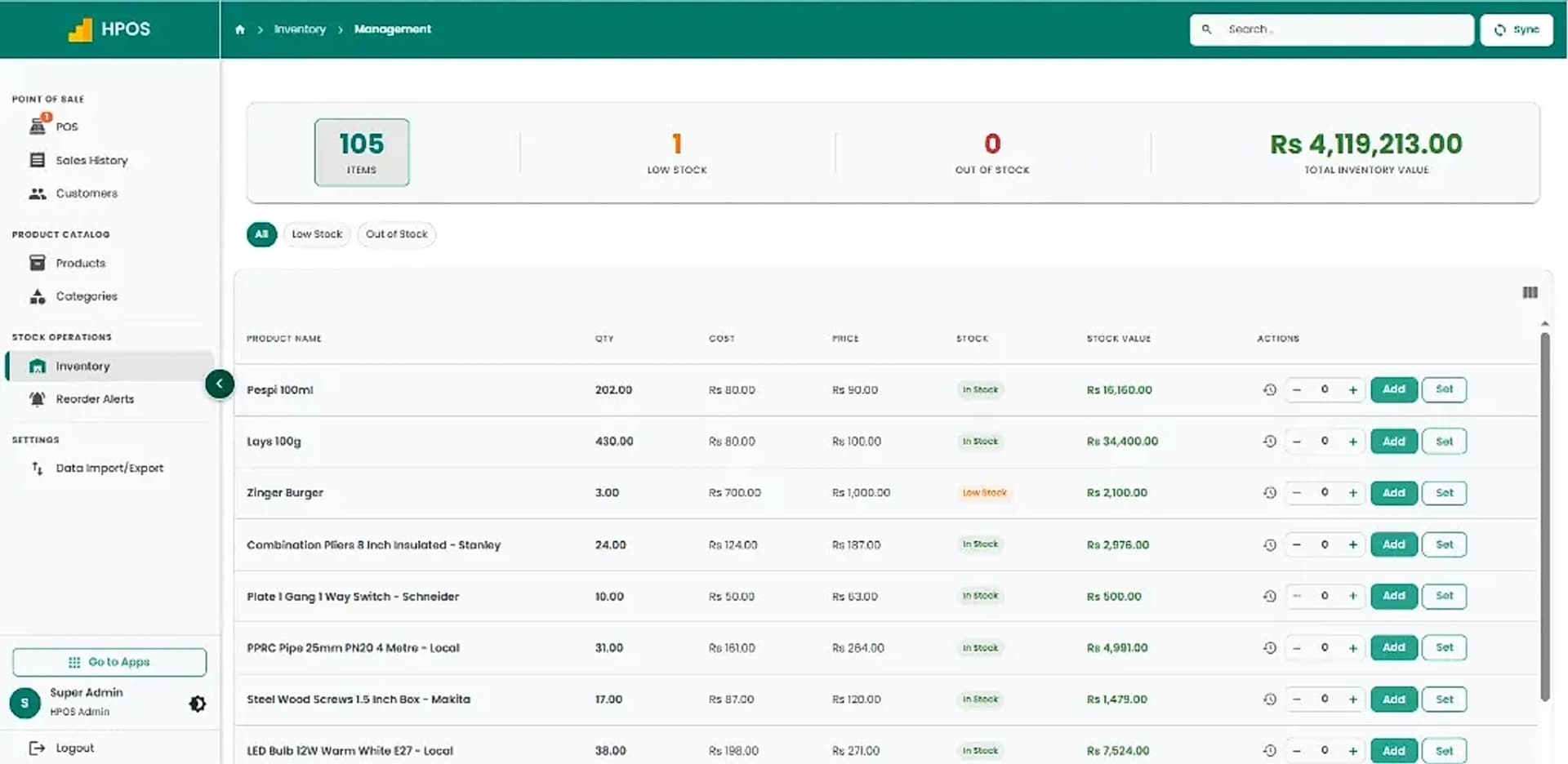
Hulm POS screen: Inventory tracking & valuation
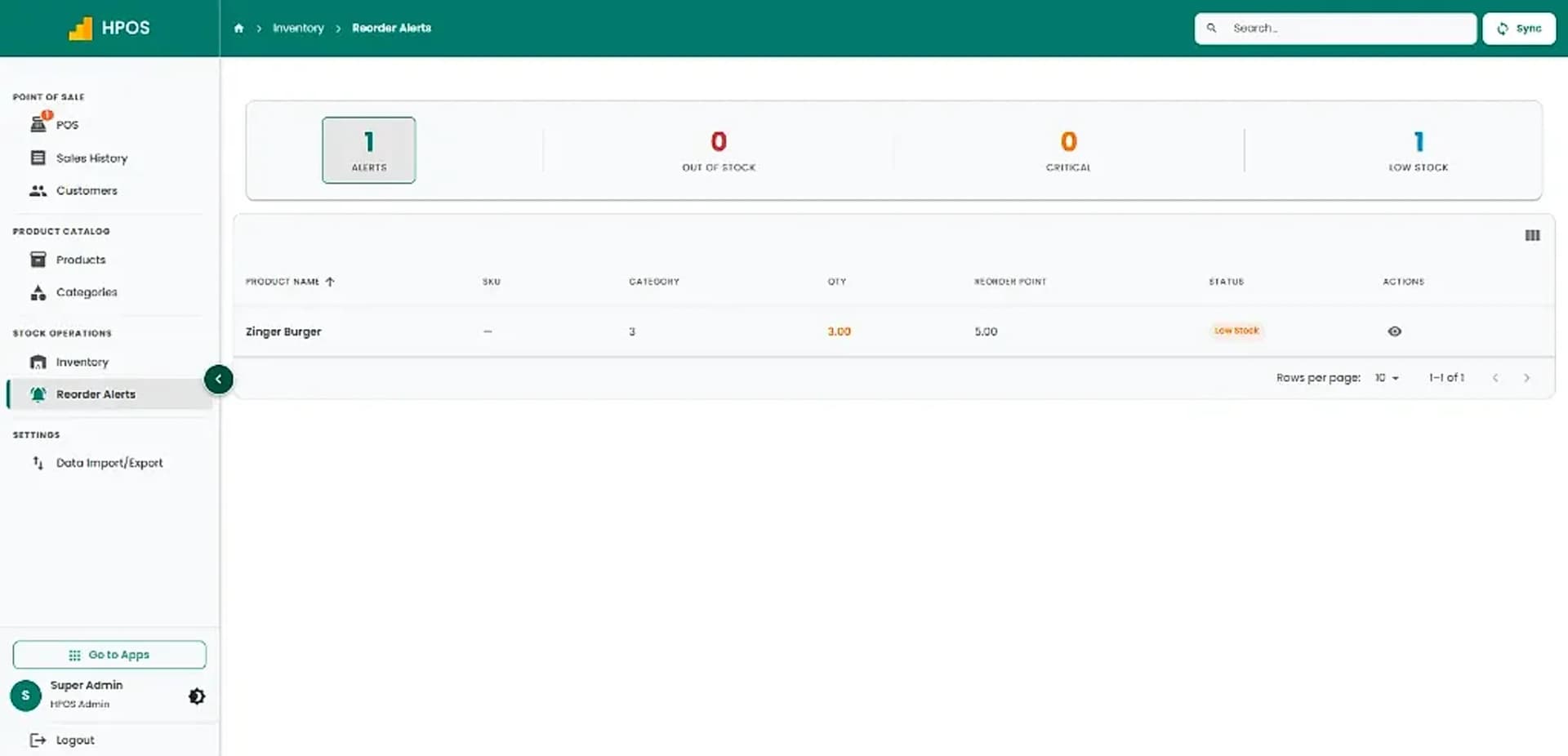
Hulm POS screen: Inventory reorder alerts
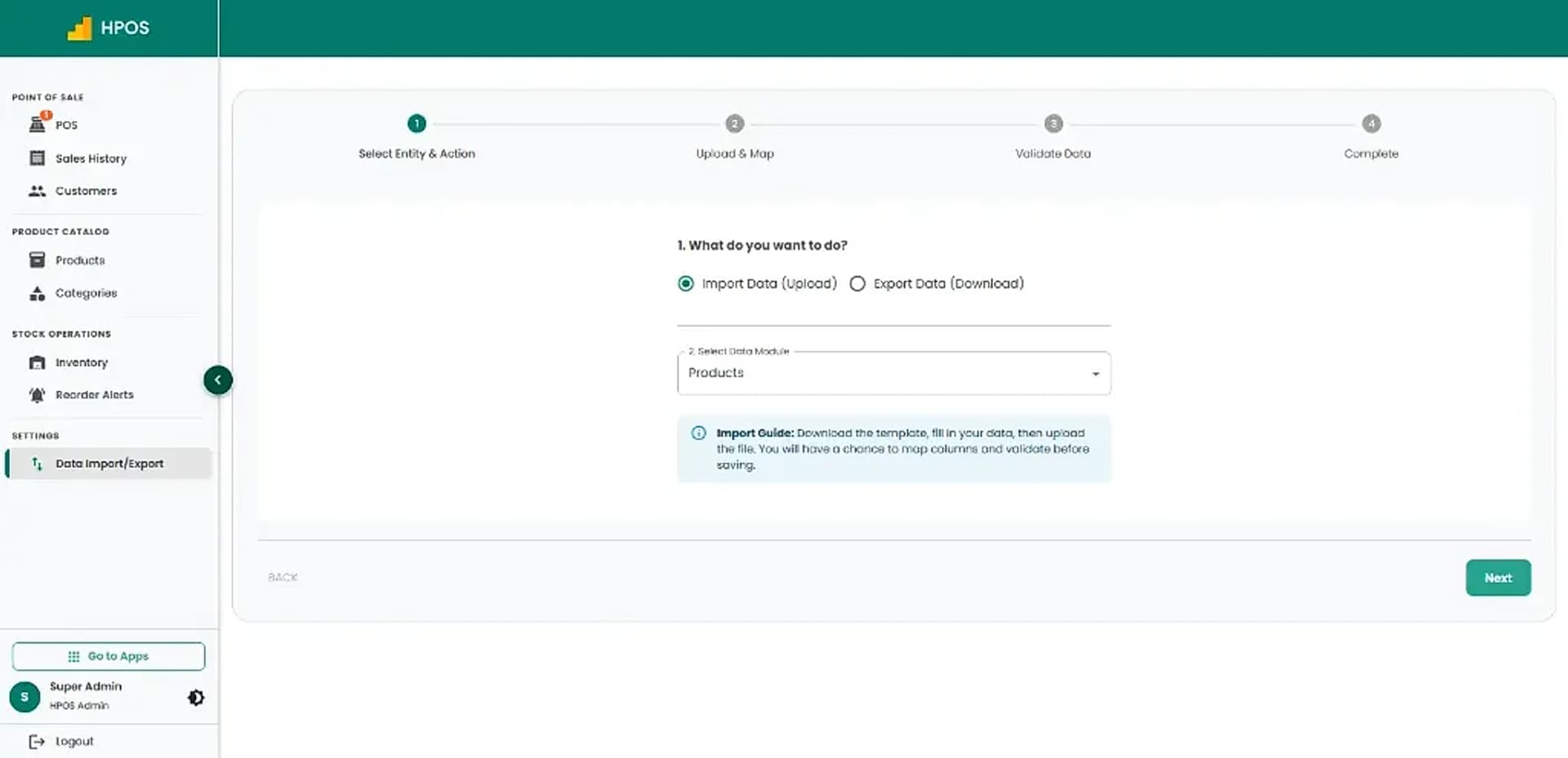
Hulm POS screen: Data import & export
Screen 01

Point of Sale & cashier checkout

Fast product catalogue search, category navigation, multi-item shopping cart, on-hold sales and instant receipt checkout.

01 / 08

Point of Sale & cashier checkout

Fast product catalogue search, category navigation, multi-item shopping cart, on-hold sales and instant receipt checkout.

Sales history & transaction records

Review completed sales tickets, payment methods and amounts, with quick actions to issue returns or reprint receipts.

Customer management

Maintain a clean directory of active customer profiles with contact numbers, email addresses and purchase records.

Product catalogue & pricing

Manage products, barcodes, categories, retail pricing and live inventory counts in a structured catalogue.

Categories management

Organise inventory into clear departments and product categories for fast cashier searching and clean stock reporting.

Inventory tracking & valuation

Monitor item quantities, wholesale costs, retail prices and total inventory valuation with live stock updates.

Inventory reorder alerts

Stay ahead of low stock and critical shortages with automated reorder thresholds for every product.

Data import & export

Easily upload or export products and inventory data in bulk with guided mapping templates.

Core Capabilities

Cafe & Coffee Shop POS Features for Daily Operations

From fast counter checkout to stock tracking and shift audits, explore practical tools designed for Pakistani retail shops.

#01

Fast cafe ordering

Organise the menu for dine-in, takeaway and counter beverage orders.

#02

Menu options and modifiers

Configure sizes, dairy alternatives, flavor syrups and custom prep notes.

#03

Ingredient inventory

Automatic ingredient deductions per drink to monitor beans, milk and syrups.

#04

Barista tickets and printers

Route orders to preparation stations, digital screens or thermal printers.

#05

Payments and receipts

Support cash, cards, QR codes and mobile wallet options with quick receipts.

#06

Sales and staff reporting

Review revenue, best-selling beverages and staff sales where available.

#07

Loyalty and branches

Support stamp-card customer loyalty and multi-branch performance tracking.

#08

Hardware compatibility

Connect thermal station printers, barcode scanners and cash drawers.

#09

Staff permissions

Assign cashier, supervisor and administrator access according to duties.

Cafe & Coffee Shop Life Cycle

How HulmPOS Fits Your Cafe & Coffee Shop Workflow

Set up your beverage menu, modifiers and ingredient recipes, then take orders, dispatch barista tickets and review peak sales in one continuous loop.

Continuous operating loop: automated sync from checkout to shift close
STAGE 01

Menu & Drink Modifiers Setup

Organise hot & iced beverages, cup sizes, dairy options, syrups and add-ons.

Menu & recipes ready
Flow
STAGE 02

Rapid Order & Barista Routing

Capture custom drinks with rapid touch buttons and route tickets straight to the barista.

Order sent to station
Flow
STAGE 04

Shift Balancing & Peak Hour Reports

Reconcile register cash differences and review hourly sales to identify peak trading windows.

Loops into next shift
Cycle
STAGE 03

Billing & Ingredient Depletion

Accept cash, cards or QR payments while coffee beans, milk and cups deduct automatically.

Real-time stock deduction
Flow
Common setups

Who Is HulmPOS Suitable For?

Start with the operating model closest to yours, then adjust the details during implementation.

Coffee shops and espresso bars

High-speed espresso bars, pour-overs and specialty coffee venues.

Small cafés with dine-in and takeaway

Neighborhood cafes serving sandwiches, brunch, pastries and hot beverages.

Tea, juice and beverage counters

Chai spots, fresh juice counters, boba tea shops and quick-serve kiosks.

Café groups evaluating multi-branch reporting

Multi-location cafe brands requiring synchronized menus, pricing and consolidated sales.

FBR integration support

Add FBR-connected invoicing to your cafe POS

If you need FBR or provincial tax-invoice support, confirm eligibility and exact integration scope with Hulm based on your registration and location. Do not assume one integration covers every federal or provincial requirement.

Review FBR integration

Connected invoice flow

Keep the configured FBR invoice process close to the completed cafe order.

Required invoice details

Support the tax, provincial restaurant levy and invoice fields agreed during setup.

Reviewable records

Retain transaction activity for day-to-day review and tax reconciliation.

Who it can support

Who Is HulmPOS Suitable For?

HulmPOS may be worth evaluating if your business needs clearer billing, product records and day-to-day sales visibility.

  • Coffee shops and espresso bars
  • Small cafés with dine-in and takeaway
  • Tea, juice and quick-service beverage counters
  • Café groups evaluating multi-branch reporting
  • Bakery-cafes and dessert bars
  • Campus and mall beverage kiosks
Customizable catalogue & checkoutAsk about your store type
Key Evaluation Pillars

Why Consider HulmPOS for Your Cafe?

Before choosing a cafe point of sale system, verify how these core capabilities improve speed and inventory control:

  • Take customized drink orders with single-tap modifiers in seconds
  • Prevent drink mistakes between the cashier and barista prep station
  • Monitor costly coffee bean, milk and packaging inventory in real time
  • Route drink tickets cleanly to thermal station printers or kitchen screens
  • Print FBR-integrated receipts with fiscal QR codes across Pakistan
  • Reward loyal customers and track revenue trends across busy morning hours
Confirm pricing, hardware specs and specialist features:

Customer story · Bakery, Cafe & Confectionery

How Cupcake Queen runs on Hulm POS

“We were basically running three separate bakeries that happened to share a name. Now I can see all three branches from one screen, and I’m not worried about scrambling when VAT finally arrives.”Aisha Al-Sayed, Owner, Cupcake Queen
Read the Cupcake Queen POS case study

100%

Real-time visibility across all 3 branches

Doha, Qatar

Setup questions

Frequently Asked Questions

These answers set expectations before plan selection and implementation.

What is the best POS system for a cafe?

Choose a system that fits order speed, drink modifiers, ingredient tracking, payments and reporting. Demo HulmPOS with your menu.

Can HulmPOS manage custom coffee orders?

The live page advertises drink options such as sizes, milk and syrups. Confirm the modifier workflow.

Can cafe POS track beans and milk?

The live page advertises automatic ingredient deductions. Verify recipes, unit conversions and stock adjustments.

Does HulmPOS support barista printers or screens?

The live page describes barista routing; confirm device models and routing configuration.

Does HulmPOS support FBR integration?

FBR integration is described for eligible Pakistan deployments; confirm requirements for your registration.

Read: FBR integrated POS
Plan the right rollout

Ready to Simplify Your Cafe & Coffee Shop Operations?

Tell us how your cafe & coffee shop business works today. Hulm can walk you through relevant billing, inventory, reporting and setup options.

WhatsApp