
01
Sell
Create the order, take payment and keep a reliable transaction record.
Connect checkout, stock, purchasing, customers and reporting in one workspace so your team can move faster without losing operational control.
Built around the transaction
Hulm starts at the counter, then carries the right information into stock, purchasing, customer records and reports.
Create the order, take payment and keep a reliable transaction record.
Reflect product movement without maintaining a separate inventory file.
Give purchasing, fulfilment and branch teams the same source of information.
Turn daily activity into reports owners and managers can act on.
Core capabilities
Each capability works with the same product and operational data, so you can start focused and expand without rebuilding your system.
Give staff a clear checkout flow for sales, payments and transaction records.
Keep product and stock information connected to activity across your locations.
Organise supplier records, purchase orders and incoming stock in one workflow.
Keep customer information and sales history close to the transaction.
Follow orders from creation through fulfilment without losing ownership or status.
Review sales and branch activity from the operational data your team already creates.
A shared workspace
Cashiers, managers and owners can work from the same underlying information while staying focused on the tasks relevant to them.
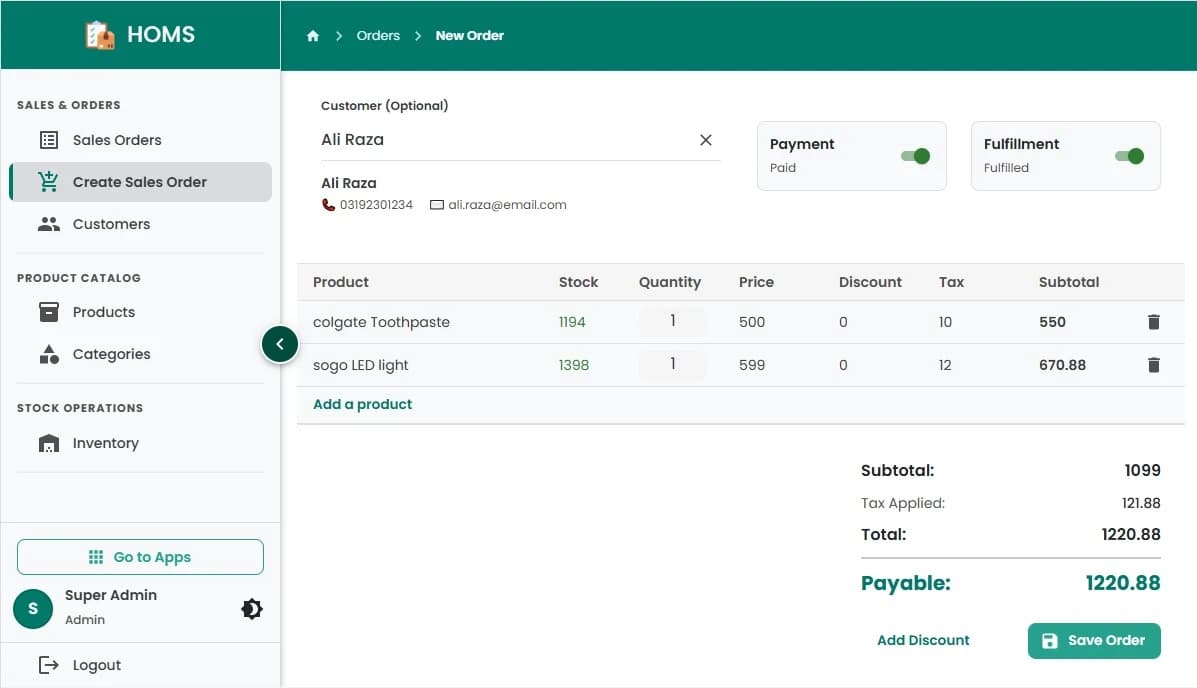
A clear path from product selection to a recorded sale.
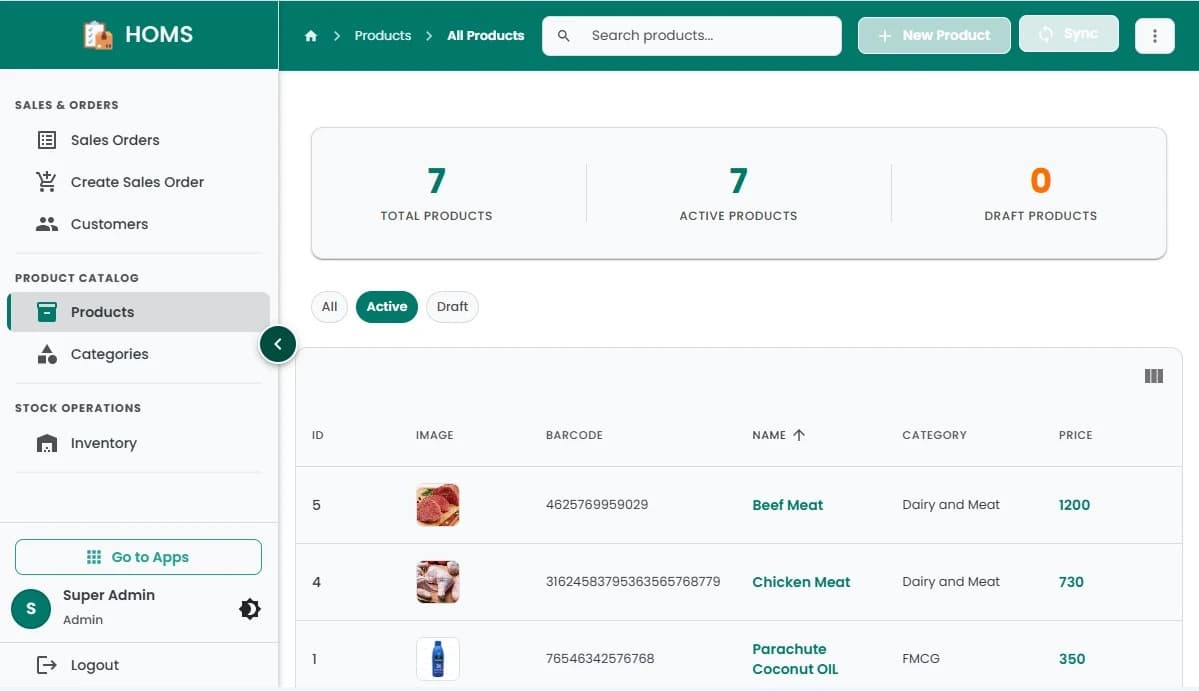
One place to organise the items your team sells and tracks.
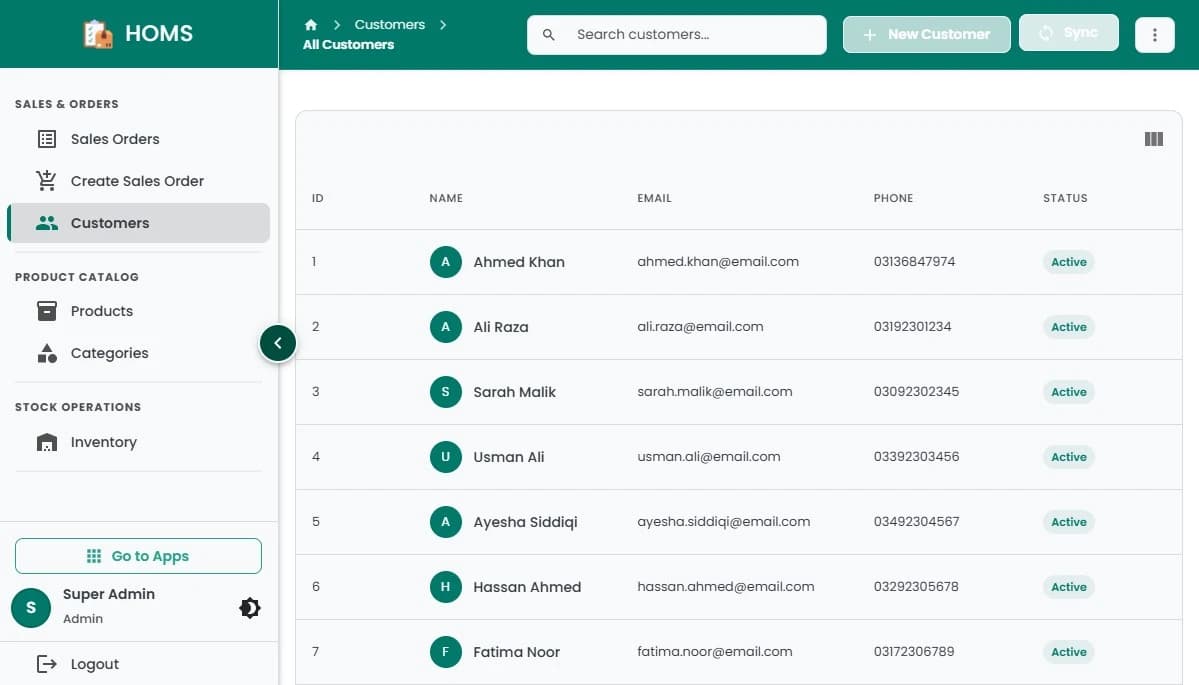
Customer records that stay connected to everyday selling.
Extend when it helps
Use the same Hulm foundation when your team needs more mobility, an online channel or connected services.
Give teams a flexible sales experience on compatible phones and tablets.
Explore Mobile POSConnect an online selling experience to the products and orders you already manage.
Explore online sellingReview the services and workflows that can connect with your Hulm setup.
Explore integrationsFBR integration support
If your business requires FBR integration, the Hulm team can help confirm the applicable setup and guide you through connecting it to your POS workflow.
Part of the POS workflow
Transaction data stays connected
Keep the relevant invoice record with the sale that created it.
Product questions
Hulm is presented as one connected POS platform. Its capabilities cover billing, inventory, purchasing, customers, orders and reporting while using shared operational data.
No. You can start with the workflows your business needs most and discuss additional capabilities with the Hulm team as your operation grows.
Hulm is designed for different operational roles, including staff processing sales and managers reviewing wider business activity. Available access depends on your setup and plan.
Yes. Hulm supports multi-location operations so owners and managers can review activity across branches from one platform.
FBR integration is available for businesses that require it. The team can help confirm your obligations and the setup appropriate for your business.
Book a product demo and bring your current sales, stock and branch workflow. The Hulm team can focus the walkthrough on the capabilities relevant to you.
Start with the workflow in front of you
Try the product for 14 days or book a guided walkthrough around your team, branches and operational needs.

 WhatsApp