
Point of Sale & cashier checkout
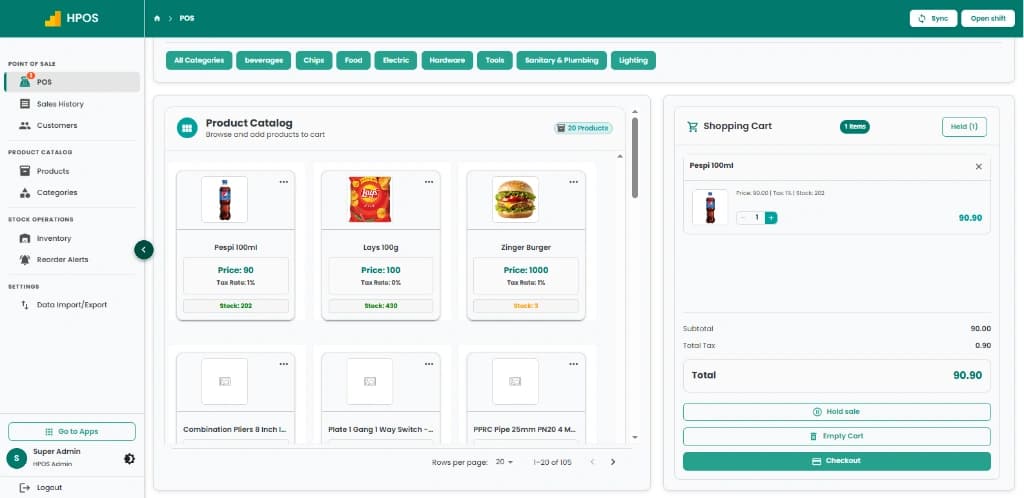
Fast product catalogue search, category navigation, multi-item shopping cart, on-hold sales and instant receipt checkout.
Hulm POS software features connect billing, products, inventory, customers, staff permissions and sales reporting in one point of sale workflow for retail stores, restaurants and other growing businesses.
Real screens from Hulm POS: checkout, stock and the one-login app workspace.
Fast product catalogue search, category navigation, multi-item shopping cart, on-hold sales and instant receipt checkout.
Fast product catalogue search, category navigation, multi-item shopping cart, on-hold sales and instant receipt checkout.
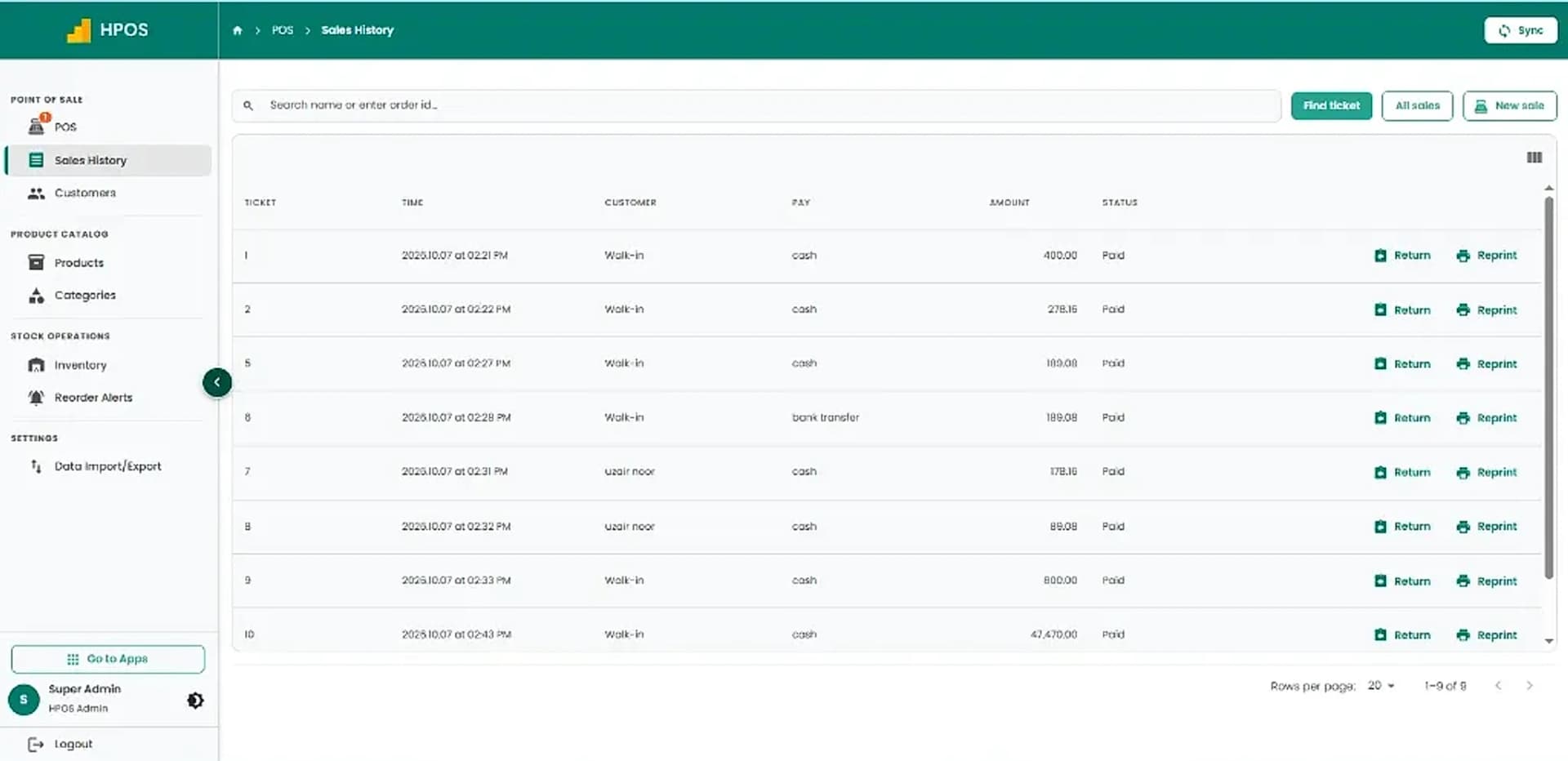
Review completed sales tickets, payment methods and amounts, with quick actions to issue returns or reprint receipts.
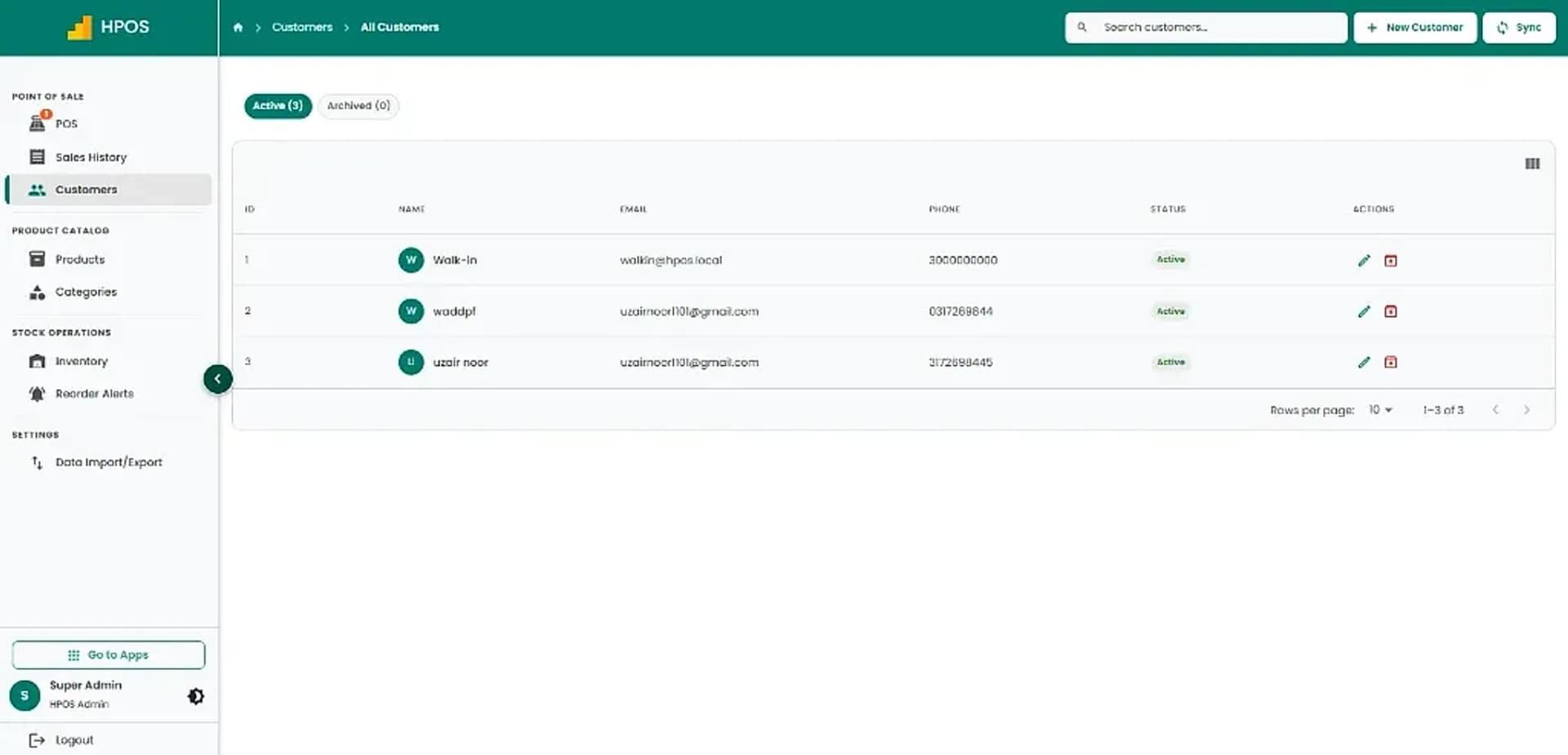
Maintain a clean directory of active customer profiles with contact numbers, email addresses and purchase records.
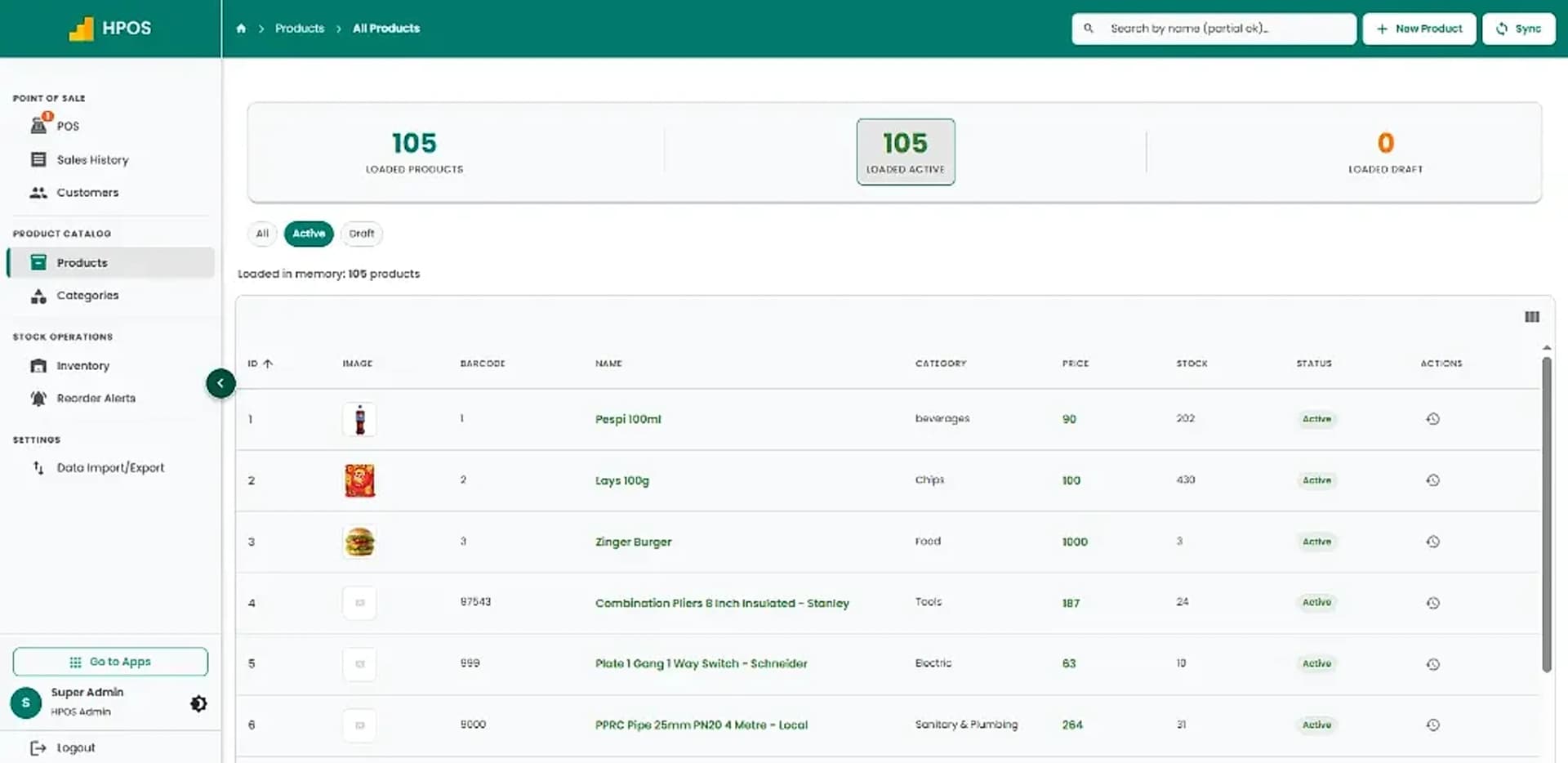
Manage products, barcodes, categories, retail pricing and live inventory counts in a structured catalogue.
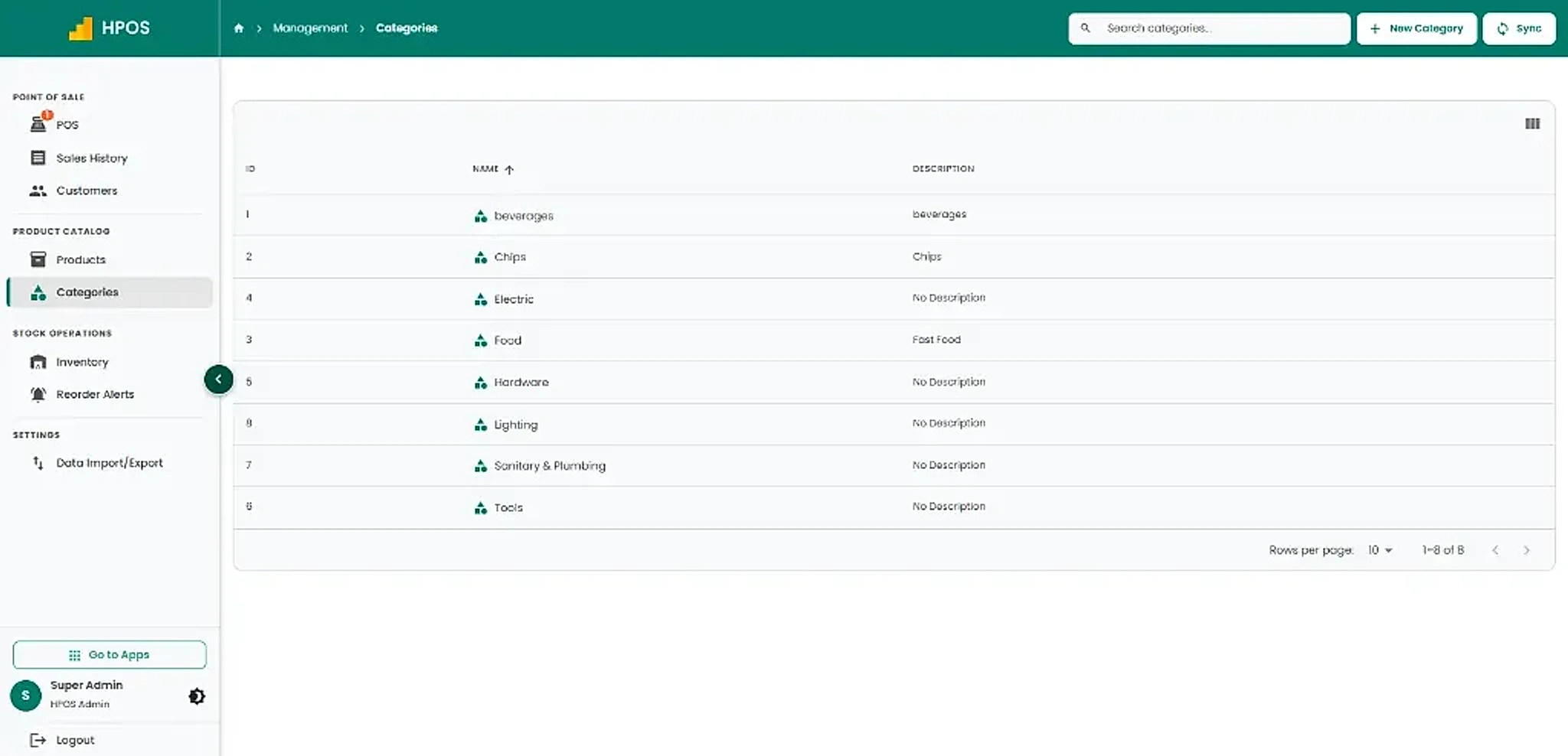
Organise inventory into clear departments and product categories for fast cashier searching and clean stock reporting.
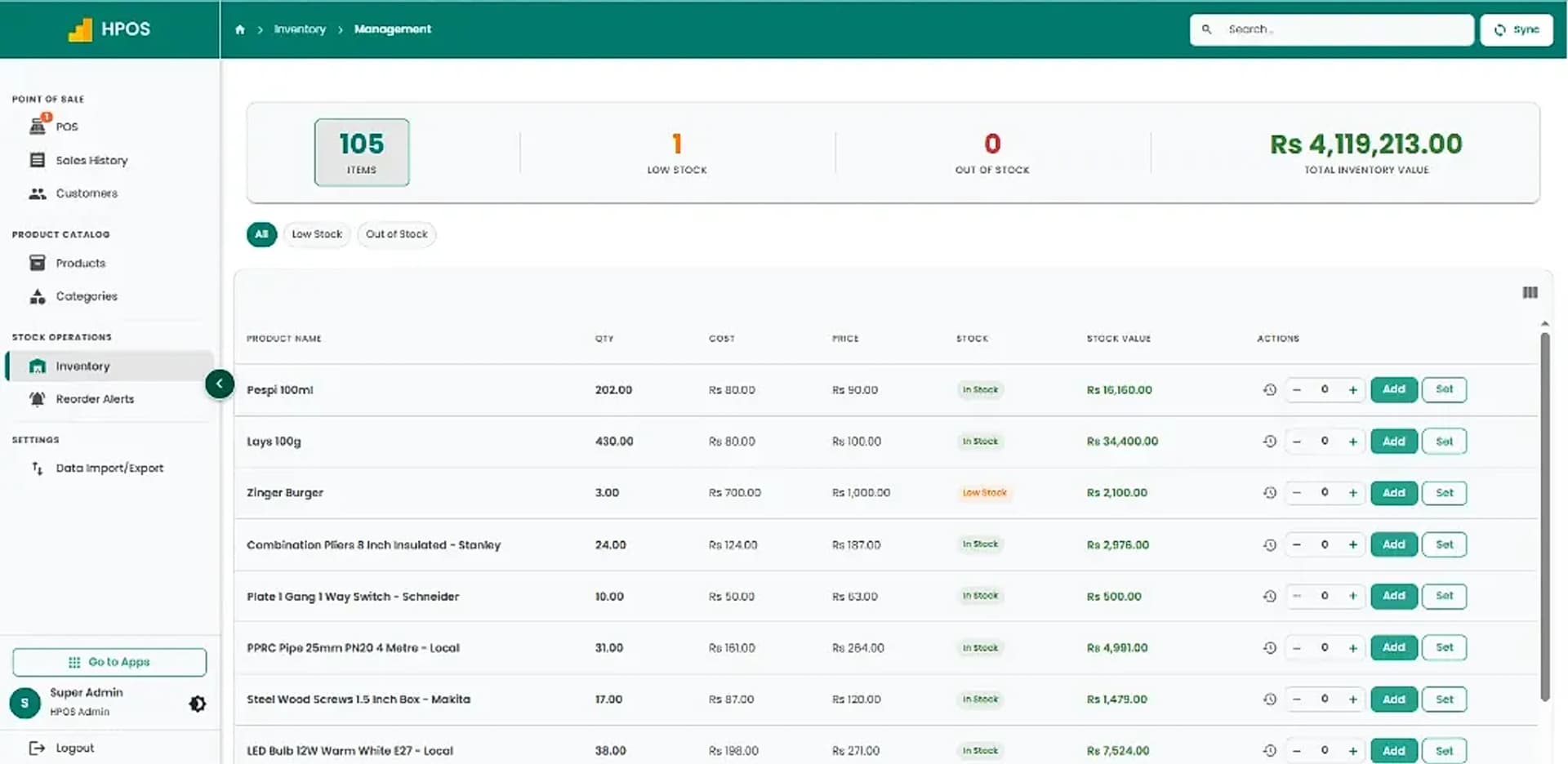
Monitor item quantities, wholesale costs, retail prices and total inventory valuation with live stock updates.
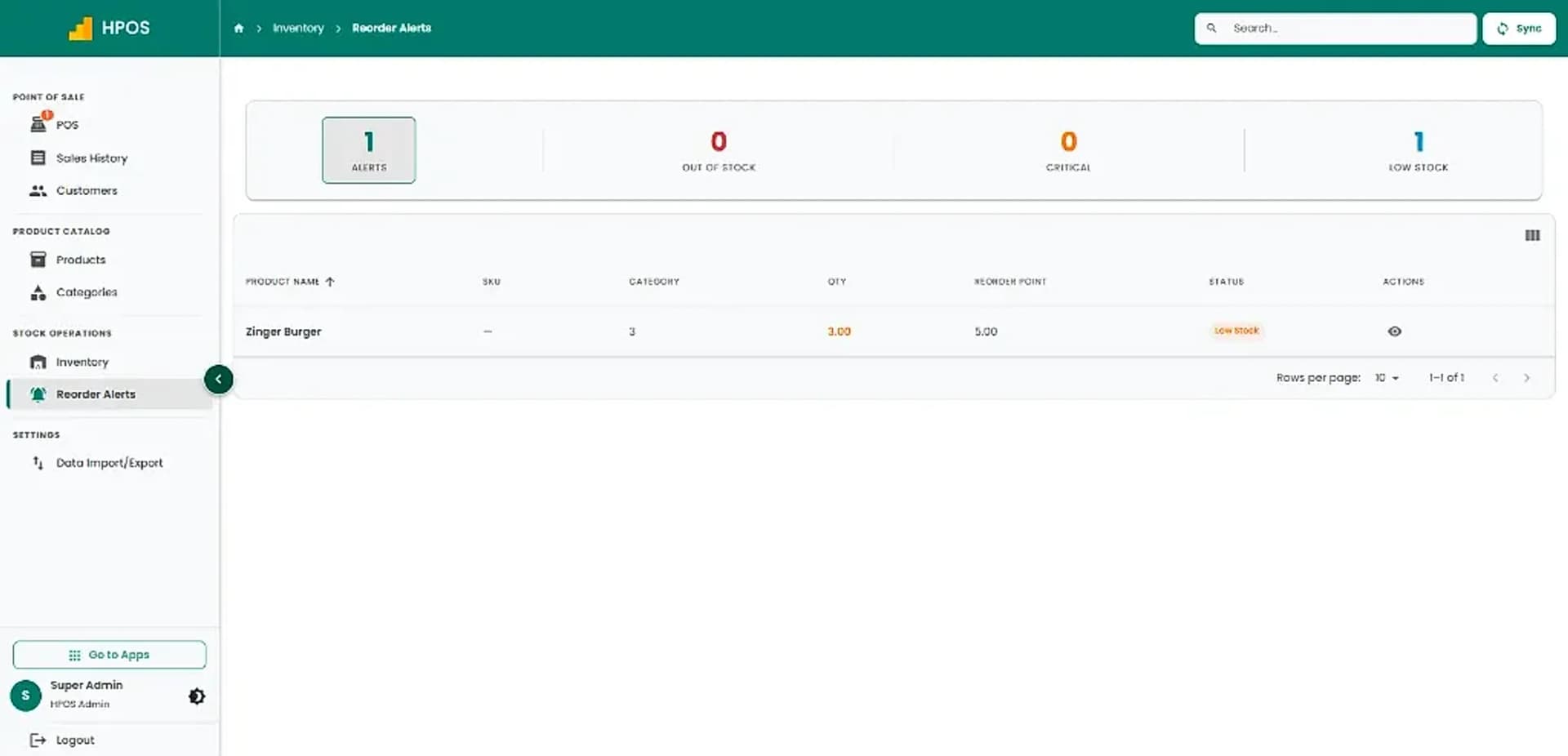
Stay ahead of low stock and critical shortages with automated reorder thresholds for every product.
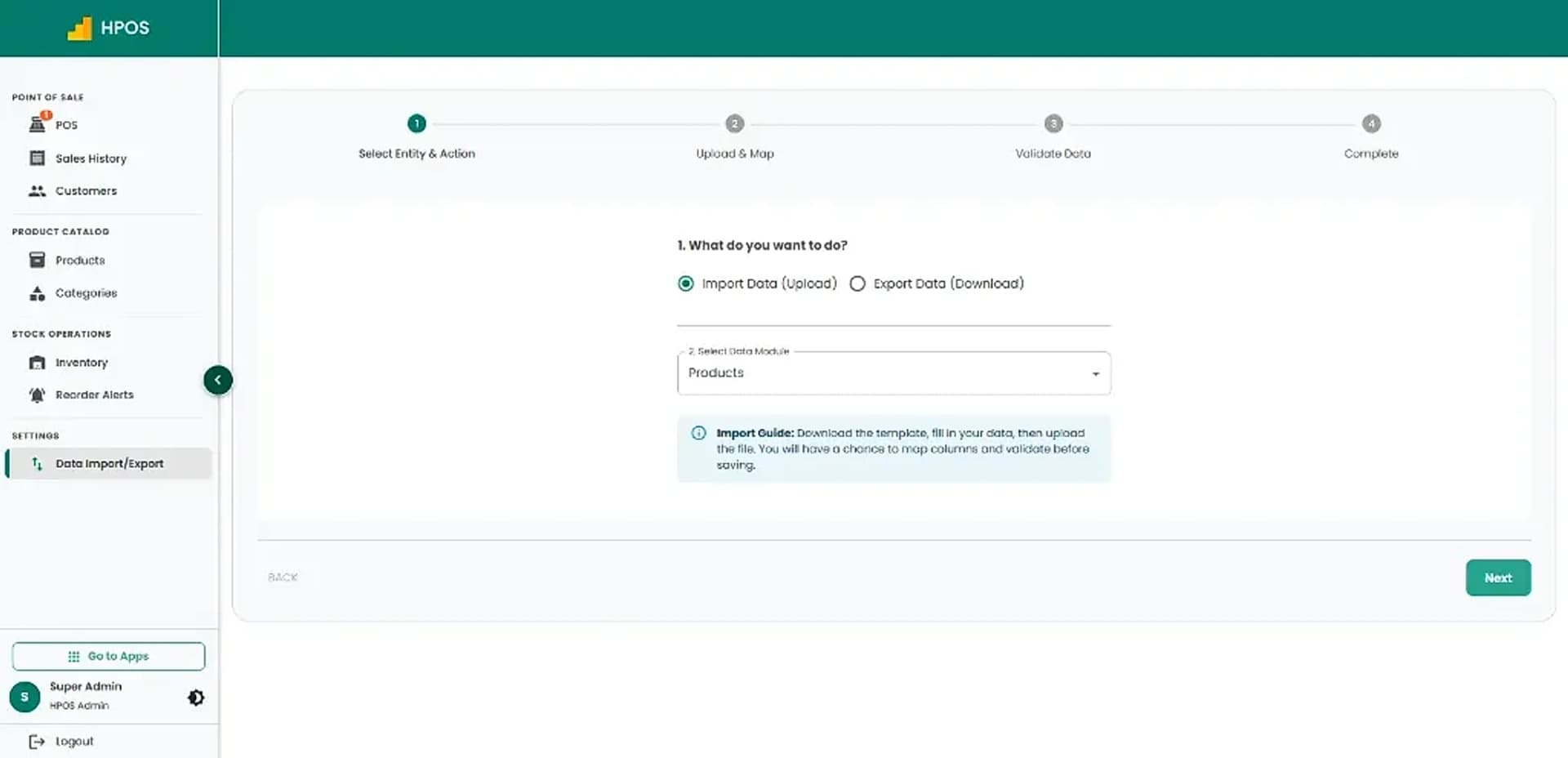
Easily upload or export products and inventory data in bulk with guided mapping templates.
Hulm POS brings essential point of sale software features together in one easy-to-use platform. Manage sales, products, customers, and inventory while keeping your daily business operations organized. Whether you run a retail shop, grocery store, mart, pharmacy, or another business, Hulm POS helps simplify checkout and gives you better control over your business records.
Manage daily sales, find products, and reconcile shifts from one fast screen.
Access complete sales records and locate previous transactions with ease.
Keep customer profiles and purchase history organized in one database.
Manage your catalog from one place with complete product details and pricing.
Organize products into intuitive categories for faster checkout and browsing.
Track real-time stock levels, check inventory value, and audit changes.
Spot inventory shortages early so you can restock proactively and prevent stockouts.
Save time managing business records with batch import and export tools.
Connect standard retail hardware to make daily billing and checkout seamless.
Control access across your team by assigning roles and permissions.
The same POS system, configured around how your business sells: retail POS, restaurant POS or service billing.
Every one of these POS software features runs on the same cloud POS, so inventory management, purchasing, orders and reports stay connected to each sale. Plans start at PKR 2,500 per month.
Real-time stock tracking & reorders
Supplier POs & purchase tracking
Order fulfillment & delivery status
Customer directory & purchase logs
Supplier logs & vendor ledgers
Live sales analytics & shift reports
Phone & tablet checkout registers
Dispatch & fleet delivery tracking
Livestock health & breeding logs
Branded online store synced with POS
Payment gateways & custom APIs
Receipt printers, scanners & drawers
All apps run on the same cloud POS. Plans start from PKR 2,500/month.
See POS pricingReal reviews from business owners who use Hulm POS, published on Google.

“HulmPOS provides the easy way to operate my inventory management. Highly recommended!”

“Hulm POS has completely transformed how I run my restaurant. The FBR integration makes tax reporting so much easier, and managing orders and inventory is a breeze. Plus, it's affordable! Honestly, it's the best POS software in Pakistan for restaurants.”

“Hulm POS has made running my bakery so much smoother. With FBR integration, tracking orders and inventory is effortless, and it keeps everything affordable. It's definitely the best POS software in Pakistan for bakeries.”

“Hulm Solutions POS is an excellent choice for retail shops in Pakistan. It's user-friendly, reliable, and perfectly suited for managing inventory and sales. Highly recommended for retail business owners!”

“As a mart owner, I needed a POS with FBR integration and tried HULM POS's free demo. It's user-friendly, automates FBR invoices, and manages inventory seamlessly. The real-time reporting and affordable pricing make it a great choice for small businesses.”

“We've been using this POS for a few months and it's been a game changer for our retail store. It's simple, fast, and makes managing sales and inventory much easier. Support is responsive and helpful. Highly recommended for businesses in Pakistan looking for a solid POS solution.”

“After a successful free trial, I now run my entire business on HulmPOS because it is simple, affordable, and incredibly easy to use.”

“As someone who isn't very tech-savvy, I appreciate how easy HulmPOS is to use. Setting up was a breeze, and managing my small business has never been simpler. Wish I had found this sooner.”

“HulmPOS significantly increased my bakery sales & fulfilled all needs to manage my bakery operations”
A modern POS system should cover fast billing, barcode scanning, real-time inventory, customer records, staff permissions and sales reporting, with FBR integration where required. Hulm's POS software features cover each of these in one workflow.
Read: what a POS system isYes. As a retail POS, Hulm gives stores barcode billing, variants and branch stock; restaurants get dine-in, takeaway and delivery orders with kitchen flow, on the same POS software.
Yes. Sales are connected to product stock, and the inventory management app adds purchasing and branch-level stock visibility.
Read: inventory managementYes. FBR integration is available for eligible businesses in Pakistan, adding the FBR invoice number and QR code to receipts.
Read: FBR integrated POSAny standard POS hardware. Hulm runs in the web browser on computers, tablets and phones (no app download needed) and integrates easily with the receipt printers, barcode scanners, cash drawers and label printers you already have.
Read: POS hardware guideNo. Hulm is a cloud POS and needs an internet connection (Wi-Fi or mobile data) to record sales; there is no offline mode. Many shops keep a mobile hotspot as a backup connection.
Record cash, card, mobile-wallet (such as JazzCash and EasyPaisa) and bank-transfer payments at checkout. Integrated payment gateways are not available yet and are planned for a future update.
Setup guidance is included. The timeline depends on your product list, branches and FBR registration, and the team shares a plan in the demo. Data migration and staff training are available as optional services.
Read: book a free demoYes. Supported integrations cover payments, accounting, ecommerce and FBR, with API options for custom workflows. Compatibility is confirmed before rollout.
Read: POS integrationsJoin retail stores, restaurants, pharmacies and manufacturers that run sales, stock and reporting on Hulm.
Takes less than 2 minutes. No credit card required.

 WhatsApp