Retail POS Software

Retail POS Software in Pakistan to Solve Your Shop Billing and Stock Problems

Running a retail shop shouldn’t mean struggling with billing, stock, and daily sales. HulmPOS is easy-to-use POS software for retail shops that helps you manage products, track sales, and keep stock organized in one place. Spend less time on manual records and more time growing your business.

Explore retail POS software designed to help Pakistani shop owners manage their daily work more efficiently.

Live Checkout Demo
Operational friction

Does This Happen in Your Shop?

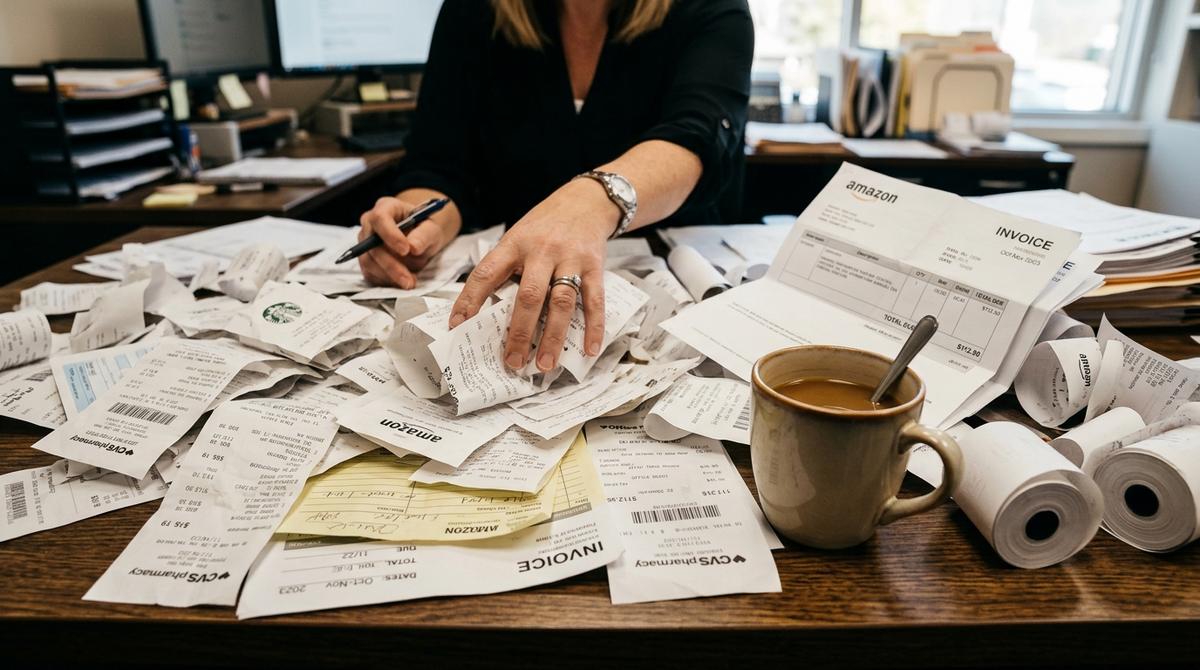
Managing a retail shop should not mean struggling with billing, stock and records all day.

Problem 1Retail Store Bottleneck
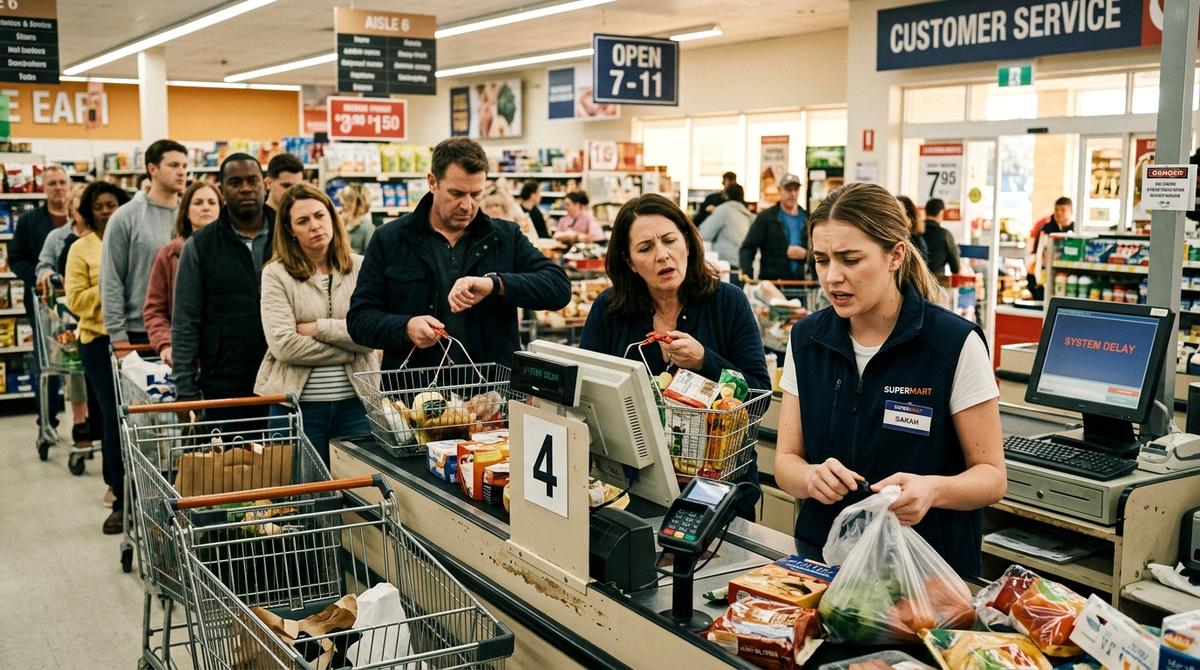
Customers Wait While You Complete Billing

Customers Wait While You Complete Billing

Searching for products manually can slow down checkout, especially when several customers are waiting.

The HulmPOS Solution

Search, barcode scanning & category filters

HulmPOS lets you find products by name or barcode, scan barcodes and use category filters to make products easier to find.
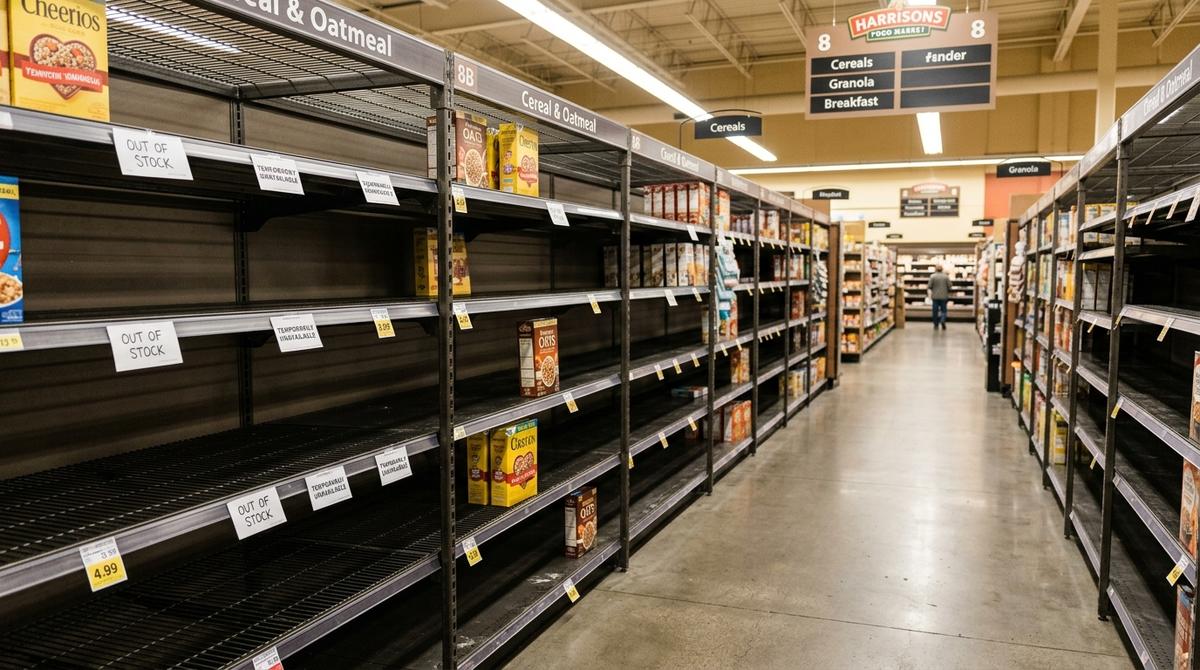
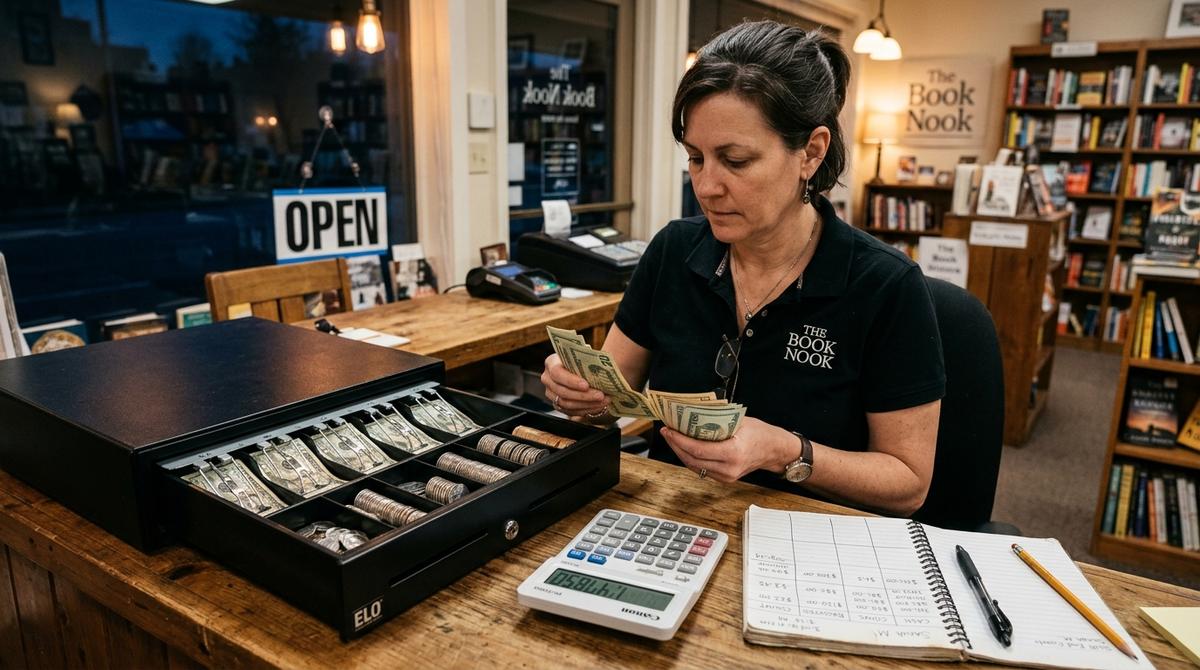
Problem 2Retail Store Bottleneck
You Are Not Sure Which Products Need Restocking

You Are Not Sure Which Products Need Restocking

When stock records are difficult to maintain, you may overlook products that are running low or already out of stock.

The HulmPOS Solution

Quantity management & stock alerts

HulmPOS helps you manage quantities, review inventory history and identify products that need attention through stock alerts.

Problem 3Retail Store Bottleneck
Your Cash Drawer Does Not Match Your Sales Records

Your Cash Drawer Does Not Match Your Sales Records

At closing time, the cash in your drawer may not match what you expected.

The HulmPOS Solution

Shift opening, closing & cash difference checks

HulmPOS lets you record opening and closing cash and check for differences between recorded figures and the cash counted.

Problem 4Retail Store Bottleneck
Finding an Old Receipt Takes Too Much Time

Finding an Old Receipt Takes Too Much Time

A customer asks about an earlier purchase, but finding the correct transaction in scattered records takes time.

The HulmPOS Solution

Order search, transaction review & receipt reprinting

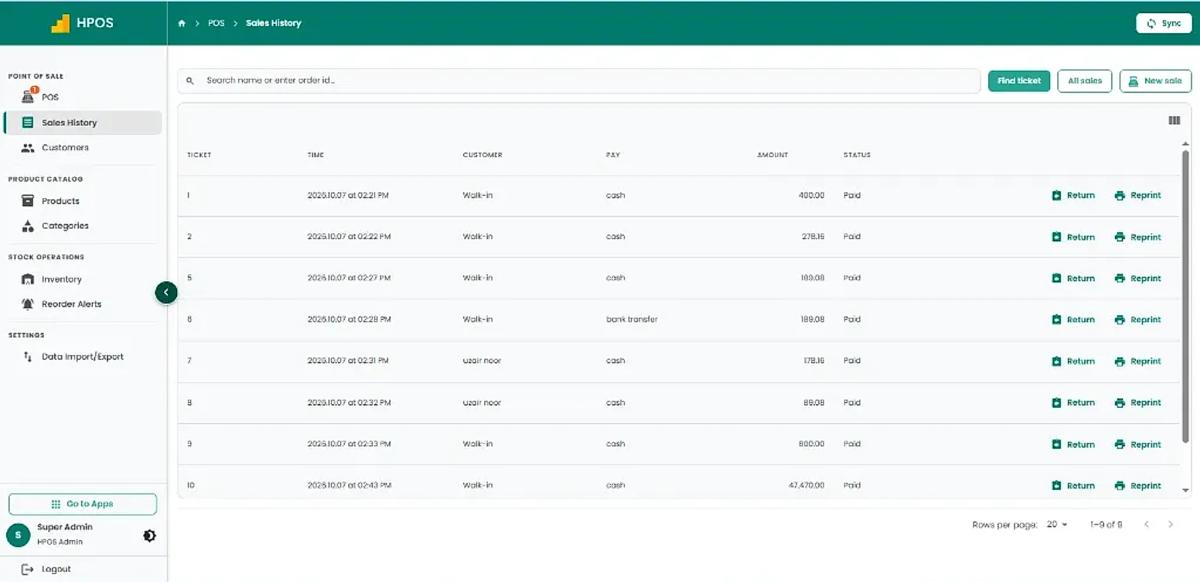
With HulmPOS, you can search sales by order ID, review transaction details and reprint receipts when needed.

Problem 5Retail Store Bottleneck
Managing Products and Customer Records Becomes Difficult

Managing Products and Customer Records Becomes Difficult

Adding products, updating information and finding customer details manually can take up valuable time.

The HulmPOS Solution

Unified product & customer records with search tools

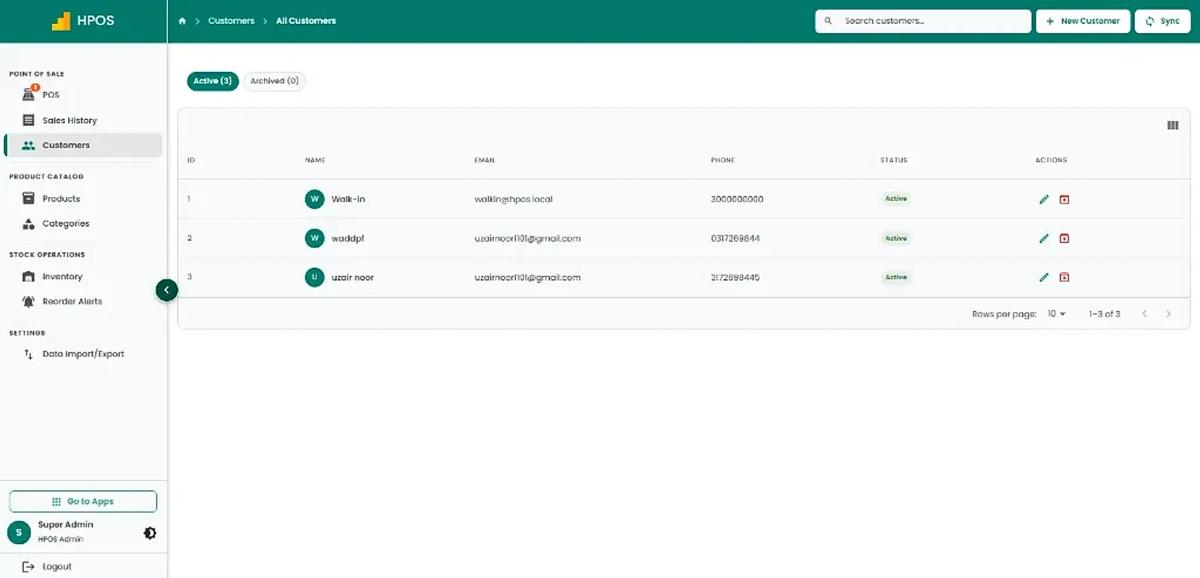
HulmPOS helps you maintain product and customer records in one system, with search and filtering tools to find the information you need.

Problem 6Retail Store Bottleneck
Worried About Switching From Another POS Software?

Worried About Switching From Another POS Software?

Already using another POS system but thinking about moving to HulmPOS? You should not have to re-enter every product manually if your existing data can be transferred.

The HulmPOS Solution

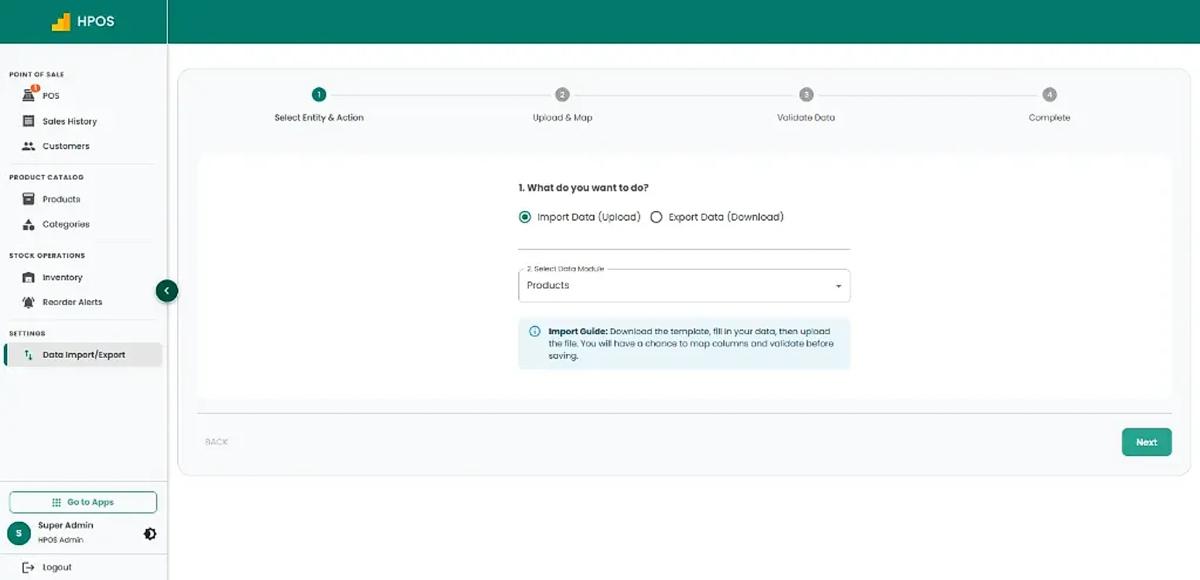
Product data import/export with format validation

HulmPOS provides product data import and export templates with format validation to help you switch smoothly without data loss.

Meet HulmPOS: A Practical POS System for Retail Shops

HulmPOS brings essential retail tasks into one system. You can handle daily activities without relying entirely on scattered paperwork or spreadsheets. Instead of choosing software based only on a long feature list, see how it supports the work you actually do in your shop.

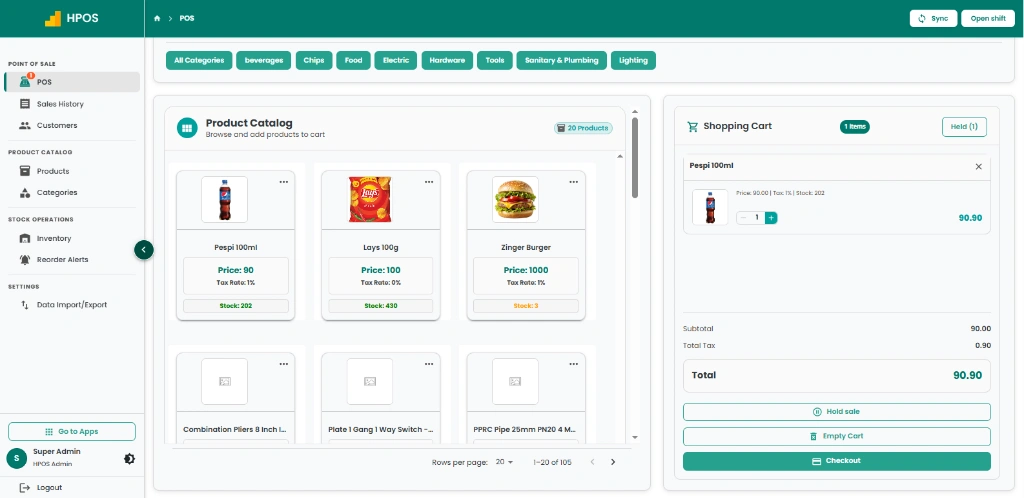
Hulm POS cashier register terminal with itemized checkout and order hold
Hulm POS sales history dashboard with receipt details, returns, and payment records
Hulm POS customer directory with contact details, loyalty profiles, and purchase logs
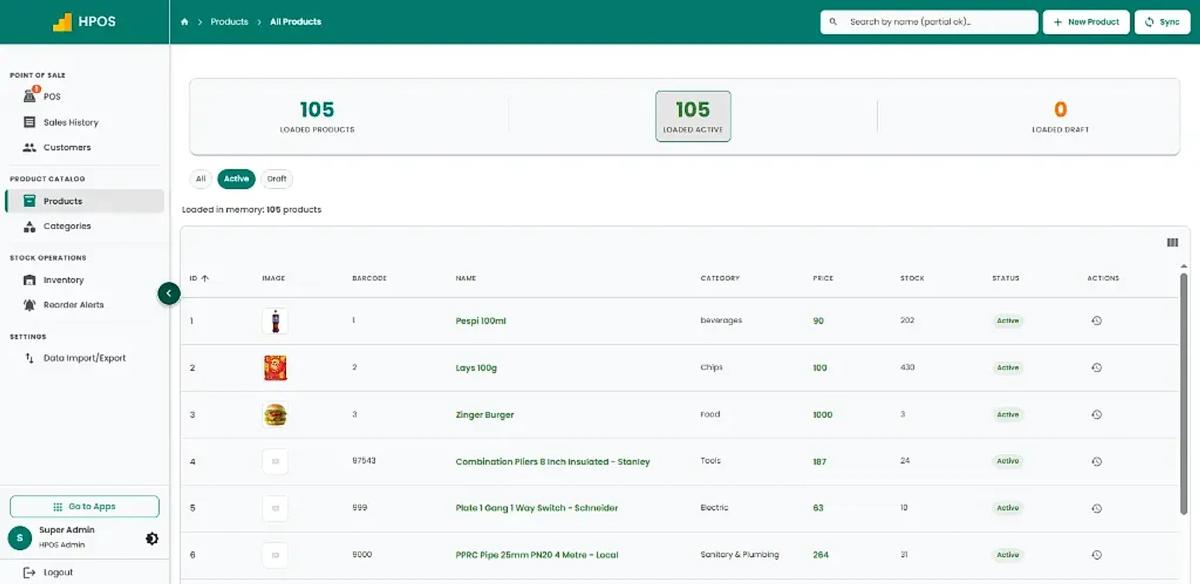
Hulm POS product catalogue management screen with barcode SKUs, costs, and retail prices
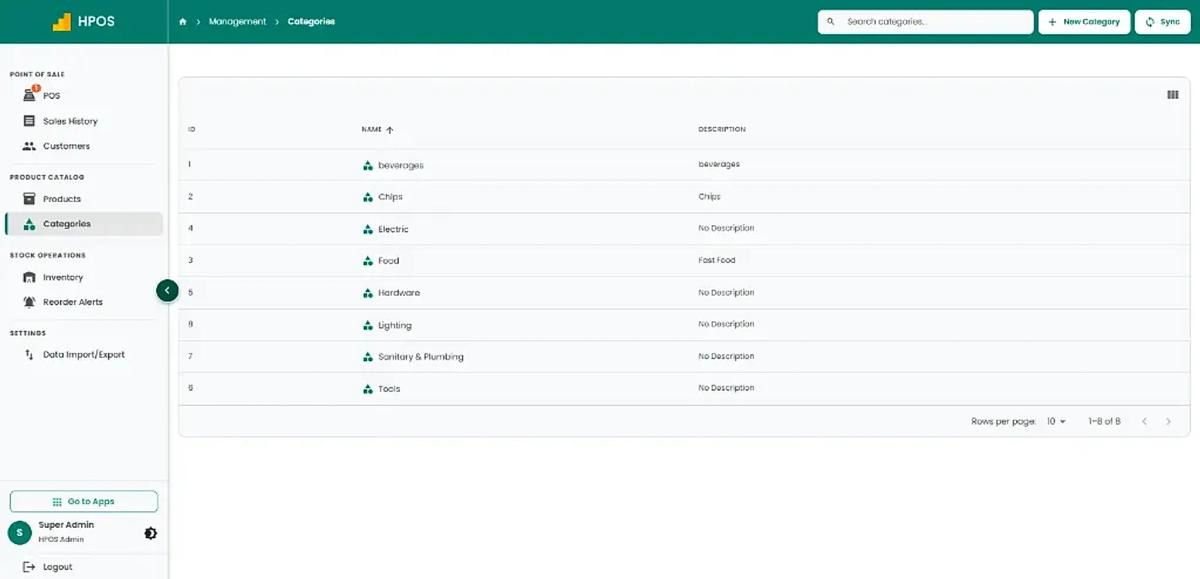
Hulm POS product category hierarchy screen for retail department organization
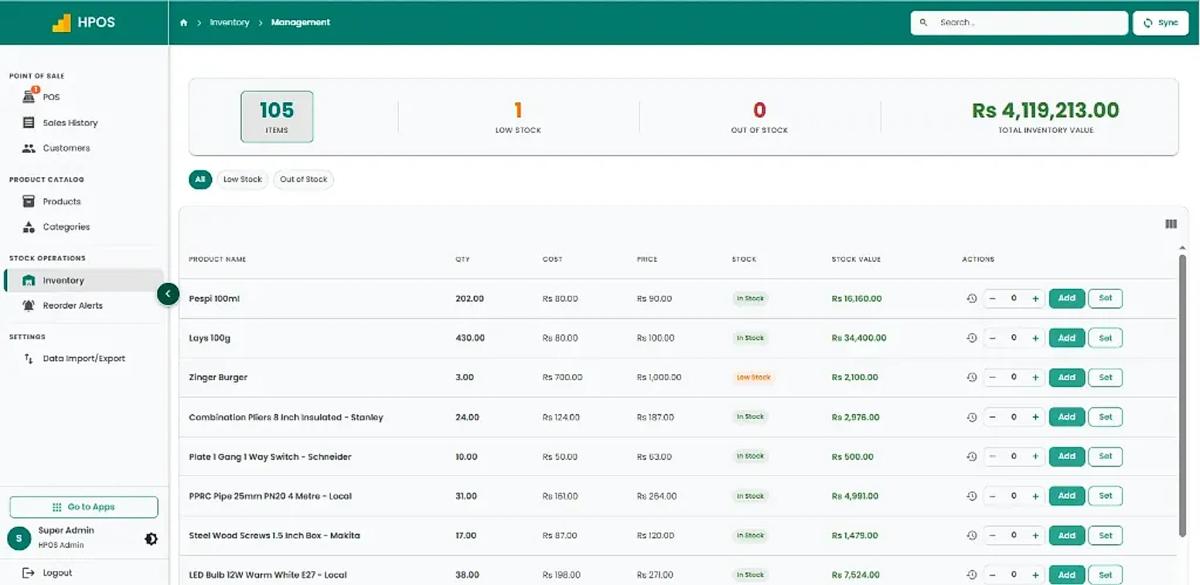
Hulm POS inventory tracking screen with multi-branch stock levels and cost valuations
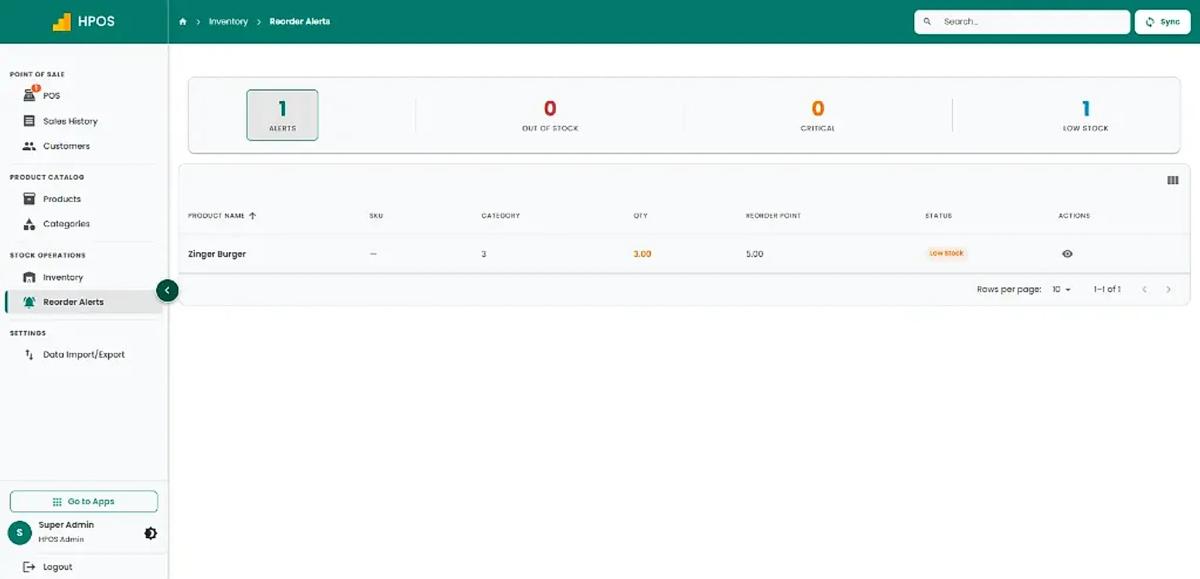
Hulm POS low-stock warning dashboard showing critical reorder thresholds
Hulm POS bulk data import and export module with spreadsheet template validation
Screen 01

Point of Sale & cashier checkout

Fast product catalogue search, category navigation, multi-item shopping cart, on-hold sales and instant receipt checkout.

01 / 08
Core Capabilities

HulmPOS Features to Help You Manage Your Retail Business

From fast counter checkout to stock tracking and shift audits, explore practical tools designed for Pakistani retail shops.

BILLING & SHIFTSFeature 1 of 9

1. Smart POS Dashboard for Everyday Billing

Complete customer transactions through a clear, practical checkout workflow.

The HulmPOS dashboard helps you find products, manage the current sale and complete checkout. Use barcode scanning, product search and category filters to find items. If a sale needs to wait, hold it and resume it later. You can also open and close shifts and record cash at the beginning and end of the day.

Key Capabilities:

  • Search for products by name or barcode.
  • Scan product barcodes.
  • Filter products by category.
  • Hold a sale and resume it later.
  • Open a shift and record opening cash.
  • Close a shift and record the cash counted.
  • Check the difference between expected and counted cash.
How it helps: Spend less time searching for products and make your daily checkout and cash-closing routine easier to manage.
Live System
HulmPOS checkout recording showing product search, barcode scanning, held sale and shift cash entry
Daily Retail Life Cycle

How to Use HulmPOS in Your Daily Retail Operations

Here is how HulmPOS fits into a normal retail workday:

Step 1
Catalogue Setup

Set Up Products and Categories

Add your products and organise them into categories. If you already have product data, use the import templates to prepare and upload your catalogue.

Step 2
Morning Opening

Open Your Shift

At the start of the day or shift, record your opening cash in HulmPOS so you can reconcile it later.

Step 3
Active Counter Billing

Start Selling

Use barcode scanning, search or category filters to add items to a sale. If a customer needs time to find another item, hold the sale and continue serving other shoppers.

Step 4
Inventory Monitoring

Check Stock When Needed

Review inventory quantities or check stock alerts during the day to see which items are running low.

Step 5
Customer Service

Handle Returns or Past Receipts

If a customer brings back an item or needs a copy of a receipt, search the sales history by order ID, reprint the receipt or process the return. Returned items are updated in your inventory automatically.

Step 6
Shift Reconciliation

Close Your Shift

At the end of the shift or business day, count your cash and record it in HulmPOS. The system will calculate any difference between expected cash and the counted amount.

Step 7
Daily Performance

Review the Day's Records

Look over sales history and shift details to understand daily performance and keep records current.

CYCLE COMPLETE
Next Day Shift Ready

Loops into Tomorrow's Shift

Shift drawer figures lock, stock levels sync, and opening balances carry over cleanly into tomorrow's Step 2.

Common setups

What Types of Retail Shops Can Use HulmPOS?

Start with the operating model closest to yours, then adjust the details during implementation.

Kiryana Stores and General Stores

Manage frequent transactions, search products quickly and keep everyday stock counts organised.

Grocery Shops and Mini-Marts

Organise products by category, scan barcodes and manage fast-moving grocery inventory.

Supermarkets

Handle higher transaction volumes, manage larger product catalogues and assign staff permissions.

Clothing and Fashion Boutiques

Track product details, maintain customer records and manage returns smoothly.

Cosmetics and Specialty Retail Shops

Organise product lines, manage customer information and keep stock levels visible.

FBR integration support

Connect retail invoicing with an FBR-integrated rollout

FBR integration is available for eligible Pakistan deployments. Confirm plan inclusion, registration requirements and implementation scope with Hulm.

Review FBR integration

Connected invoice flow

Keep the configured FBR invoice process close to the retail transaction.

Required invoice details

Support the tax and invoice fields agreed during implementation.

Reviewable records

Retain transaction activity for day-to-day review and reconciliation.

Operational Value

Why Consider HulmPOS for Your Retail Shop?

Choosing a retail POS system is about more than completing a sale. You need a system that fits your daily workflow, helps keep records organised and is practical for your team to use.

  • Everyday billing: Find products quickly using search and barcode tools.
  • Stock visibility: Know what you have, what is running low and how your inventory has changed.
  • Transaction records: Search previous sales, reprint receipts and manage returns without manual record searching.
  • Organised business data: Maintain customer and product information in one system.
  • Easier data migration: Use import and export templates with file validation to make switching less complicated.
  • Staff access management: Assign cashier, manager and administrator roles to control who can view and edit records.
  • Hardware flexibility: Connect standard retail printers, scanners, cash drawers and label printers.

The best way to assess whether HulmPOS suits your shop is to see the real software in action and check the features you need before getting started.

Practical tools for everyday store workflowsBook a Demo
Buyer's Checklist

What to Check Before Choosing Retail POS Software

Before selecting a POS system for your shop, consider these questions:

  • Can you search products by name and barcode easily?
  • Does the system support barcode scanning for faster checkout?
  • Can you hold a sale and resume it later?
  • Does the checkout workflow include shift opening, closing and cash-difference calculation?
  • Can you search past sales by order ID and reprint receipts?
  • Does the system update stock automatically when processing returns?
  • Can you import existing product data using templates with validation?
  • Are low-stock and out-of-stock alerts available?
  • Can you assign different roles (Cashier, Manager, Administrator) to your team?
  • Does the software work with standard receipt printers, scanners and cash drawers?

Free Trial Advisory: HulmPOS offers a 14-day free trial, giving you an opportunity to explore the system. Test your actual workflow and confirm any specific requirements before committing.

Test your actual workflow with no commitment:

Customer story · Computer Retail & Electronics

How The Laptop Store runs on Hulm POS

“We used to close the shop an hour late every month just to get the tax numbers right. Now the report is already sitting there when we need it.”Mustafa Sheikh, Owner, The Laptop Store
Read the Laptop Store POS case study

40%

Faster checkout during peak weekend hours

Karachi, Pakistan

Product Walkthrough

Watch a demo

Explore HulmPOS in action with a complete walkthrough of daily billing, inventory tracking, and sales reports.

Setup questions

Frequently Asked Questions About Retail POS Software

These answers set expectations before plan selection and implementation.

Read: Cloud POS software for retail stores

What is retail POS software?

Retail POS software helps a shop process customer sales and manage related business records. Depending on the system, it may include product search, barcode scanning, sales history, inventory tracking, customer management and staff access controls.

Which retail shops can use HulmPOS?

HulmPOS can be considered by kiryana stores, grocery shops, mini-marts, supermarkets and specialty retailers that need the supported billing, inventory and record-management features. Check your specific requirements before choosing the system.

Does HulmPOS support barcode billing?

HulmPOS supports barcode scanning and searching for products by barcode or name. Confirm that your barcode scanner and product setup are compatible with your intended workflow.

Can I track stock using HulmPOS?

Yes. HulmPOS supports stock quantity updates, inventory history, inventory value and alerts for low-stock, critical-stock and out-of-stock products.

Can I find an old sale or reprint a receipt?

Yes. You can search sales history by order ID, review available transaction details and reprint receipts.

What happens when I process a return?

HulmPOS supports sales returns, and returned items are automatically added back to inventory.

Can I transfer my products from another POS system to HulmPOS?

HulmPOS supports product data import and export, along with category and customer data import/export. Transfer depends on the records available from your current system and the file format supported by HulmPOS. Review the import templates and confirm compatibility before migrating.

Can I give different permissions to my staff?

HulmPOS supports cashier, manager and administrator roles, with access to supported features and functions based on assigned permissions.

Which hardware works with HulmPOS?

HulmPOS supports compatible receipt printers, barcode scanners, cash drawers and label printers. Compatibility depends on the device model and configuration, so confirm your hardware before purchasing it.

Can HulmPOS help me check cash differences at closing?

HulmPOS supports opening and closing shifts and recording cash amounts. You can check differences between recorded figures and the cash counted, then investigate discrepancies using the available records.

How can I try HulmPOS for my retail shop?

You can start the 14-day free trial or book a demo to explore the software and assess whether it fits your shop's workflow.

Plan the right rollout

Ready to Manage Your Retail Shop with HulmPOS?

Spend less time searching through product records, old transactions and manual stock notes. Explore how HulmPOS can help you organise billing, inventory, sales history and staff access in one place.

Need help getting started? Contact the HulmPOS team on WhatsApp at 0339 111 9259 or visit hulmsolutions.com. Feature availability, supported hardware and data-import compatibility should be confirmed for your specific setup.