
Cash Drawer Shortages? See How HulmPOS Helps You Track Cash from Start Day to End Day
Table of Contents
Your POS says Rs. 45,000 in sales. But your cash drawer has only Rs. 42,500. Where is the money?
It's closing time. Your cashier tells you the shop made Rs. 45,000 today. You check the drawer, count the cash, and find Rs. 42,500.
That's a Rs. 2,500 difference.
Was some money used for a shop expense? Did a cashier give the wrong change during the evening rush? Were card payments accidentally counted as cash? Did someone take money from the drawer without writing it down?
You cannot confidently answer these questions if your business has no proper daily cash record. And this problem multiplies when you manage multiple employees, rotating checkout shifts, or multiple retail branches across town.
The solution is to stop managing cash from memory. Start recording your cash from the very beginning of the business day.
HulmPOS organizes this process with a proven Start Day and End Day workflow: record opening cash float in the morning, process sales through the POS with distinct payment methods, log mid-day cash disbursements, and enter actual cash counted at closing to instantly isolate variances.
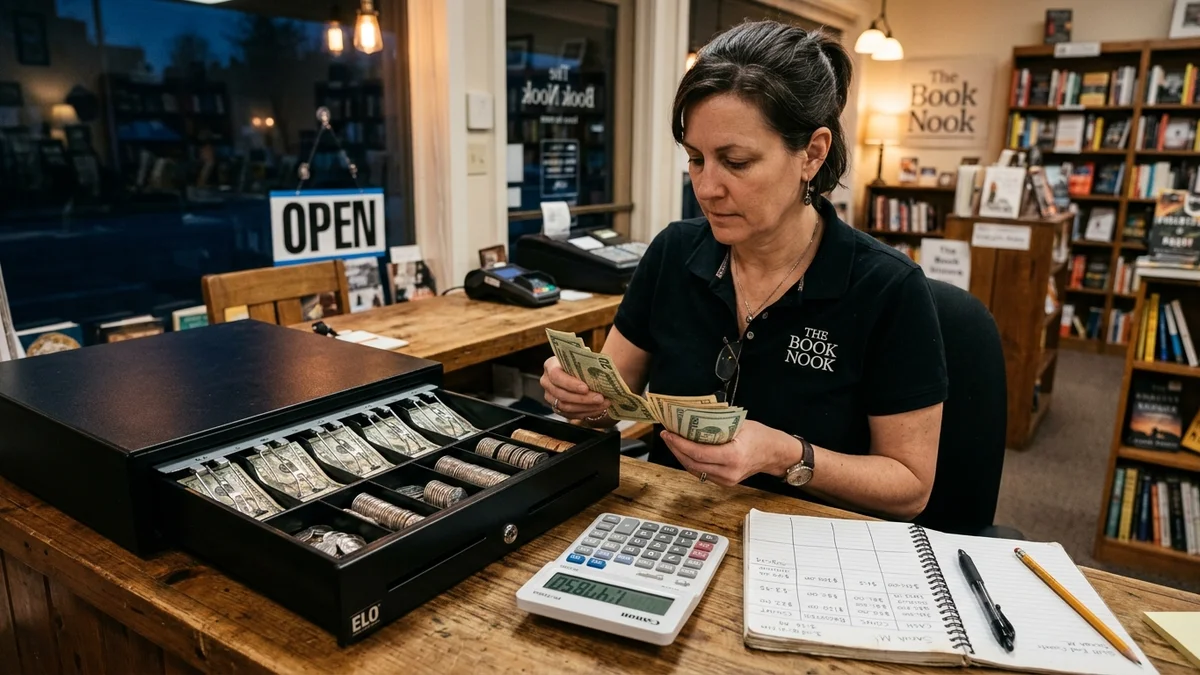
The Cash Drawer Problem: Your Sales Are Recorded, But Where Is the Cash?
Consider what happens when closing figures do not reconcile. The POS reports healthy revenue, yet the till tells a conflicting story:
The End-of-Day Till Discrepancy
Total value of items rung up through the counter software during the day.
Physical banknotes and coins found inside the drawer at 10:00 PM closing.
Cash shortage. Without daily tracking records, this Rs. 2,500 is permanent profit loss.
Why Does Your Cash Drawer Become Difficult to Manage?
Most cash differences are not intentional theft. In nine out of ten retail shops, cash discrepancies happen because daily cash handling is disorganized and informal.
When a business relies on cashier memory or rough scratchpads, small operational mistakes compound over an 12-hour shift:
| Common Cash Pitfall | What Actually Happens During the Shift | Business Impact |
|---|---|---|
| No opening cash record | Nobody counts the drawer before the first sale. The owner assumes there was Rs. 5,000, while the cashier assumes Rs. 4,000. | Distorts closing balance |
| Cash and card mixed together | Total gross sales are mistaken for physical cash received. Card and digital bank payments never hit the till drawer. | False shortage panic |
| Unrecorded petty expenses | Money is taken from the till for tea, milk, cleaning supplies, or courier delivery without a written voucher or POS entry. | Unaccounted cash bleed |
| Multiple employees sharing till | Morning cashier steps out; evening cashier takes over without a shift handover count. If money is missing, nobody is accountable. | Zero accountability |
| Manual mental calculations | The cashier tallies day sales, card receipts, and expenses on a scratchpad after a tiring 10-hour shift. Arithmetic mistakes occur. | Human counting error |
| No closing routine | The owner checks sales weekly or monthly instead of daily. Discrepancies from two weeks ago can never be reconstructed. | Permanent financial loss |
To protect your hard-earned margins, your store needs a daily operational routine that answers three non-negotiable questions every single day:
- How much cash did you start with? (Your opening float baseline)
- How much physical cash came in and went out? (Net cash sales minus paid expenses)
- How much cash is physically left inside the drawer right now? (Closing count)
How HulmPOS Helps You Manage Daily Cash (The 4-Step Workflow)
Instead of attempting to reconstruct twelve hours of chaotic transactions from memory at 11:00 PM, modern retail businesses follow a consistent four-step workflow built directly into HulmPOS:
Start Day
Count physical drawer float and enter opening balance before the first customer transaction.
Record Sales
Ring up every purchase on the POS, cleanly designating cash, card, and digital payment methods.
Track Cash Out
Log petty cash expenses, supplier cash on delivery, and customer refunds as they occur.
End Day
Stop billing, recount physical cash, enter the actual amount, and instantly review variances.
Step 1: Start Day — Record Your Opening Cash Before the First Sale
Before unlocking your shop doors to morning customers, count the physical banknotes and coins available in the drawer. This is your cash float, needed to return change to early shoppers:
| 2 × Rs. 1,000 notes | Rs. 2,000 |
| 2 × Rs. 500 notes | Rs. 1,000 |
| 10 × Rs. 100 notes | Rs. 1,000 |
| Smaller notes (Rs. 50, 20, 10) & coins | Rs. 1,000 |
| Total Opening Cash Float | Rs. 5,000 |
Open HulmPOS and click the Open Shift / Start Day button. Enter Rs. 5,000 as your opening cash. Now the business day has a verified, unalterable digital baseline. You no longer depend on whether the cashier remembers how much change was left in the till last night.
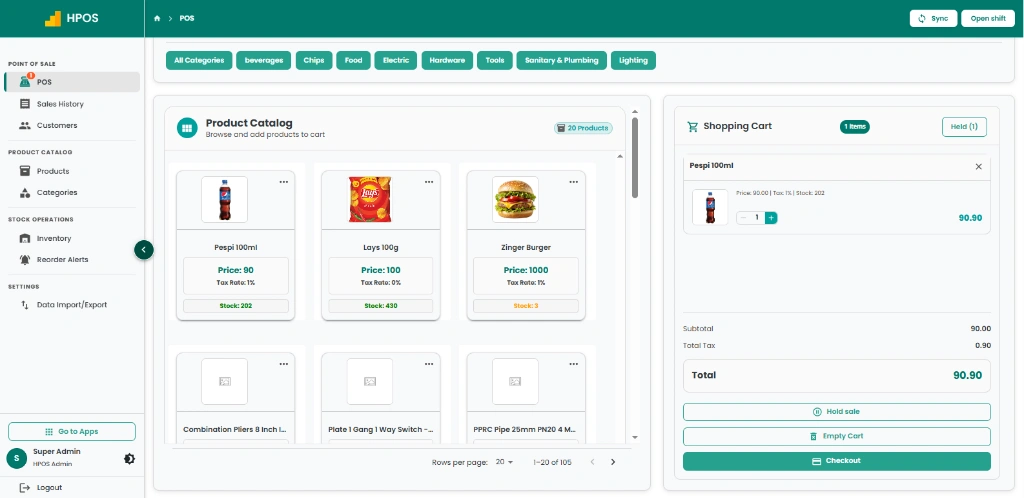
- (1) Count the physical drawer first: Never guess or copy yesterday's closing float. Count note-by-note.
- (2) Enter the opening cash immediately: Log into HulmPOS and register the exact starting rupees.
- (3) Lock the baseline: No transaction should be processed until the opening drawer float is recorded.
Step 2: Record Every Sale Through HulmPOS
Your store is open. Shoppers are at the counter, items are scanned, and payments arrive through different channels:
| Customer Transaction | Sale Amount | Payment Method | Does Money Enter Physical Drawer? |
|---|---|---|---|
| Customer 1 (Grocery basket) | Rs. 2,000 | Cash | ✓ Yes (enters drawer) |
| Customer 2 (Household appliances) | Rs. 3,500 | Debit / Credit Card | ✗ No (settled to bank account) |
| Customer 3 (Medicines & toiletries) | Rs. 1,500 | Cash | ✓ Yes (enters drawer) |
| Customer 4 (Wholesale supplies) | Rs. 2,000 | Bank Transfer / Raast | ✗ No (settled to bank account) |
| Total Business Sales | Rs. 9,000 | Mixed tender types | Rs. 3,500 Physical Cash |
Here is the critical lesson: Your shop generated Rs. 9,000 in revenue, but only Rs. 3,500 physically entered your cash drawer.
If a store owner looks at gross sales (Rs. 9,000) and counts the drawer (Rs. 3,500 plus opening float), they might mistakenly accuse their cashier of losing Rs. 5,500! HulmPOS prevents this panic by automatically categorizing sales by tender type in real time.
Where Did the Rs. 9,000 Go?
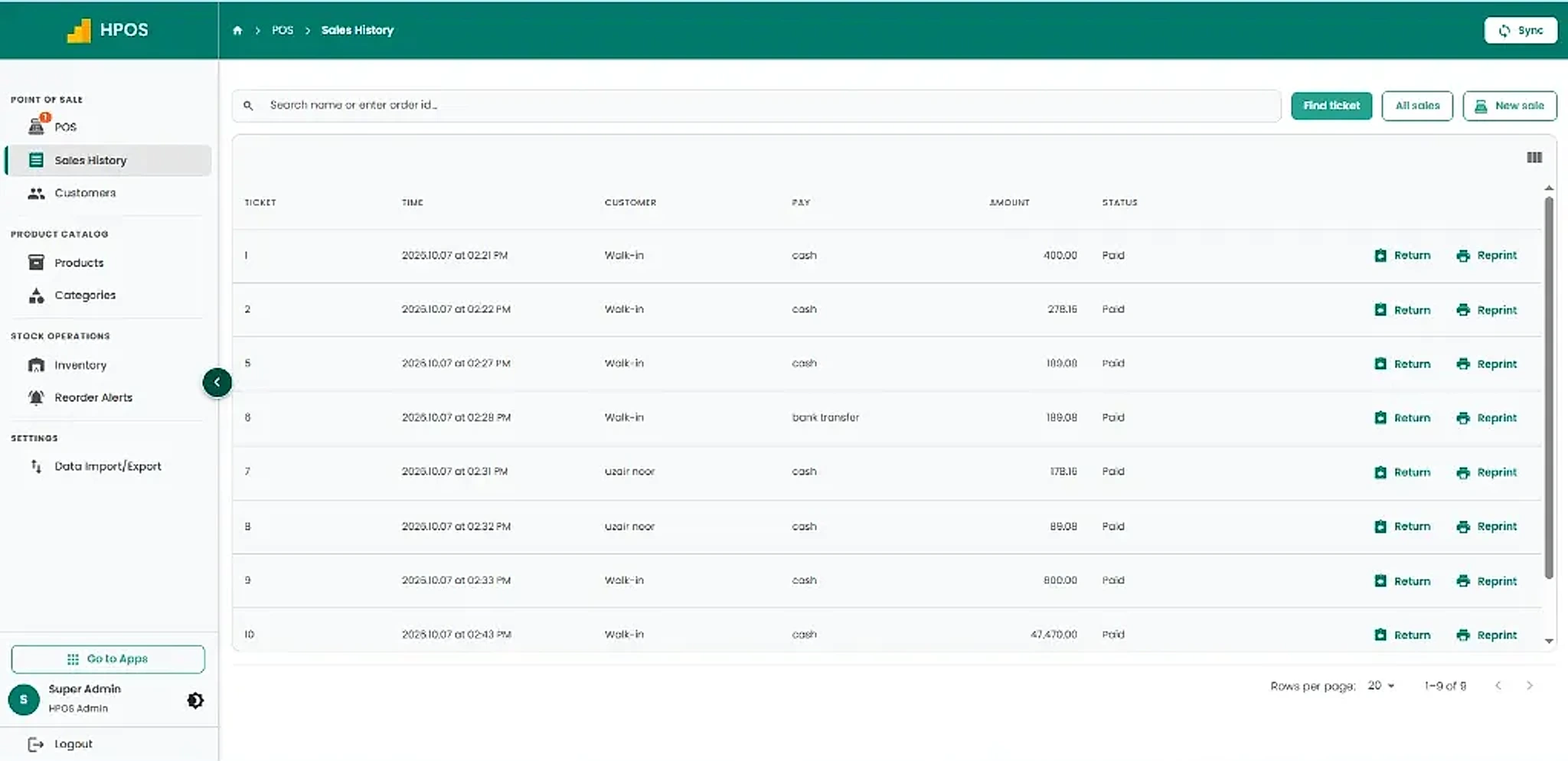
Rs. 9,000 in sales does not mean Rs. 9,000 in your cash drawer. HulmPOS separates every payment method at the moment of billing:
Physically present in the cash drawer at the counter.
Deposited electronically into merchant bank account.
Confirmed via digital banking receipt directly to company account.
Step 3: Keep Track of Cash Going In and Out
Recording product sales is only half the battle. Cash drawers are dynamic: throughout a business day, cash flows out for petty expenses, vendor deliveries, and customer refunds.
Consider a realistic Pakistani retail day:
- Your cashier starts with Rs. 5,000 in opening float.
- Customers pay Rs. 35,000 in physical cash sales across the shift.
- At 3:00 PM, a bakery supplier delivers fresh bread cartons, and the cashier pays Rs. 1,000 in cash directly from the till.
If cash movements are left unrecorded, even 100% accurate barcode sales cannot explain why the drawer doesn't match total sales. Every rupee leaving the drawer must have a recorded reason.
Step 4: End Day — Count Physical Cash and Enter the Actual Amount
Now the business day is finished. Shutter down. Instead of pocketing the drawer cash and guessing whether profits were made, cashiers complete the End Day closing routine:
- Stop billing on the counter terminal for the active shift.
- Count physical banknotes and coins inside the drawer till.
- Open End Day in HulmPOS and type the counted cash.
- Review recorded sales and payment reports generated by the software.
| Opening Cash Float | Rs. 5,000 |
| Total Cash Sales Recorded | + Rs. 35,000 |
| Recorded Cash Expenses / Paid Out | − Rs. 1,000 |
| Expected Cash in Drawer | Rs. 39,000 |
| Actual Physical Cash Counted | Rs. 38,800 |
| Difference to Investigate | - Rs. 200 (Shortage) |
Now, instead of a vague anxiety that “thousands might be missing,” the shop owner and cashier know the exact difference is Rs. 200. You can immediately review receipts to see if an unrecorded Rs. 200 delivery tip was given or a change error occurred before staff depart for the night.
Eliminate Cash Shortages in Your Shop
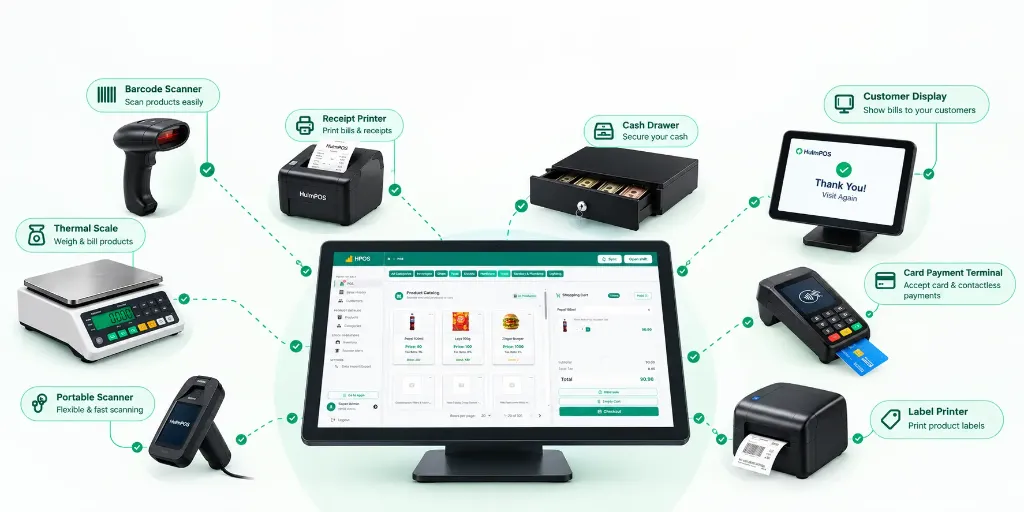
HulmPOS gives your retail counter transparent Start Day floats, payment method tracking, and End Day shift audits starting at just Rs. 2,500/month.
Three Numbers Every Shop Owner Must Understand
One of the most dangerous mistakes independent shop owners make is treating sales, cash, and profit as interchangeable numbers. They are completely different financial measures:
Sales Revenue
The gross value of all goods or services sold during the day across all payment types (cash, debit card, online transfer). It reflects customer demand, not physical currency in hand.
Cash in Drawer
The physical paper notes and metal coins resting in the counter cash drawer. This depends on customer tender preference, opening float, change given, and petty cash disbursements.
Net Business Profit
What remains after subtracting product cost of goods sold (COGS), staff wages, rent, electricity, and shop overheads. Ringing up Rs. 50,000 does not mean you can pocket Rs. 50,000.
* Note: Figures above are illustrative educational values and do not represent a specific HulmPOS customer financial report.
Interactive Tool: Daily Cash Drawer Reconciliation Calculator
Want to find out whether your till is balanced, short, or over? Enter your daily counter figures into our educational calculator below to instantly verify your expected closing cash and variance.
Interactive Tool: Cash Denomination Counter for Retail Till
Counting notes one by one at closing? Type the quantity of each Pakistani banknote and coin roll below. The tool calculates live subtotals and lets you copy the exact sum directly into your closing cash calculation with one click:
Manual Cash Management vs. Using HulmPOS
Compare what happens across daily operations when you rely on traditional registers versus an automated cloud POS workflow:
| Daily Cash Task | Manual / Notebook Approach | HulmPOS Automated Workflow |
|---|---|---|
| Opening float | Scratched onto paper or remembered from the night before; frequently forgotten. | Mandatory “Start Day” screen locks opening float into database before sales unlock. |
| Sales recording | Handwritten receipts or standalone electronic register with no stock connection. | Barcode scan instantly updates inventory counts and logs exact tender type. |
| Tender breakdown | Cashier manually counts card machine slips and tries to subtract from total sales. | System automatically separates cash, credit card, and digital transfer totals in live reports. |
| Petty expenses | Money pulled from drawer without receipt; forgotten by closing time. | Paid-out cash voucher entry immediately tracks reason, amount, and active user. |
| Shift closing | 30–45 minutes of stressful calculator work after a long, exhausting work day. | 2-minute “End Day” entry: type physical cash counted; system displays variance instantly. |
| Owner oversight | Owner must be physically present in the store every evening to inspect registers. | Review shift reports and cash balances remotely from your smartphone or home laptop. |
The objective is not to eliminate human cash handling; it is to establish a transparent, consistent routine that protects your business from accidental leakage and ensures honest staff are never unfairly questioned.
A Daily Cash Management Checklist for Your Staff
Print or share this clean 3-stage checklist with your counter team. Consistent execution eliminates 95% of retail cash discrepancies:
Retail Counter Cashier SOP
Before Opening
- ✓ Count physical notes and coins in till.
- ✓ Verify enough change (Rs. 100, 50, 20, 10).
- ✓ Log into HulmPOS and click Open Shift.
- ✓ Type exact opening float balance.
- ✓ Check printer thermal paper and barcode scanner.
During Business
- ✓ Ring every transaction through POS terminal.
- ✓ Select correct tender (Cash, Card, Raast).
- ✓ Keep cash drawer closed between sales.
- ✓ Record petty cash expense vouchers immediately.
- ✓ Count large note drops directly to safe if required.
At Closing
- ✓ Stop counter billing for active trading shift.
- ✓ Count physical notes and coins in the drawer.
- ✓ Open End Day in HulmPOS and enter count.
- ✓ Review variance report generated by system.
- ✓ Investigate any difference before leaving shop.
Why HulmPOS Is Useful for Retail Stores, Restaurants, and Pharmacies
Cash management is not a headache unique to grocery shops. Different retail industries face specific operational challenges:
Retail & Apparel Stores
Handle customer returns, size exchanges, discount vouchers, and cash change rapidly during peak hours without messy paper notebooks.
Explore Retail POS Software →Restaurants & Cafés
Manage multiple waiter shifts, split bills across cash and card, and track food costs with our built-in restaurant food cost formula.
Explore Restaurant POS Software →Pharmacies & Chemists
Process hundreds of rapid cash transactions per hour with instant barcode scanning, loose strip billing, and batch expiry tracking.
Explore Pharmacy POS Software →
Frequently Asked Questions About Cash Drawer Management
Take Full Control of Your Daily Cash with HulmPOS
Your store makes sales every day. You shouldn't have to spend every evening trying to reconstruct what happened to your money. Experience stress-free Start Day floats, payment method tracking, and instant End Day cash audits.
Upgrade Your Business with Hulm POS
Designed for speed, simplicity, and multi-location scalability. Start ringing up sales in minutes.
Start Your Free Trial
 WhatsApp