
Cloud POS vs Desktop POS: Which Fits Your Business?
Table of Contents
Your shop is closing. You want to check today's sales, see how much stock is left, and know whether your other branch made a profit. But your POS software is installed on the computer inside your shop. Now what?
This is where the difference between cloud POS and desktop POS becomes critical to your everyday business sanity.
A traditional desktop POS keeps its primary operations and data on local computers or servers inside your shop. A cloud POS connects your business to an online platform, allowing authorized users to access supported business information from anywhere — on a laptop, tablet, or smartphone.
But choosing between them isn't just about software architecture. It directly affects how you bill customers, manage inventory, protect valuable business records, handle internet interruptions, monitor cashier staff, and expand to new locations.
If you want remote access, centralized inventory, effortless multi-branch management, automated backups, and zero responsibility for maintaining local software servers, cloud POS is generally the better choice.
If your sole priority is local billing without continuous internet access in a single store location with no need for remote owner reporting, a traditional desktop POS may be suitable.
However, there are important operational differences you should understand before deciding or making the switch. In this comprehensive guide, we will compare both systems through real business situations, visual architecture breakdowns, internet outage tests, total cost of ownership models, and practical decision tools.
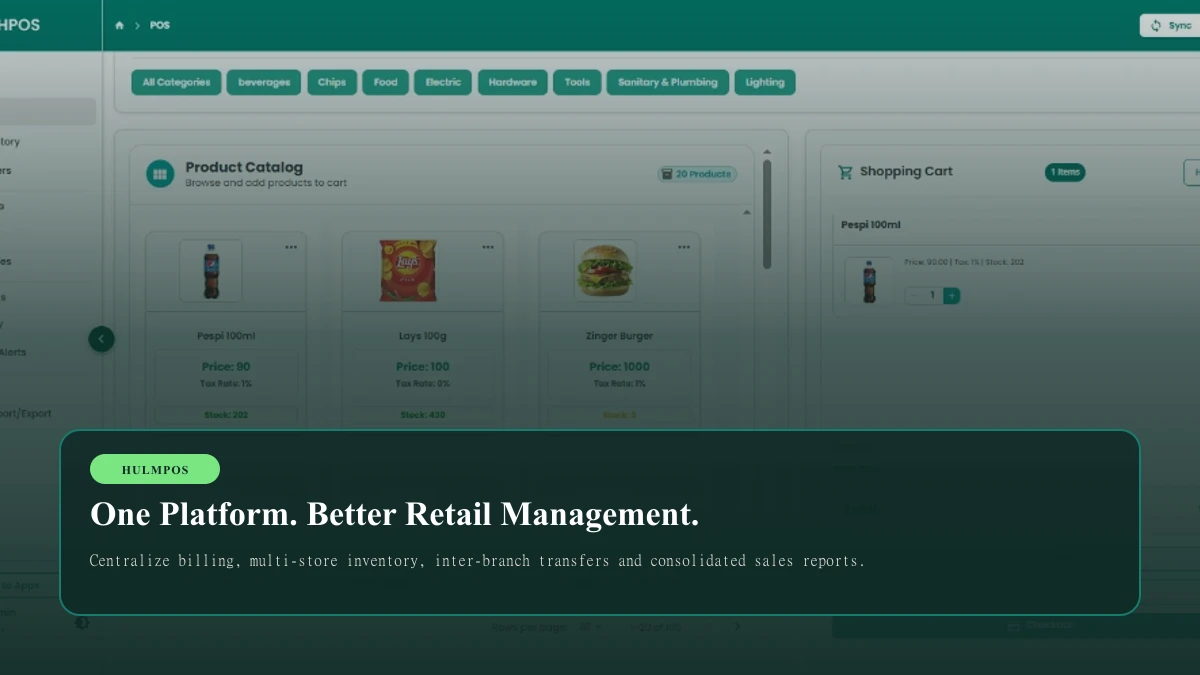
We will also show how HulmPOS helps Pakistani businesses connect billing, stock, purchasing, and reporting through one unified cloud-based platform.
Cloud POS vs Desktop POS: The Difference in 30 Seconds
Before exploring the technical details, look at how both systems manage your critical business information:
Cloud POS vs Desktop POS Architecture
How business data, sales records, and hardware interact in both environments
Cloud-Based POS
Encrypted, automated offsite daily backups, multi-device replication
- • Accessible Anywhere: Check live sales and stock on your mobile phone, laptop, or home tablet.
- • Automated Backups: Database snapshots are taken daily with zero manual USB effort.
- • Multi-Branch Connected: Central product catalogue; stock transfers sync across branches instantly.
- • Zero Local Server Maintenance: The provider handles software upgrades, security, and hosting.
- • Affordable Subscription: Low initial cost starting at PKR 2,500/month with free updates.
Traditional Desktop POS
Data stored exclusively on one physical counter PC
- • Offline Counter Billing: Primary software runs without an active internet connection.
- • Locked to the Shop: Cannot view sales or reports once the store shutter is pulled down.
- • Manual Backups Required: Owner must copy database files to USB drives daily to prevent loss.
- • Branch Data Silos: Each shop operates as an isolated island; requires manual Excel consolidation.
- • License & Maintenance: High upfront software license plus paid updates and technician visits.
Quick Comparison Table: Key Business Factors
| What Matters to Your Business | Cloud POS (e.g. HulmPOS) | Traditional Desktop POS |
|---|---|---|
| Remote Access | Built-in; access via mobile, tablet, laptop anywhere | Requires dedicated PC setup, VPN, or TeamViewer |
| Data Storage | Cloud-hosted with encrypted offsite redundancy | Stored locally on the store computer's hard drive |
| Internet Requirement | Normally required; offline billing supported on modern apps | Not required for local cash billing |
| Multi-Branch Management | Native centralized control; instant stock visibility | Isolated database per shop; requires manual Excel merging |
| Inventory Synchronization | Instant deduction across all sales channels & stores | Stock updates only inside that physical shop counter |
| Software Updates | Automatic and provider-managed with zero downtime | Manual technician visits; often requires paid version upgrades |
| Backup Management | Automated daily snapshots; zero owner effort | Manual USB copies; high risk of outdated or lost backups |
| Hardware Failure Impact | Zero data lost; log in from any other computer/tablet | Data may be destroyed if hard drive crashes |
| Initial Server Hardware | Use existing laptops, tablets, or budget PCs | Often requires dedicated server or high-spec desktop PC |
| Pricing Model | Affordable monthly subscription (from PKR 2,500/mo) | High upfront license fee + annual maintenance charges |
| FBR Digital Tax Compliance | Seamless cloud API integration for Tier-1 retailers | Requires local middleware or custom third-party patches |
1. What Is Cloud POS Software and How Does It Work?
Imagine you own a grocery store or clothing boutique in Karachi. Your cashier rings up 150 customer sales throughout the day. You want those sales recorded, inventory quantities instantly adjusted, and daily profit numbers accessible when you check your smartphone from home in the evening.
A cloud POS connects all of these moving parts through a cloud-hosted platform. Instead of depending exclusively on the internal hard drive of a single desktop computer placed under the counter, your business records are maintained on secure, dedicated cloud servers.
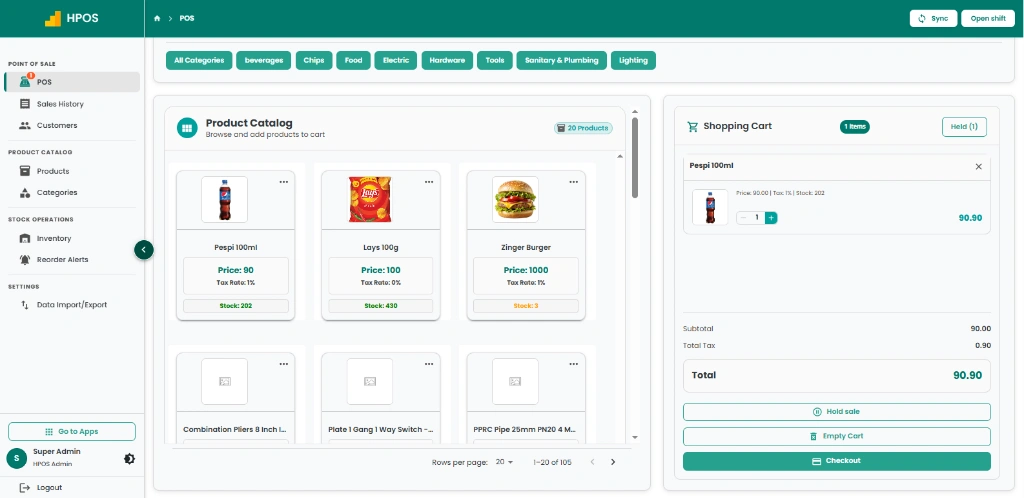
How Cloud POS Works in 4 Steps
Add Products
Create your central product catalogue once: barcodes, SKUs, cost prices, retail rates, and stock levels.
Process Sales
Cashiers scan barcodes, apply discounts, accept cash or card, and print instant thermal receipts.
Update Records
Every sale deducts inventory immediately, updates cashier drawer totals, and logs customer CRM points.
Monitor Business
Open your smartphone to review live sales by branch, profit margins, and inventory shortages from anywhere.
What Can You Manage Through a Unified Cloud POS?
A modern cloud POS like HulmPOS acts as the central nervous system for your entire retail or hospitality business. You can manage:
- Fast checkout and barcode billing.
- Product variants (sizes, colors, batches, and expiries).
- Real-time multi-branch inventory tracking.
- Customer records, purchase history, and loyalty programs.
- Supplier orders, goods received notes (GRNs), and purchase bills.
- Cashier shifts, cash drawer reconciliation, and petty cash.
- Automated FBR Tier-1 fiscal invoicing in Pakistan.
- Executive business reports and profit-and-loss dashboards.
The real operational advantage: Instead of managing billing on one machine, stock on a separate Excel spreadsheet, and accounting on paper books, you consolidate essential daily operations into one connected system.
Want to see cloud retail management in action?
Explore how HulmPOS unifies billing, inventory, purchasing, and reporting for growing retail businesses.
Explore HulmPOS Business Apps →2. What Is Desktop POS Software?
A desktop POS (also known as on-premise or legacy POS) is point-of-sale software installed directly on a specific physical computer or local server located inside your shop.
Imagine a small standalone clothing shop with one checkout counter. The owner purchases a software license on a CD or USB drive and installs it on the store PC. Products and prices are keyed in, cashiers ring up sales, and transaction records are written to a database running on that computer's hard drive (such as Microsoft SQL Server Express or MySQL).
The business can continue processing counter sales without needing an active internet connection, provided the computer hardware, power supply, and operating system continue functioning normally.
Traditional Desktop POS: 4 Vulnerability Points
Why single-computer local setups require intensive manual maintenance and disaster planning:
If the shop's hard drive crashes or is damaged by a power surge, months of sales records, customer balances, and inventory counts can vanish overnight unless backed up daily on external drives.
Because the desktop database resides exclusively on the physical counter machine, burglary, water leakage, or electrical short-circuits destroy both the hardware and the entire historical record of your business.
When you leave the store or travel, you cannot view live sales, check cashier drawer balances, or verify remaining stock on your mobile phone without complex VPNs or third-party remote desktop software.
Opening a 2nd or 3rd branch creates isolated databases. Branch A has no visibility into Branch B's inventory. Managing multi-store purchasing requires manual Excel downloads and nightly reconciliations.
When Does Desktop POS Make Sense?
A desktop POS isn't automatically bad or obsolete. It can be a reasonable operational choice if:
- You operate only one single physical location with no plans to expand.
- You exclusively need simple counter billing and basic receipt printing.
- Your shop is located in an area with zero or severely unreliable internet connectivity.
- You do not need or want to view daily sales reports remotely while away from the shop.
- You have dedicated IT staff or a disciplined daily routine for taking external USB drive backups.
- You prefer paying a one-time software license fee rather than an ongoing software subscription.
The fundamental question isn't whether desktop software is bad — it's whether that operating model matches where your business is heading over the next 3 to 5 years.
3. What Happens When the Internet Stops Working?
This is the number one question business owners in Pakistan ask before considering a cloud POS system. Imagine it is 8:30 PM on a Saturday evening. Your retail store is packed with customers, the checkout queue is six people deep, and suddenly your internet router blinks red. Can you still bill?
The real answer depends entirely on the architecture of the specific POS system:
Cloud POS vs Desktop POS During an Internet Outage
Side-by-side comparison of billing, receipt printing, and stock sync when the connection drops:
| Business Operation | Cloud POS (with Offline Mode) | Traditional Desktop POS |
|---|---|---|
| Local Counter Billing | ✓ Continues Saved in local browser cache | ✓ Continues Native local application execution |
| Thermal Receipt Printing | ✓ Continues Prints via local USB/LAN spooler | ✓ Continues Windows local print driver |
| Card & QR Payments | ✗ Blocked Bank gateways require live network | ✗ Blocked Bank machines require internet/SIM |
| Data Synchronization | ✓ Automatic Queued bills sync upon reconnection | Manual Data remains trapped on shop disk |
| Remote Owner Reports | Paused Refreshes the moment router reconnects | ✗ Not Supported Requires in-store physical check |
Our recommendation: If your store is in a commercial area with frequent brief internet fluctuations, don't compromise on offline capabilities. Choose a modern cloud POS that combines centralized management with built-in offline billing resilience.
4. Is Cloud POS More Secure Than Desktop POS?
Your point-of-sale system holds the crown jewels of your business: daily revenue numbers, customer contact books, wholesale purchase costs, supplier balances, staff discount records, and tax filings.
Many business owners mistakenly believe that keeping data on a physical computer inside their store is safer than hosting it in the cloud. Let's examine the 6 core pillars of cloud POS data protection:
Cloud POS Security: 6 Key Protection Pillars
What to demand from your software provider to keep your company records bulletproof
256-Bit SSL Encryption
Every transaction, credit record, and password transferred between your cash registers and the cloud server is encrypted via TLS 1.3 / HTTPS.
Role-Based Access Control
Granular user permission tiers. Cashiers can only ring sales; branch managers see daily branch totals; only owners see net profit margins.
Automated Cloud Backups
Zero dependence on manual USB thumb drives. Database snapshots are taken automatically every day and archived across redundant servers.
Instant Hardware Recovery
If a cashier drops the counter tablet or the billing computer blows a power supply, just grab any spare laptop, open browser, login, and resume.
Secure Authentication (2FA)
Enterprise identity protection. Owner accounts can be secured with two-factor authentication, audit trails, and device login verification.
One-Click Data Export
You own 100% of your business data. Export product catalogues, historical sales ledgers, customer CRM files, and tax records to Excel at any time.
Which is safer? A properly maintained cloud POS system is vastly more secure than an unprotected desktop PC running inside a retail store.
5. Which Is Better for Managing Multiple Branches?
This is where the fundamental difference between cloud and desktop architectures becomes an absolute game-changer. Imagine you operate three retail clothing stores across Pakistan:
| Branch Name | Location | Illustrative Daily Sales |
|---|---|---|
| Branch 1 (Flagship) | Karachi (Clifton) | Rs. 85,000 |
| Branch 2 | Lahore (Gulberg) | Rs. 62,000 |
| Branch 3 | Islamabad (F-7 Markaz) | Rs. 48,000 |
As an owner, you need immediate answers to crucial daily questions:
- Which branch achieved the highest revenue and profit margin today?
- How many units of your top-selling SKU remain at each location?
- Can Branch 1 transfer 30 pieces of slow-moving stock to Branch 2 without phone calls?
- Are all three branches using identical retail prices and active promotions?
Managing Multiple Branches With Desktop POS
With traditional desktop POS software, each shop operates as an isolated data island. At the end of each evening, store managers must export Excel sales reports, take photos of cash register slips, and WhatsApp them to head office. You then spend hours copying and pasting rows into a master spreadsheet to calculate total business profit.
If you want desktop POS to communicate across branches, you must invest in expensive static IP addresses, dedicated VPN routers, Windows Server licenses, and IT support technicians to connect the branches.
Managing Multiple Branches With Cloud POS
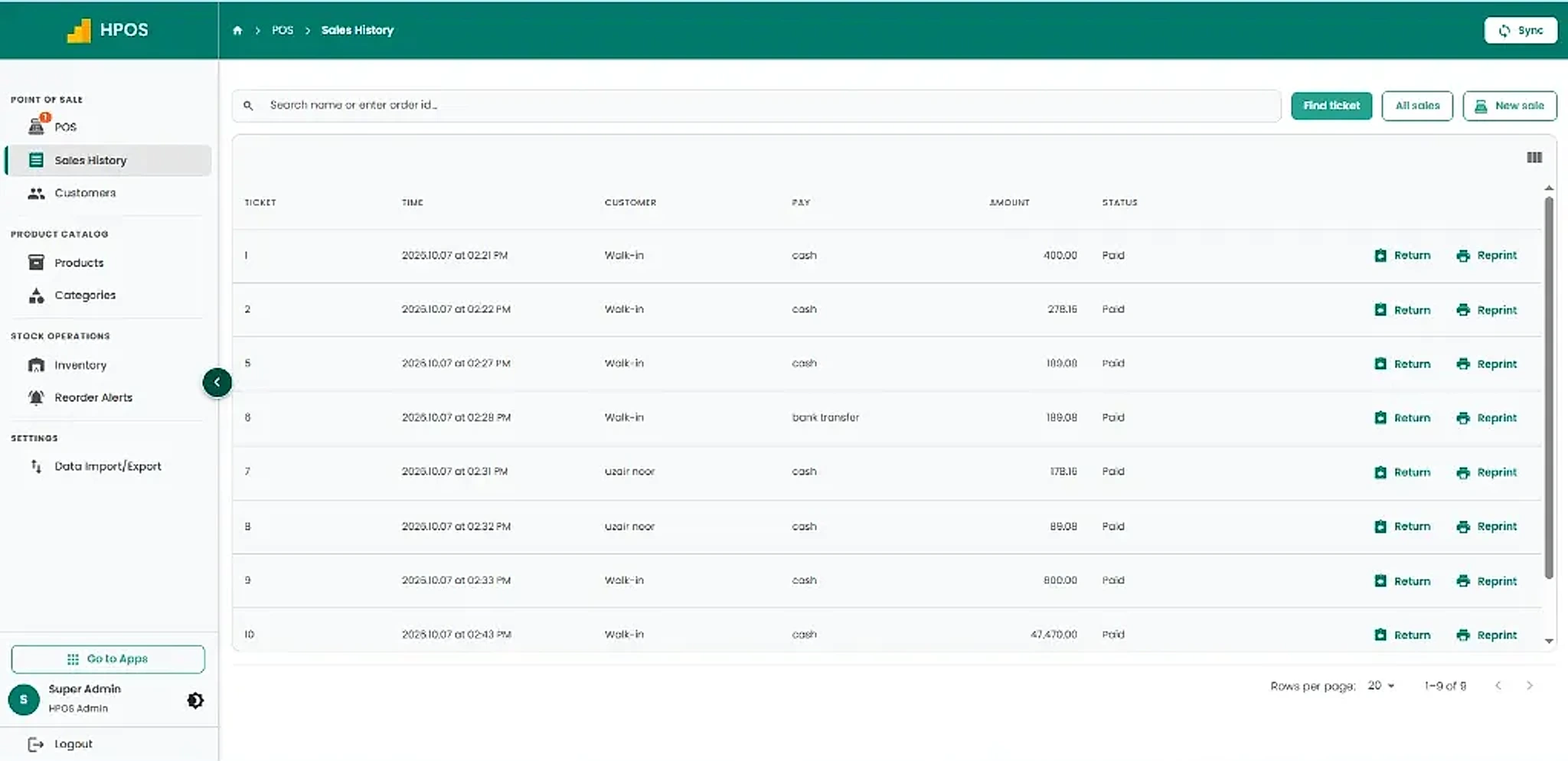
With a cloud POS like HulmPOS, multiple branches connect seamlessly to one central platform. A sale recorded at the Gulberg branch in Lahore instantly updates the company-wide ledger. An owner sitting in Karachi or traveling abroad can view live sales, compare branch performance, and approve stock transfers from one dashboard.
Learn more: Read our complete operational guide on how to manage multiple retail branches without separate spreadsheets.
6. Cloud POS vs Desktop POS: Which Costs Less?
At first glance, a desktop POS can appear cheaper because some providers advertise a one-time lifetime license. Cloud POS, by contrast, requires an ongoing monthly or annual subscription.
However, evaluating the true cost of POS software requires looking at the Total Cost of Ownership (TCO) over 3 to 5 years.
Cloud POS Expenses (Transparent)
- Monthly or annual subscription (e.g. PKR 2,500/mo).
- Standard barcode scanner and receipt printer hardware.
- Existing laptop, PC, or tablet (no special server required).
- Standard shop internet / mobile Wi-Fi connection.
- Included free: Software updates, security patches, cloud backups, mobile remote access, and customer support.
Desktop POS Expenses (Hidden Layers)
- Upfront software license fee (Rs. 25,000 – Rs. 50,000+).
- Dedicated desktop computer or in-store server machine.
- On-site installation and configuration fees.
- Annual maintenance contracts (AMC) and paid technical support.
- Paid upgrade fees for major version releases or tax regulation updates.
- External backup hard drives and manual backup management time.
- High disaster recovery cost if local hard drive crashes.
Illustrative 3-Year Cost Comparison
Let's compare a typical single-store retail business over 36 months:
| Cost Component | Cloud POS (HulmPOS Starter) | Desktop POS (License Model) |
|---|---|---|
| Initial Software Fee | Rs. 0 | Rs. 30,000 |
| Monthly Software Fee | Rs. 2,500 / month | Rs. 0 |
| Initial Hardware (PC, Scanner, Printer) | Rs. 50,000 | Rs. 50,000 |
| Annual Maintenance / IT Support | Rs. 0 (Included) | Rs. 1,000 / month (Rs. 36,000) |
| Total 3-Year Investment | Rs. 140,000 | Rs. 116,000 |
In this direct on-paper calculation, desktop POS appears Rs. 24,000 cheaper over three years. However, this simplistic calculation excludes offsite backup drives, multi-branch networking hardware, paid software patches when tax regulations change, and the hundreds of hours business owners spend manually compiling Excel sheets.
Interactive Cost Comparison Calculator (TCO)
Use the interactive calculator below to model your own business parameters. Adjust the number of branches, duration, and estimated maintenance fees to see the realistic financial picture:
What Does HulmPOS Cost?
HulmPOS offers transparent, scalable subscription tiers designed for Pakistani retailers, restaurants, and pharmacies:
PKR 2,500/month
Ideal for single retail shops and new outlets.
- 1 User & 1 Branch included.
- Fast POS billing & cash management.
- Basic inventory tracking.
- Customer records & sales reports.
- Native FBR Tier-1 integration for eligible businesses in Pakistan.
PKR 5,500/month
For expanding shops managing multiple staff.
- 5 Users & 2 Branches included.
- Multi-branch inventory transfers.
- Customer CRM & loyalty points.
- Vendor management & purchase orders.
- Advanced sales analytics & audit trails.
PKR 11,000/month
For multi-branch chains and supermarkets.
- 10 Users & 5 Branches included.
- Enterprise multi-location reporting.
- Automation workflows & API integrations.
- Centralized supplier payables ledger.
- Priority WhatsApp & phone support.
All plans include a 14-day free trial with zero credit card required. See full plan features →
7. Which POS Is Better for Inventory Management?
Inventory problems rarely start with total shortages. Most often, they begin with silent inventory discrepancies: your computer says you have 25 units in stock, but when a customer asks, the shelf holds only 18. Or Branch A in Lahore runs completely out of a popular item while Branch B in Karachi has 60 surplus units gathering dust.
Accurate stock management isn't just counting items once a month — it is maintaining an accurate, synchronized ledger as items are sold, returned, transferred, and received from suppliers.
Desktop POS Inventory Workflow
A desktop POS manages inventory inside its local database. For a single shop counter, this works well enough. But when you operate multiple stores:
- Branch managers cannot see stock levels at other branches.
- Stock transfers require manual phone confirmations and duplicate data entry.
- Stock counts must be checked on the shop counter PC after closing hours.
- Reconciling store inventory with warehouse stock requires manual Excel sheets.
Cloud POS Inventory Workflow
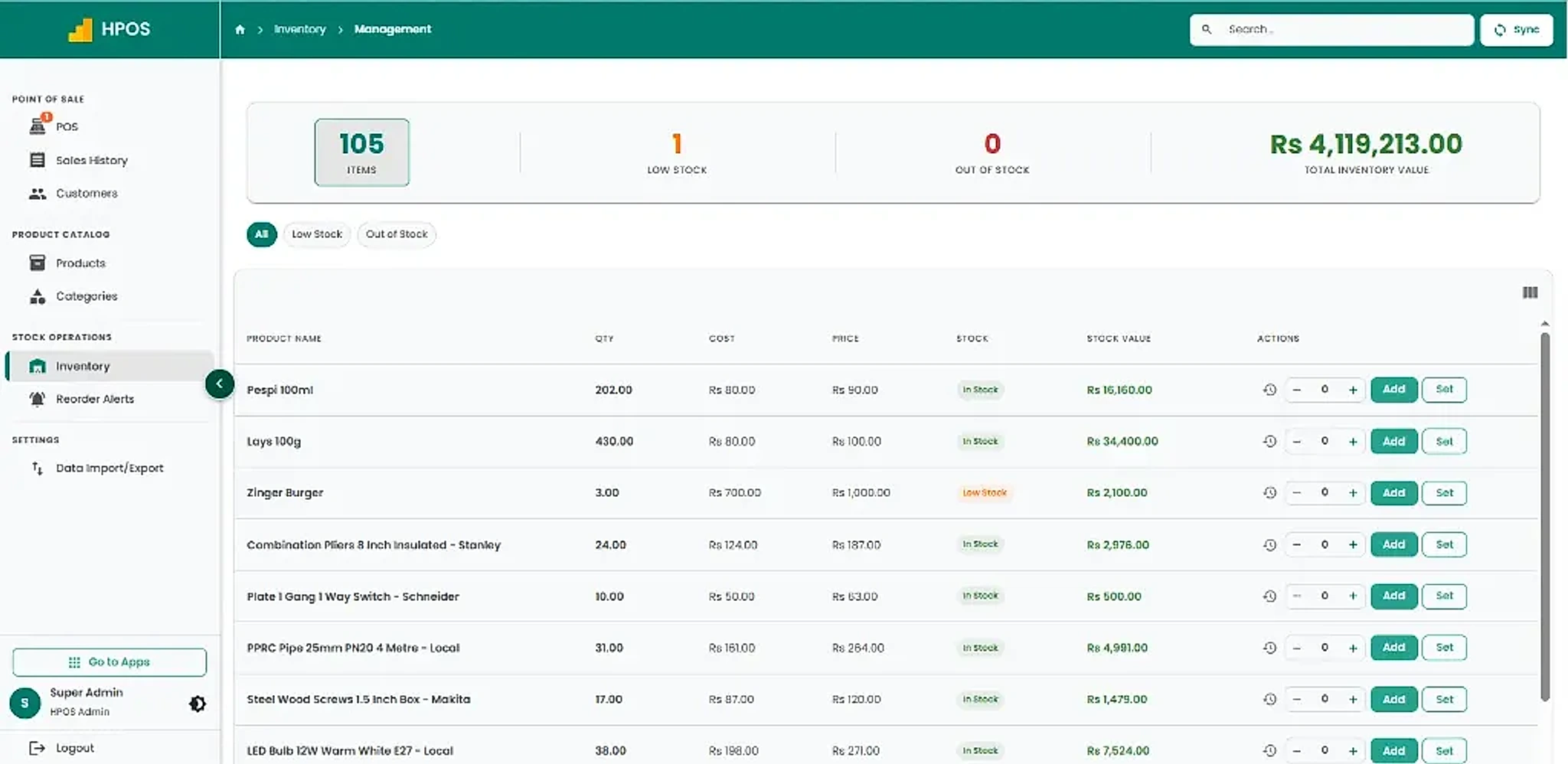
A cloud POS connects product management, counter billing, purchasing, and warehouse stock through one shared database:
- Every completed sale automatically deducts inventory in real time.
- Check stock across all branches from your phone before ordering new supply.
- Initiate and track stock transfers between branches with digital dispatch slips.
- Automated low-stock threshold alerts prevent embarrassing stockouts.
The business impact: You stop losing sales due to phantom inventory and stop tying up valuable cash flow in redundant stock. Explore our dedicated inventory management software module to learn more.
8. Which POS Is Better for Your Type of Business?
The optimal point of sale depends on your specific daily operational workflow. Here is how cloud POS and desktop POS compare across different business industries:
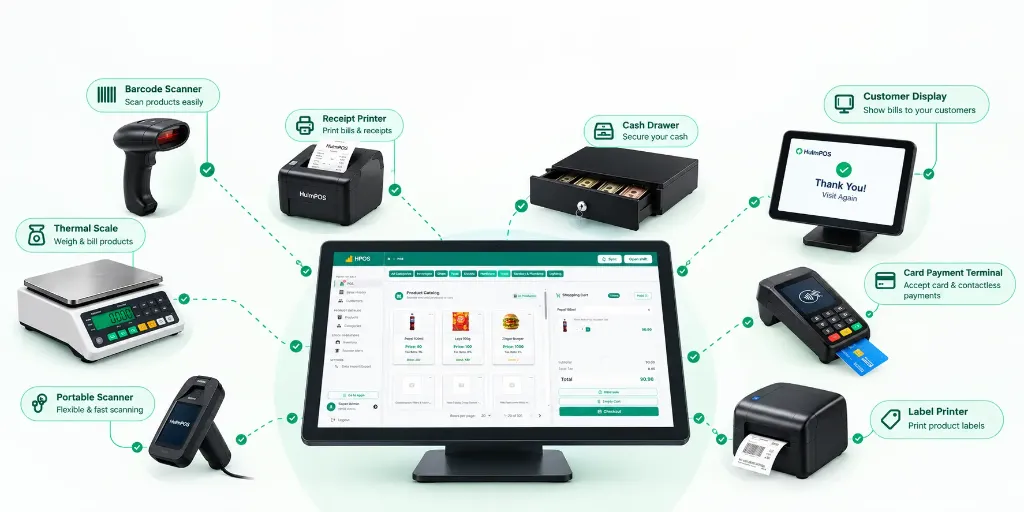
Retail Stores & Supermarkets
Strongest Fit: Cloud POSYour daily needs: Rapid barcode scanning, item variants (sizes, colors, brands), customer loyalty points, supplier purchase orders, and multi-branch stock visibility.
Cloud POS is the clear winner for modern retailers who want centralized catalogue pricing, stock tracking across branches, and remote visibility into gross profit.
Explore Hulm Retail POS Software →Restaurants, Cafes & Bakeries
Strongest Fit: Restaurant Cloud POSYour daily needs: Table management, kitchen order tickets (KOT), recipe-level ingredient cost tracking, modifier billing (extra cheese, spicy), and delivery order integration.
A dedicated restaurant cloud POS coordinates waitstaff tablets, kitchen displays, and billing registers seamlessly without cumbersome local networking.
Explore Hulm Restaurant POS Software →Pharmacies & Medical Stores
Strongest Fit: Pharmacy Cloud POSYour daily needs: Medicine formula/generic search, batch and expiry date tracking, distributor purchase invoices, and prompt barcode checkout.
Cloud POS provides automated near-expiry alerts and unified supplier purchasing ledgers to prevent expired medicine losses.
Explore Hulm Pharmacy POS Software →Small Kiryana & Single-Counter Grocery Shops
Either System WorksYour daily needs: Fast counter billing, customer credit book (khata), and daily sales totals.
If internet is unreliable and you never leave the counter, desktop POS can work. But if you want to monitor sales from your phone, back up records safely, or open a second outlet in the future, cloud POS starting at PKR 2,500/month offers superior long-term value.
9. Interactive Decision Guide: Which POS Should You Choose?
Answer the 5 quick operational questions below to get an instant, personalized recommendation tailored to your specific retail setup:
Your business operational requirements matter more than any software label. Always test the real product before making your final purchase commitment.
10. How to Switch From Desktop POS to Cloud POS Without Losing Data
One of the primary reasons retail owners delay upgrading from legacy desktop POS software is the fear of data loss. You may have thousands of active product barcodes, supplier contact details, wholesale costs, and customer phone numbers stored inside your existing system. The thought of manually re-entering every single SKU is exhausting.
The good news is that migration from a desktop POS to a modern cloud POS can be executed systematically with zero business downtime.
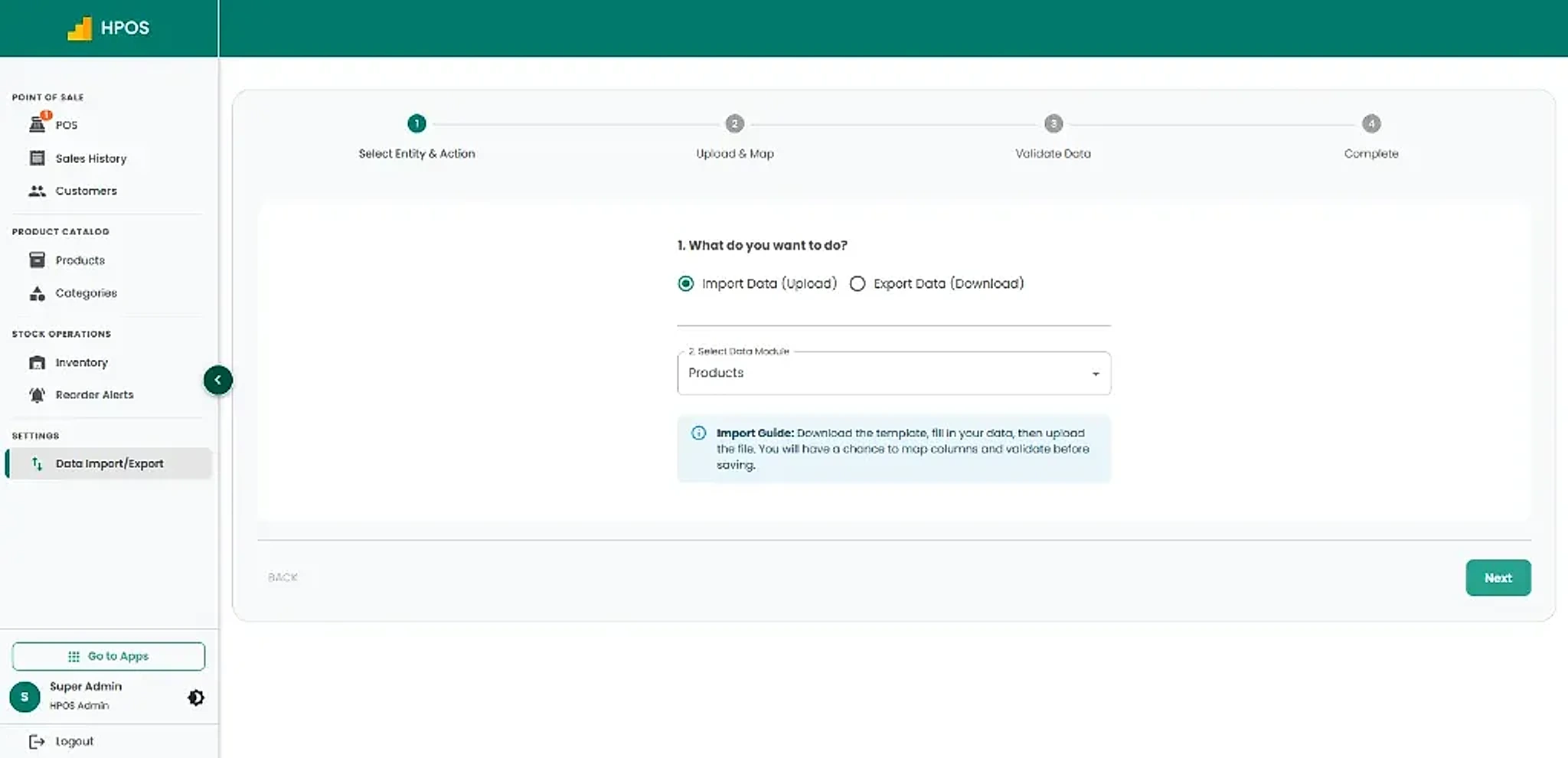
A Structured 6-Step POS Data Migration Framework
How to transfer thousands of barcodes, prices, and stock records with zero store downtime
Generate standard Excel or CSV exports from your old desktop software — Item Names, Barcodes/SKUs, Purchase Prices, Selling Prices, and Customer Contacts.
Review your spreadsheets. Eliminate discontinued product codes, correct misspelled categories, and ensure every active item has an assigned retail price.
Download the standard HulmPOS import format. Copy your cleaned columns into Item Name, SKU/Barcode, Cost, Retail Price, Tax Rate, and Branch Quantity.
Upload an initial batch of 50 to 100 products first. Verify that retail prices, barcodes, and inventory quantities appear accurately on the cloud POS screen.
Conduct a 30-minute practice run with cashiers. Ring up test items, apply discounts, print thermal slips, and verify that stock deductions register properly.
Import your full inventory catalogue, take a final opening cash register count, and start ringing live sales on your new cloud-connected point of sale.
Detailed Guide: For a comprehensive step-by-step walkthrough, read our guide on how to switch POS software without losing your product and customer data.
11. See How HulmPOS Connects Your Business Operations
By now, you understand the core differences between cloud POS and desktop POS. But what does using HulmPOS actually look like in everyday shop operations?
HulmPOS is a purpose-built cloud POS platform designed specifically for retail stores, supermarkets, restaurants, and pharmacies in Pakistan. Instead of maintaining disconnected sales records, inventory spreadsheets, and manual notebooks, HulmPOS unifies essential business workflows into one intuitive platform.
Add Products & Import Catalogues
Import thousands of products via Excel or add items directly with barcodes, wholesale costs, retail prices, and reorder levels.
Lightning-Fast Counter Billing
Ring up sales in seconds using barcode scanners, touchscreen items, customer phone search, and instant thermal receipt printing.
Instant Multi-Branch Inventory Sync
Every sale automatically deducts stock in real time. Transfer products between branches and monitor stock shortages instantly.
Manage Vendors & Purchase Orders
Create purchase orders, receive supplier shipments, verify invoiced costs, and track accounts payable balances.
Real-Time Mobile Owner Reports
Open your smartphone anytime to see live daily sales, gross margins, top-selling items, and cashier drawer balances.
Why Growing Pakistani Businesses Choose HulmPOS
- Cloud-Based Flexibility: Works smoothly on existing Windows laptops, desktops, Android tablets, and iPads.
- Dedicated Industry Modules: Built-in workflows for retail stores, supermarkets, restaurants, cafes, and pharmacies.
- Native FBR Integration: Direct fiscal compliance integration for eligible Tier-1 retailers across Pakistan.
- Multi-Branch Scalability: Seamlessly add new branch locations as your retail business expands.
- Local Support on WhatsApp: Fast onboarding assistance, training videos, and live technical support based in Pakistan.
Switching to HulmPOS Is Easier Than Starting Again
Already using Excel or an outdated desktop POS? Don't rebuild your catalogue manually. Let our team help you import your existing products in minutes.
12. Frequently Asked Questions About Cloud POS vs Desktop POS
Final Verdict: Cloud POS or Desktop POS?
A desktop POS can still serve businesses that operate from a single, unchanging physical location, lack reliable internet, and maintain a rigorous process for physical hardware backups.
However, if you want the freedom to check your business performance from anywhere, synchronize inventory across multiple stores, protect your business records against hardware failure, and eliminate the headache of local server maintenance, cloud POS is the undisputed future of modern business management.
Before making your final choice, evaluate:
- Internet reliability and offline billing fallback.
- Automated cloud backups vs. manual external drives.
- True total cost of ownership over 3 to 5 years.
- Ease of opening a 2nd or 3rd branch in the future.
- Availability of local technical support and FBR compliance.
Don't select a POS system simply because it has a long feature checklist. Choose the system that removes friction from your daily workflow and gives you total control over your business.
Stop Depending on Disconnected Spreadsheets & Isolated Computers
Bring your counter billing, multi-branch stock, supplier purchasing, customer CRM, and business reports together with HulmPOS.
HulmPOS Starter • PKR 2,500/month
Includes 1 User, 1 Branch, POS Billing, Inventory, Customer Records, Sales Reports, and Native FBR Integration.
No credit card required • Free onboarding setup • Cancel anytime
Upgrade Your Business with Hulm POS
Designed for speed, simplicity, and multi-location scalability. Start ringing up sales in minutes.
Start Your Free Trial
 WhatsApp