
Customers Are Paying by Cash, Card and Bank Transfer. How Do You Track Everything?
Table of Contents
A customer pays Rs. 5,000 in cash. Another pays Rs. 8,000 by card. A third transfers Rs. 6,000 directly to your bank account via Raast.
Your shop has made Rs. 19,000 in sales.
But here is the critical question: Can you quickly tell how much money came through each payment method, how much physical cash should be in the counter drawer, and whether the card and bank payments have actually cleared into your account?
If you are checking paper receipts, bank mobile apps, POS card-machine slips, WhatsApp payment screenshots, and handwritten notebook registers separately, managing daily payments can quickly become chaotic and stressful.
The solution is not to turn down digital payments. It is to create one unified process for recording every sale, identifying its exact payment tender at the counter, and reconciling each channel separately at closing time.
A cloud POS system such as HulmPOS organizes customer billing, payment methods, and daily sales summaries in one place, eliminating disconnected manual records and evening guesswork.
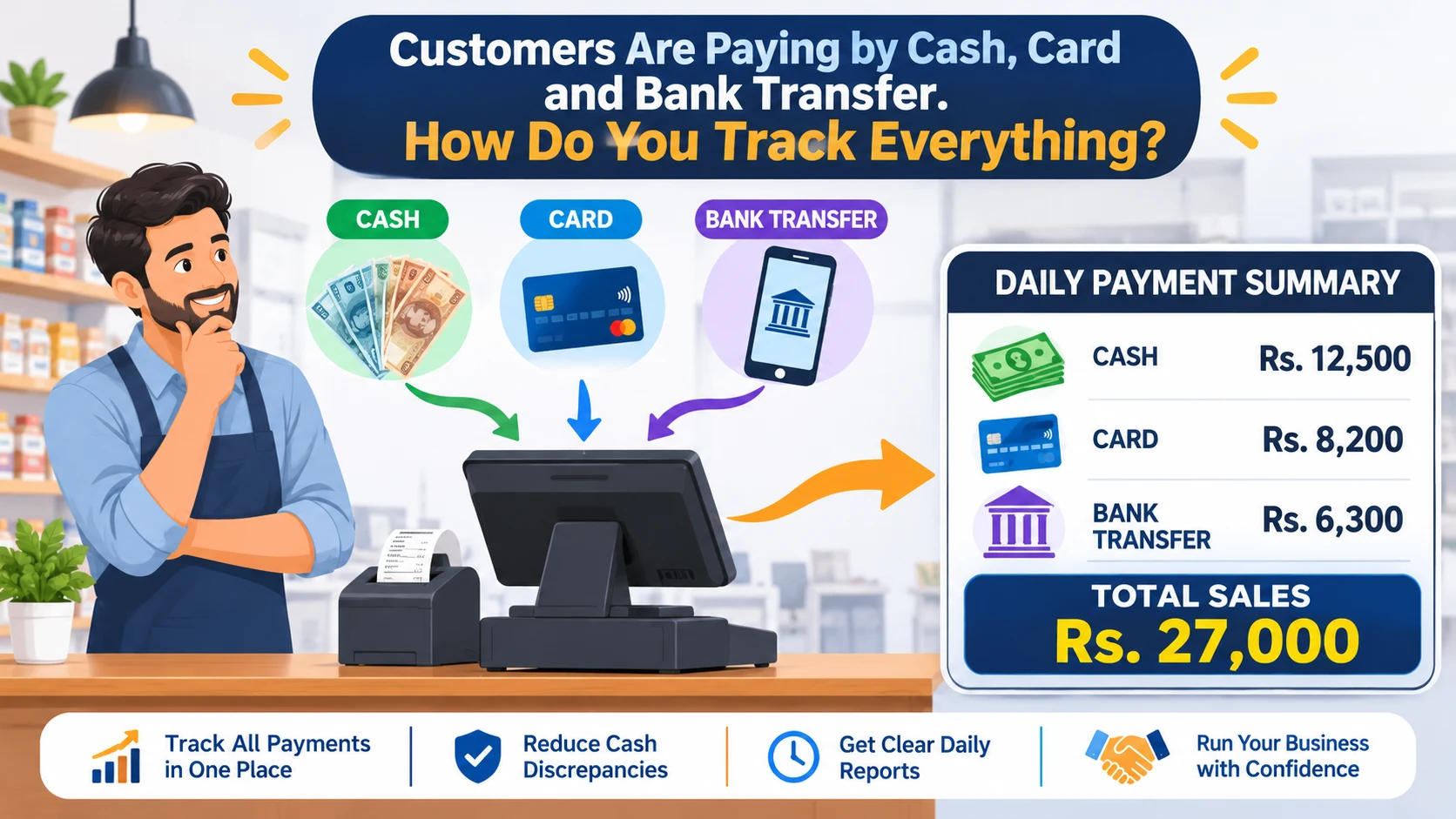
Quick Answer: How Do You Track Cash, Card and Bank-Transfer Payments?
To track multiple payment methods accurately, follow a disciplined 8-step daily procedure:
- Record every customer sale in your POS system: Never complete a transaction off the books.
- Select the correct payment tender: Cash, Card, or Bank Transfer at the checkout prompt.
- Record split payments separately: When a customer uses cash and card together, allocate exact amounts to each.
- Generate the daily sales report: Review total revenue broken down by payment channel.
- Count physical cash in the drawer: Reconcile against expected cash using our Start Day and End Day cash drawer SOP.
- Compare card transactions with terminal records: Match POS card totals with your card-machine end-of-day batch settlement report.
- Verify bank transfers against your bank statement: Match POS bank transfer records with actual credits in your bank mobile app or statement.
- Investigate differences before leaving: Isolate discrepancies before staff finish their shifts.
A POS report records the payment information entered during checkout. It does not automatically guarantee that a bank transfer has cleared your account, that card settlement funds have reached your balance, or that physical cash matches the drawer. Those verification checks are the core of daily reconciliation.
1. Why Managing Multiple Payment Methods Becomes Difficult
Today's Pakistani shoppers expect payment flexibility. A walk-in customer hands over crisp rupee notes; a family pays for weekly groceries with a debit card; an online or WhatsApp order pays via Raast or Nayapay; a wholesale customer splits a large bill across cash and bank transfer.
When a retail store uses disconnected manual tools, transaction records scatter across different locations:
| Payment Activity | Where It Gets Recorded Without POS | The Operational Vulnerability |
|---|---|---|
| Cash sale | Physical till drawer or handwritten notebook register | Unrecorded change errors |
| Card sale | Card machine printed paper slips stuffed under the till | Lost or faded paper slips |
| Bank transfer / Raast | Cashier's personal WhatsApp phone with screenshot | Fake payment screenshots |
| Split payment | Rough mental arithmetic or scratchpad scribbles | Distorts cash & card reports |
| Daily sales summary | Manual Excel sheet updated late at night | Human transcription errors |
Five Common Payment Tracking Mistakes in Retail:
- Problem 1: You know gross sales, but not the tender breakdown: Your shop generated Rs. 100,000, but without a breakdown, you cannot audit whether the cashier is short Rs. 5,000 in cash.
- Problem 2: Cash and digital payments get mixed together: If Rs. 100,000 in sales includes Rs. 30,000 in card payments and Rs. 20,000 in bank transfers, expecting Rs. 100,000 in the drawer creates false panic.
- Problem 3: Bank transfer screenshots are mistaken for real money: Customers frequently show fabricated banking screenshots or send payments that get reversed. A screenshot is not confirmed revenue.
- Problem 4: Card machine totals do not match bank deposits immediately: Merchant acquiring banks deduct transaction fees (e.g., 1.5%–2.5%) and settle on T+1 or T+2 schedules.
- Problem 5: Split payments are miscalculated: If a customer pays Rs. 15,000 using Rs. 5,000 cash and Rs. 10,000 card, entering the whole sale as cash distorts your cash drawer permanently.
2. The Rs. 27,000 Example: One Day of Sales, Three Payment Channels
Let us examine a realistic daily retail scenario in Pakistan to see how multi-tender tracking works in practice:
Daily Sales Payment Breakdown: Rs. 27,000
Physical notes & coins inside the drawer. Must reconcile with morning opening float and expenses.
Processed via card terminal. Reconcile against batch report; settled to bank minus processing fees.
Received directly into bank account. Must be verified through actual bank statement or SMS alert.
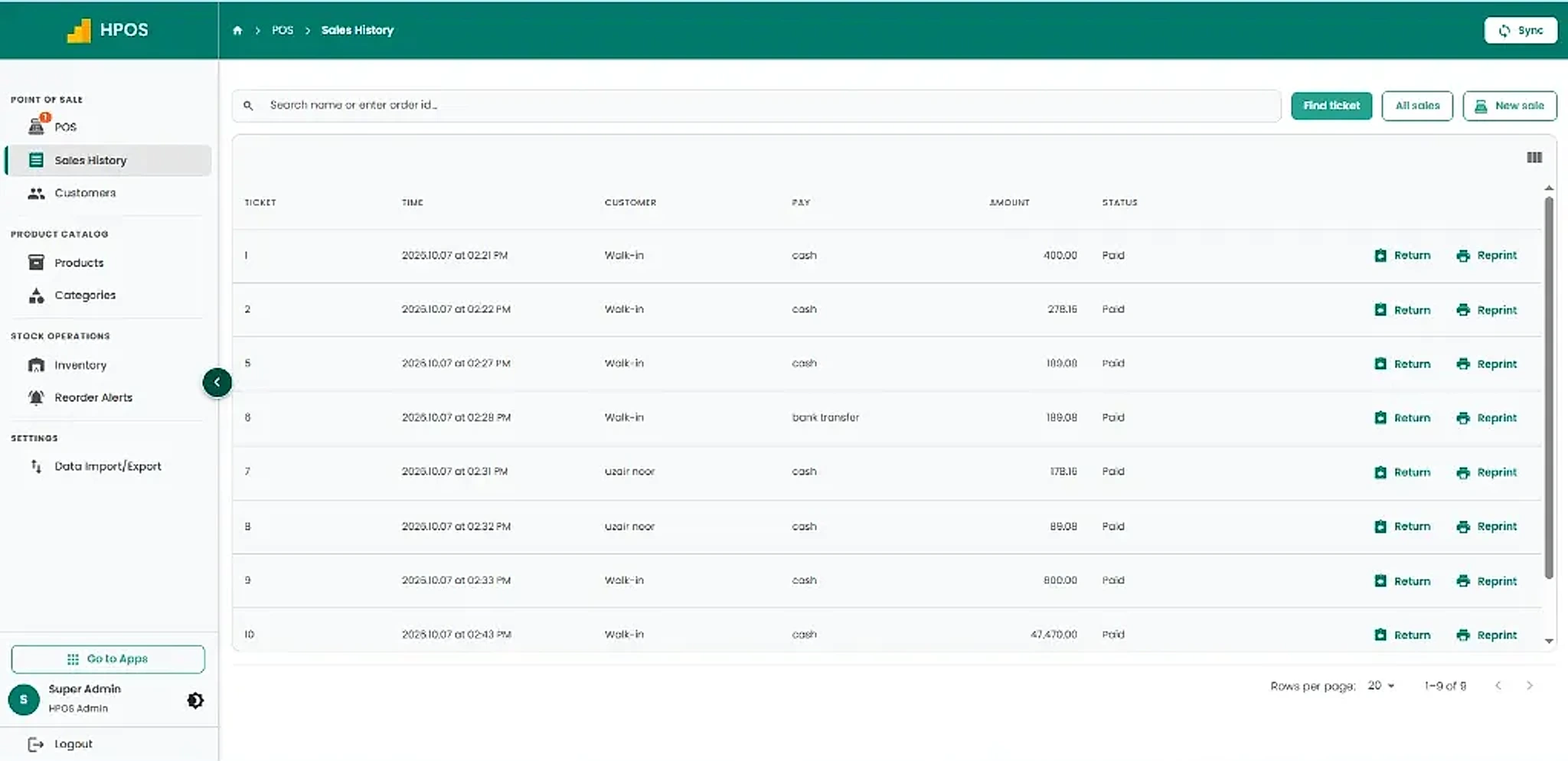
3. How to Track Cash Payments Correctly
Cash remains the lifeblood of Pakistani retail, but physical banknotes are also the most vulnerable to leakage and counting errors. Here is the standard procedure to manage counter cash:
- Count opening cash float: Before opening the store, count physical change in the drawer (e.g. Rs. 5,000) and enter it into the HulmPOS Start Day screen.
- Ring every cash sale: Tap “Cash” on the billing screen so the transaction is tagged to cash receipts.
- Document drawer payouts: If cash is paid out for shop tea, supplier deliveries, or petty expenses, log a paid-out cash voucher immediately.
- Count closing cash: At the end of the shift, count all banknotes and coins physically present.
| Opening Cash Float (Morning) | Rs. 5,000 |
| Total Cash Sales Recorded | + Rs. 12,500 |
| Drawer Petty Expenses Paid | − Rs. 1,000 |
| Cash Removed to Backroom Safe | − Rs. 2,000 |
| Expected Closing Cash in Till | Rs. 14,500 |
If physical cash counted equals Rs. 14,500, your cash drawer is 100% balanced. If there is a shortfall, review unrecorded payouts or change errors immediately.
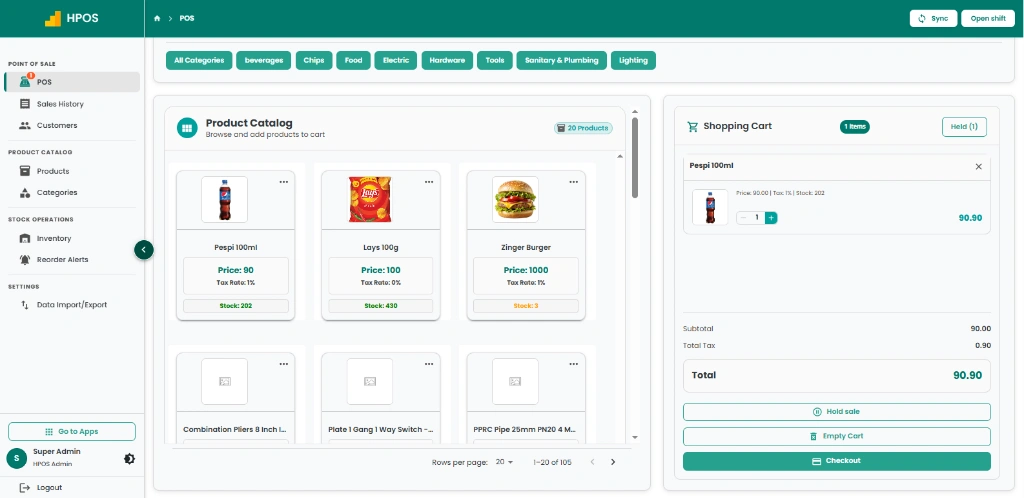
4. How to Track Card Machine Payments
Card transactions (debit and credit cards) settle electronically into your bank account, but they require a distinct reconciliation routine:
- Select “Card” on the POS: If a customer pays Rs. 8,200 via card terminal, record Rs. 8,200 as a card sale so it is not added to expected cash.
- Keep merchant paper slips: File terminal customer slips by shift.
- Run End-of-Day Terminal Settlement: Print the card machine's daily batch settlement summary.
- Compare POS card sales vs. terminal batch: If HulmPOS says Rs. 8,200 in card sales, the terminal report must show Rs. 8,200.
- Check bank deposit vs. fees: Remember that your merchant bank deducts processing fees (MDR) and deposits net funds according to your bank settlement agreement.
5. How to Track Bank Transfer & Raast Payments
Direct mobile bank transfers via Raast, Easypaisa, JazzCash, and banking apps have surged across Pakistan. However, they introduce a serious retail risk: fake payment screenshots.
The Rule for Bank Transfers: Verify Real Account Credit
Never let goods leave your counter based solely on a customer showing a smartphone screen. Anyone can use screenshot generator apps or present a transaction from another day. Instruct cashiers to verify the actual transaction credit inside your mobile banking app or through verified real-time bank SMS notifications before handing over high-value items.
| Sale Amount | Rs. 6,300 |
| POS Payment Tender | Bank Transfer / Raast |
| Transaction Reference | Enter Stan ID / Sender Name |
| Bank Account Verification | ✓ Credit confirmed in bank app |
| Status | Confirmed Sale |
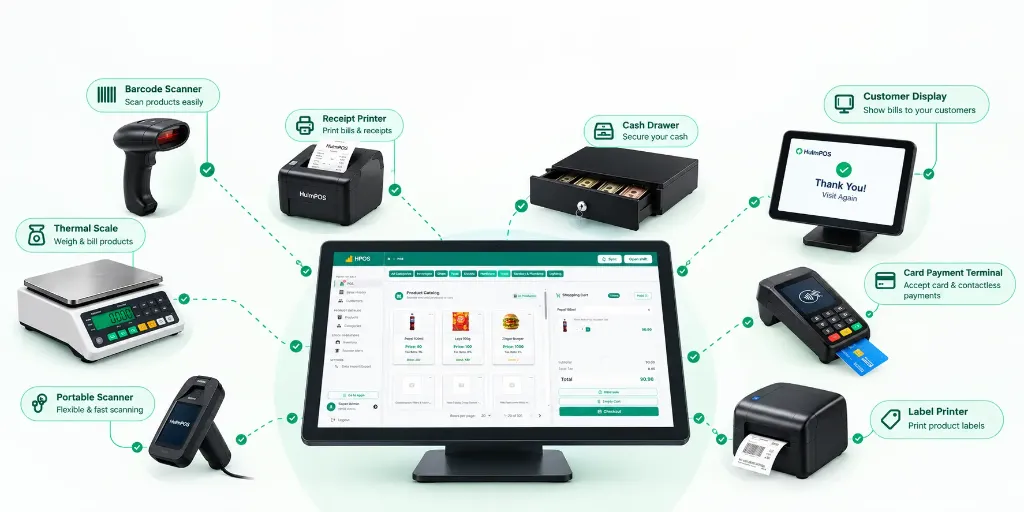
6. Handling Split Payments When Customers Use Multiple Methods
What happens when a shopper buys Rs. 15,000 worth of clothing or electronics and says: “Take Rs. 5,000 cash, put Rs. 4,000 on my debit card, and I will transfer the remaining Rs. 6,000 via Raast”?
This is a split payment (or multi-tender sale). Without a split-tender feature, cashiers often make one of two mistakes:
- Mistake A: They punch the entire Rs. 15,000 as cash. Result: The cash drawer report expects Rs. 15,000, creating an apparent Rs. 10,000 cash shortage at closing time.
- Mistake B: They punch it as card. Result: The card report is overstated by Rs. 11,000, confusing bank reconciliations.
| Portion 1: Physical Cash Tendered | Rs. 5,000 |
| Portion 2: Debit Card Swiped | Rs. 4,000 |
| Portion 3: Bank Transfer / Raast Sent | Rs. 6,000 |
| Total Customer Bill Settled | Rs. 15,000 |
With HulmPOS, cashiers can enter multiple tender amounts against a single receipt so every rupee flows into its corresponding reconciliation channel.
7. Daily Reconciliation: Three Checks Every Business Must Perform
Daily payment reconciliation means comparing what your POS system recorded against real-world external verification sources:
Cash Reconciliation
Count physical cash, add opening float, subtract logged expenses. Expected closing cash must match physical money in the till.
Card Reconciliation
Compare POS recorded card transactions with the card machine's printed batch settlement summary. Verify voided or failed swipes.
Bank Transfer Audit
Match every recorded bank transfer sale with actual incoming deposits in your online banking statement or SMS notification feed.
Interactive Tool: Daily Payment Breakdown & Reconciliation Calculator
Test your daily payment reconciliation below. Enter your shop's cash, card, and bank transfer receipts to verify whether they match your total sales:
Interactive Tool: Split Payment Tender Calculator
Handling a customer who wants to divide a bill across multiple payment methods? Enter the bill total and tender allocations below to ensure no money is left uncollected:
8. Manual Payment Tracking vs. Cloud POS Software
Compare what happens across daily operations when relying on handwritten paper slips versus an automated cloud POS workflow:
| Daily Payment Task | Manual / Notebook Tracking | HulmPOS Cloud Workflow |
|---|---|---|
| Recording Sales | Manual paper receipts or mental calculation | Barcode scan creates instant digital invoice and updates inventory levels |
| Tender Selection | No separation; everything lumped into gross total | Select Cash, Card, or Bank Transfer at checkout prompt |
| Daily Sales Reports | Adding up paper receipts with a calculator at 11:00 PM | Instant daily sales report broken down by payment channel |
| Cash Drawer Count | No morning baseline; guessing how much cash should be in till | End Day screen isolates cash variance down to the exact rupee |
| Card Reconciliation | Searching through paper card slips in a shoe box | POS card report matches terminal batch settlement total |
| Bank Transfer Checks | Cashier scrolls through WhatsApp screenshots | Every bank sale logs customer name, amount, and reference code |
| Split-Tender Sales | Calculated manually on scrap paper; frequently misentered | Multi-tender entry splits invoice across cash, card, and bank |
9. How HulmPOS Connects Payment Tracking with Your Operations
HulmPOS is a modern cloud-based POS software platform built specifically for growing businesses in Pakistan:
Track Every Rupee Across Cash, Card, and Bank
HulmPOS combines fast counter checkout, tender tracking, automated inventory updates, and daily sales reports starting at just Rs. 2,500/month.
Tailored Industry Workflows:
Retail Stores & Boutiques
Fast barcode billing, cash drawer tracking, customer return processing, and multiple checkout lanes.
Explore Retail POS Software →Restaurants & Cafés
Split bill capabilities for diners, waiter shift audits, and ingredient costing via our restaurant food cost formula.
Explore Restaurant POS Software →Pharmacies & Chemists
Fast cash transactions, loose tablet strip billing, batch numbers, and expiry tracking.
Explore Pharmacy POS Software →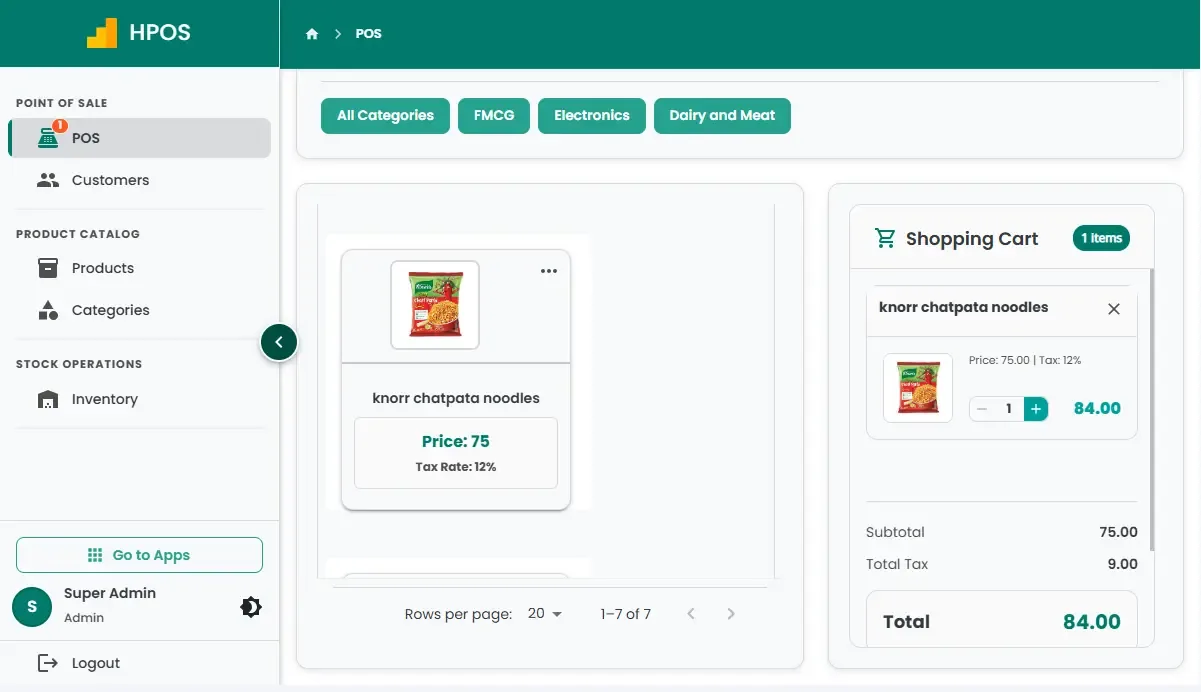
10. Daily Payment Tracking Staff Checklist (SOP)
Train your counter cashiers with this clean 3-phase Standard Operating Procedure (SOP):
Daily Payment Tracking & Reconciliation Protocol
Before Opening
- ✓ Count physical opening cash float in drawer.
- ✓ Log into HulmPOS and enter Start Day float.
- ✓ Check card POS machine network connection.
- ✓ Ensure receipt printer has fresh paper roll.
During Business
- ✓ Ring every customer sale through the POS.
- ✓ Select the actual payment tender (Cash, Card, Bank).
- ✓ Record split payments accurately by method.
- ✓ Verify bank transfer credits via SMS or bank app.
- ✓ File card terminal slips in the register drawer.
At Closing
- ✓ Stop counter billing for the shift.
- ✓ Count physical cash; complete End Day.
- ✓ Print card terminal batch settlement summary.
- ✓ Compare POS card sales with terminal batch.
- ✓ Reconcile bank transfers with actual account credits.
- ✓ Investigate any difference before leaving.
11. Frequently Asked Questions About Payment Tracking
Take Complete Control of Your Multi-Payment Sales
Accepting cash, card, and bank transfers gives your customers the flexibility they want. With HulmPOS, you get the automated record-keeping you need to run your business with total clarity and zero evening headaches.
Upgrade Your Business with Hulm POS
Designed for speed, simplicity, and multi-location scalability. Start ringing up sales in minutes.
Start Your Free Trial
 WhatsApp